
CG Cinematography 第 1.5 章:学院色彩编码系统 (ACES)

- Chapter 1.5: Academy Color Encoding System (ACES) - Chris Brejon - Chris Brejon
- https://chrisbrejon.com/cg-cinematography/chapter-1-5-academy-color-encoding-system-aces/
- CG Cinematography ACES is an in-depth study of the Academy Color Encoding System relased in 2014. We will see its use in a Full CG context and its shortcomings.
前言 Foreword
The careful reader will have noticed that over the two years of existence of my website, my analysis on ACES has changed quite a bit and went from “ACES is awesome” to “ACES has issues and limitations“. Don’t get me wrong : the idea of ACES (an actual framework to help professionals in color management) is great and ACES has been my entry point to color management. Over the past two years (since September 2018, my first post), I have learned so much and met amazing color-obsessed people partly thanks to ACES.
细心的读者会注意到,在我的网站存在的两年里,我对 ACES 的分析发生了很大变化,从“ ACES 很棒”变成了“ ACES 有问题和局限性”。别误会我的意思:ACES(一个帮助专业人士进行色彩管理的实际框架)的想法很棒,ACES 是我进入色彩管理的切入点。在过去的两年里(自 2018 年 9 月我的第一篇文章以来),我学到了很多东西,并结识了许多对色彩着迷的人,这在一定程度上要归功于 ACES。
But in reality, and this has been stated at meeting#5 (of the Output Transforms VWG) : “The two big successes of ACES are the IDT concept, and the understanding that color management is needed. ” The Output Transforms (the module we use to display our renders) are ACES’ weakness, which is an issue since they are probably the most critical part of the “Image Formation Chain“.
但实际上,这已在会议#5(输出变换 VWG)上指出:“ ACES 的两大成功是 IDT 概念和对色彩管理必要性的理解。 ” 输出变换(我们用来显示渲染的模块)是 ACES 的弱点,这是一个大问题,因为它们可能是“图像形成链”中最关键的部分。
The biggest point overall is that many image makers who are uncomfortable with Color Management (because let’s face it, it is a scary and complex topic) have completely given up on learning and actually trusting their skills or eyes. There is like a psychological effect : “if it has been done by the Academy and used on the Lego movies, then it MUST be good. It MUST be. ” You don’t believe me ? Check this out :
总体而言,最大的问题是,许多对色彩管理感到不舒服的图像制作者(因为让我们面对现实,这是一个可怕而复杂的话题)已经完全放弃学习,实际上不再相信自己的技能或眼睛。这就像是一种心理效应:“如果它是由学院完成的,并用于乐高电影,那么它一定是好的。它一定是。 ”你不相信我?看看这个:
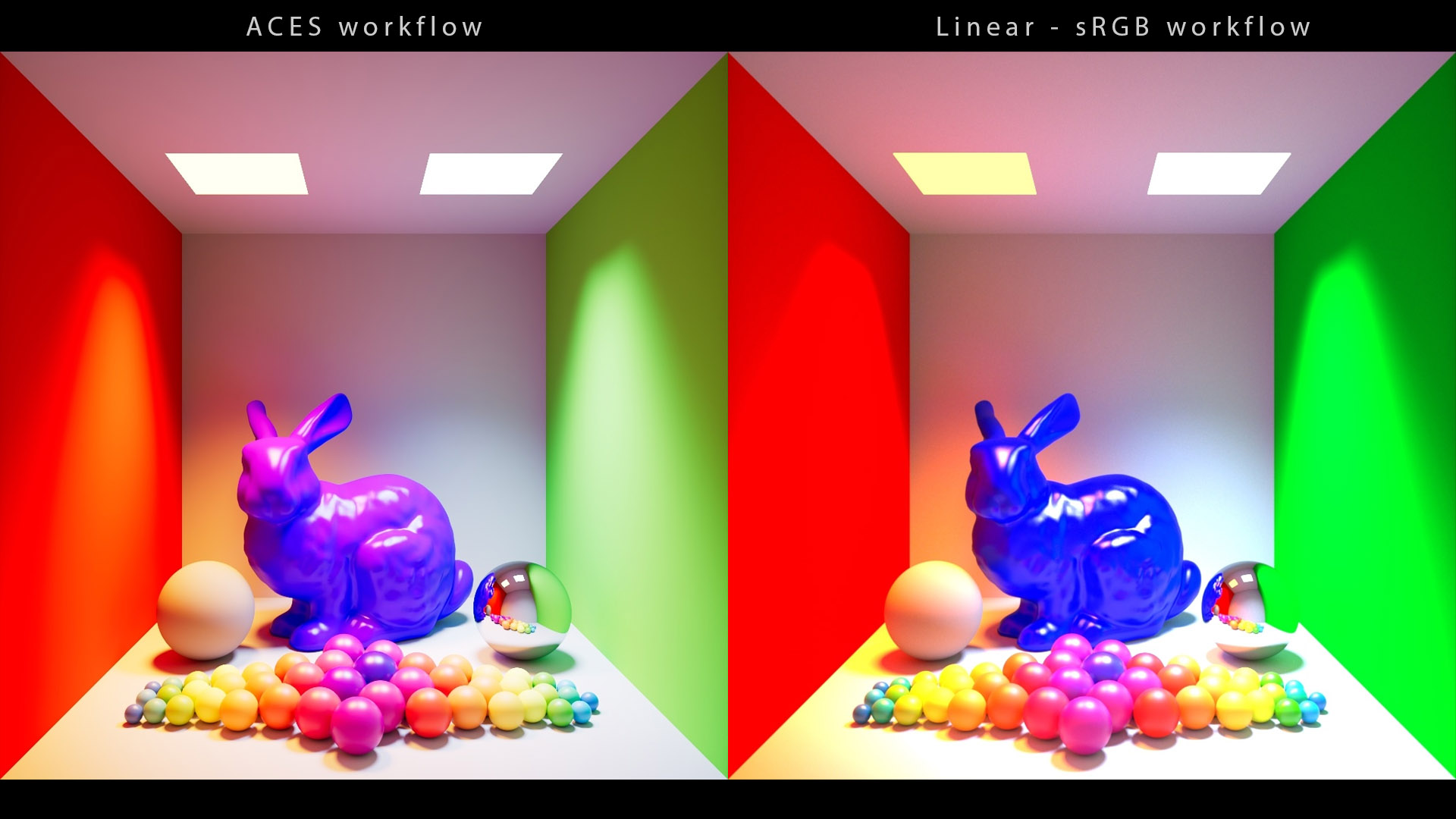
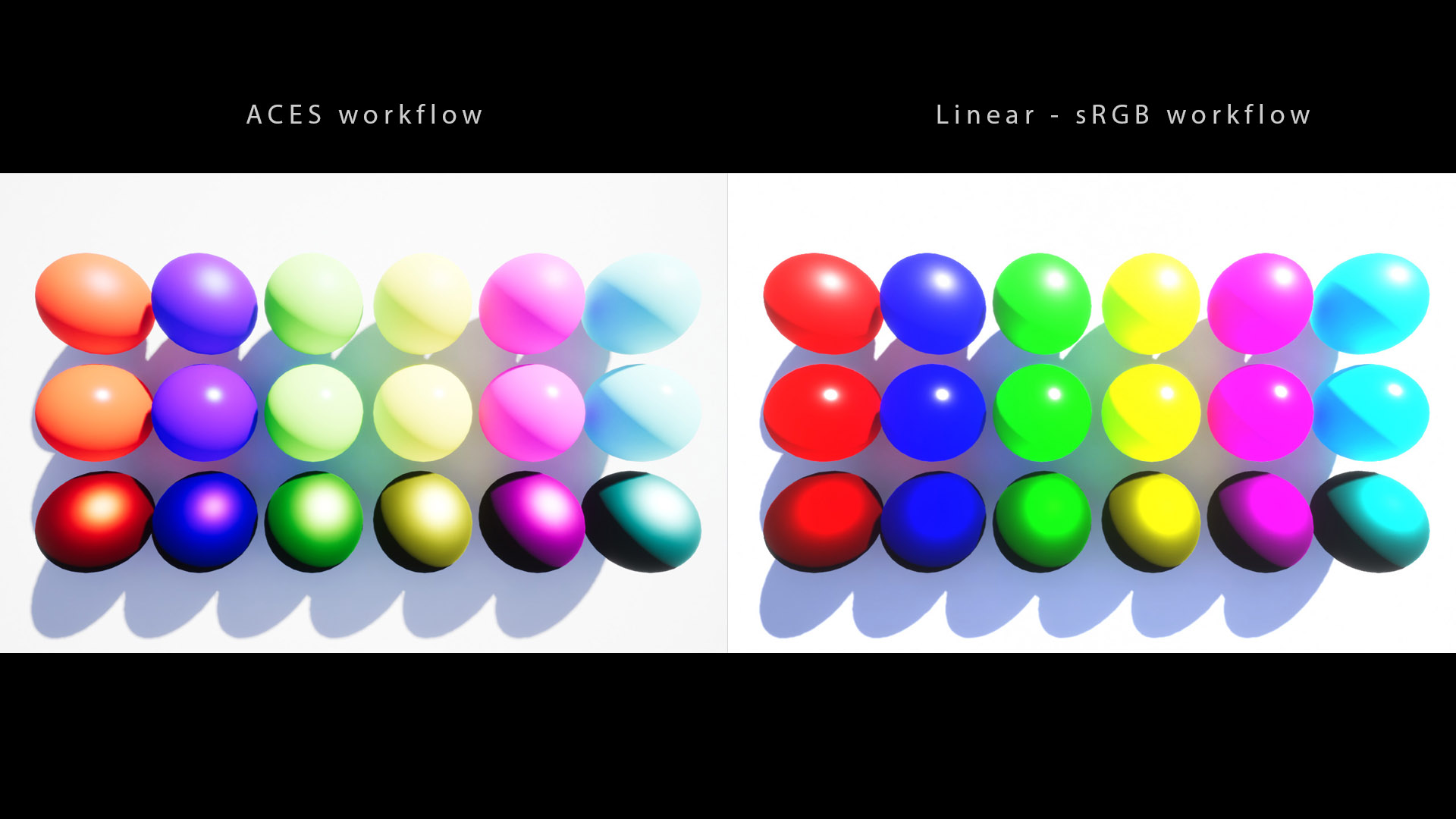
Why on earth would a blue rabbit turn magenta ? Is there something weird going on here ? Can we do better than this ? These two images come from the Redshift and Unreal documentations, two respectable render engines. And this adds again to this fashion trend (in which my website participated) : “if ACES is implemented everywhere, it HAS TO be be perfect. It HAS TO.” So let’s see what is going on here…
一只蓝色的兔子为什么会变成洋红色?这里面有什么奇怪的吗?我们能做得更好吗?这两张图片来自Redshift和Unreal文档,这两个引擎都很有名。这又一次增加了这种流行趋势(我的网站也参与其中):“如果 ACES 到处都实现,它必须是完美的。它必须是。”那么让我们看看这里发生了什么……
介绍 Introduction
The previous chapter was mainly about Color Management prior to 2014. I am now going to describe ACES, a Color Management Workflow (CMW) developed by dozens of professionals under the auspices of the Academy of Motion Picture Arts and Sciences (AMPAS).
上一章主要讲了2014年以前的色彩管理,现在我要讲一下ACES ,它是由美国电影艺术与科学学院(AMPAS)赞助,数十位专业人员开发的色彩管理工作流程(CMW)。
If you want to check the difference between a Color Managemement System (CMS) and a Color Management Workflow (CMW), please check the explanation and proposal by Daniele Siragusano.
如果您想了解色彩管理系统(CMS)和色彩管理工作流程(CMW)之间的区别,请查看Daniele Siragusano 的解释和建议。
The whole idea behind ACES is to set a standard to help professionals in their color management. Many VFX studios such as ILM, Framestore, Double Negative and Animal Logic use it to exchange files and officially more than 300 movies have been done using ACES.
ACES 背后的整个理念是制定一个标准来帮助专业人士进行色彩管理。许多视觉特效工作室(如 ILM、Framestore、Double Negative 和 Animal Logic)都使用它来交换文件,官方已使用 ACES 制作了300 多部电影。
After some investigation, I try to be careful about the previous statement. It has been confirmed during one of the TAC meetings (at 1:02:28) that some of the movies listed were not using the ACES Output Transform.
经过一番调查,我试着谨慎对待前面的陈述。在一次 TAC 会议(1:02:28)中已经确认,列出的一些电影没有使用 ACES 输出转换。
-- It all comes down to the question : which requirements make a project ACES compliant ?
-- 总而言之,这是一个问题:哪些要求使得项目符合 ACES 要求?
ACES is available for free through OCIO (here is the link to the ACES 1.2 config), just like the spi-anim config. ACES has also been implemented in CTL in Resolve and GLSL / HLSL in Unreal and Unity.
ACES 可通过 OCIO 免费获得(此处是ACES 1.2 配置的链接),就像spi-anim 配置一样。ACES 也在Resolve中的 CTL以及Unreal和Unity中的 GLSL/HLSL中实现。
If you don’t feel like following by another technical chapter, I don’t blame you. You can skip to chapter 2.
如果你不想再看另一章技术内容,我不会责怪你。你可以直接跳到第 2 章。
-- Otherwise let’s dive in.
-- 否则我们就深入研究吧。
ACES 概述 ACES overview
Something that really hit me when I arrived at Animal Logic in 2016 was their range of colors. The artists were working on a beautiful and very saturated movie called Lego Batman. It was my first day and I saw this shot on a monitor (I think Nick Cross lit this shot).
2016 年我刚到 Animal Logic 时,我被他们的色彩范围深深震撼了。艺术家们正在制作一部名为 《乐高蝙蝠侠》的精美且饱和度极高的电影。 那是我第一天上班,我在监视器上看到了这个镜头(我想是**Nick Cross**为这个镜头打光的)。
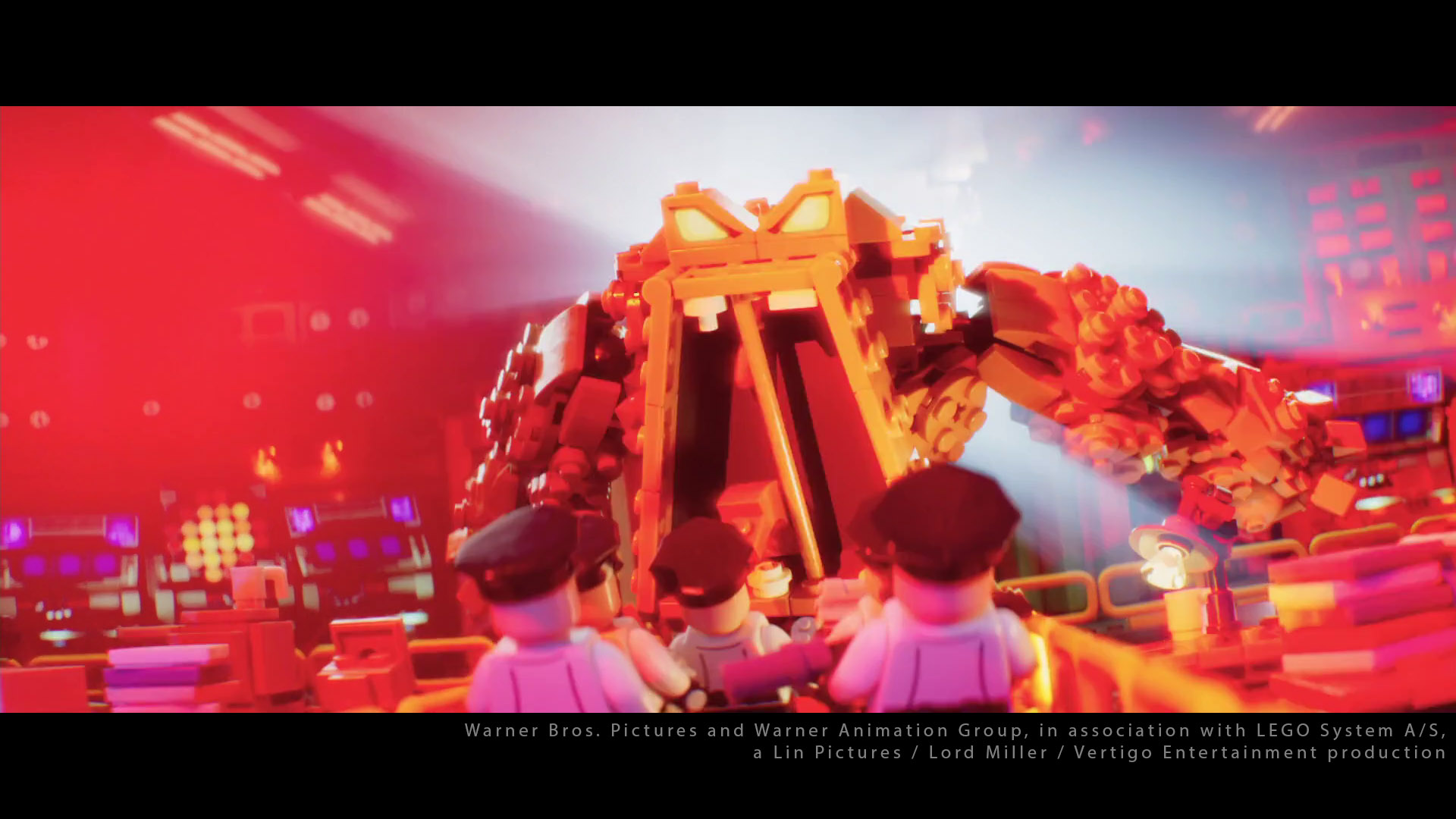
I really thought to myself : “Wow ! This looks good ! How did they get these crazy colors ? ” The range of colors really seemed wider than in my previous studio :
我真的心想: “哇!这看起来不错!他们是怎么得到这些疯狂的颜色的? ”颜色范围似乎比我以前的工作室更广:
- We have seen in the previous chapter that many studios and schools render within the sRGB gamut with a linear transfer function and display in sRGB through a 1D LUT (or a simple sRGB OETF).
- 我们在上一章中看到,许多工作室和学校使用线性传递函数在sRGB色域内进行渲染,并通过 1D LUT(或简单的 sRGB OETF)在sRGB中显示。
- Animal Logic uses P3 monitors which is the industry standard for cinema theaters. As we have seen in the previous chapter, it gives a wider range of colours to display. The amazing art direction by Grant Freckelton also helped to achieve this amazing result.
- Animal Logic 使用 P3 显示器,这是电影院的行业标准。正如我们在上一章中看到的,它可以显示更广泛的颜色。 Grant Freckelton出色的艺术指导也有助于实现这一惊人的效果。
为什么选择 ACES? Why ACES ?
ACES has been developed by the Academy of Motion Picture Arts and Sciences with the help of camera manufacturers (Arri, Red, Sony…) and some VFX studios (ILM, Animal Logic…).
ACES 由美国电影艺术与科学学院在摄像机制造商(Arri、Red、Sony……)和一些视觉特效工作室(ILM、Animal Logic……)的帮助下开发。
You can check the contributors and the TAC members here (in the CONTRIBUTORS tab).
您可以在此处(在 “贡献者” 选项卡中)查看贡献者和 TAC 成员。
When cameras were analog, things were simple. There were only a couple of formats : 35mm and 70mm. TheOriginal Print, shot on film, was available for eternity.
当相机还是模拟相机时,事情很简单。只有两种格式:35 毫米和 70 毫米。用胶片拍摄的原版照片可以永久保存。
But with the digital revolution, multiple cameras and formats have emerged. These proprietary systems, used for Digital Source Master (DSM), can be outdated quite quickly or even worse, not sufficiently documented.
但随着数字革命,出现了多种相机和格式。 这些用于数字源母版( DSM ) 的专有系统可能很快就会过时,甚至更糟的是,没有足够的文档记录。
Issue is when these movies have to be remastered for new supports, the DSMs are not relevant anymore and the original creative intent is lost. So the original idea behind ACES was to encode these archives in a “standard” format to make them less ambiguous. The first name of ACES was indeed the “Image Interchange Framework” (IIF).
问题是,当这些电影必须重新制作以支持新支持时,DSM就不再适用,最初的创作意图也随之消失。因此,ACES 的最初想法是将这些档案编码为“标准”格式,以减少歧义。ACES 的第一个名字确实是“图像交换框架”(IIF)。
BUT it has been explained quite clearly in this post that :
但这篇文章已经解释得很清楚了:
The ST2065-1 file format is far from unambiguous. […] If I give you a ST2065-1 file you don’t know if it was made with the ut33, 0.1.1, 0.2.1, 0.71, 1.03 or 1.1 version of ACES. Which all will produce quite a different version of the movie. […] Is it a bad thing that we have an ambiguous archive file format? I don’t think so. It is good to have ST2065 and nail down a few parameters for the encoding. It is a better DSM (Digital Source Master), that’s it and it is great.
ST2065-1 文件格式远非明确。[…] 如果我给您一个 ST2065-1 文件,您不知道它是使用 ACES 的 ut33、0.1.1、0.2.1、0.71、1.03 还是 1.1 版本制作的。所有这些版本都会产生完全不同的电影版本。[…] 我们有一个模棱两可的存档文件格式是一件坏事吗?我不这么认为。拥有 ST2065 并确定一些编码参数是件好事。它是一个更好的 DSM(数字源母版),就是这样,而且很棒。
-- So it looks like that the sole purpose of ACES has not been achieved…
-- 如此看来,ACES 的唯一目的并未实现……
ACES 是什么? What is ACES ?
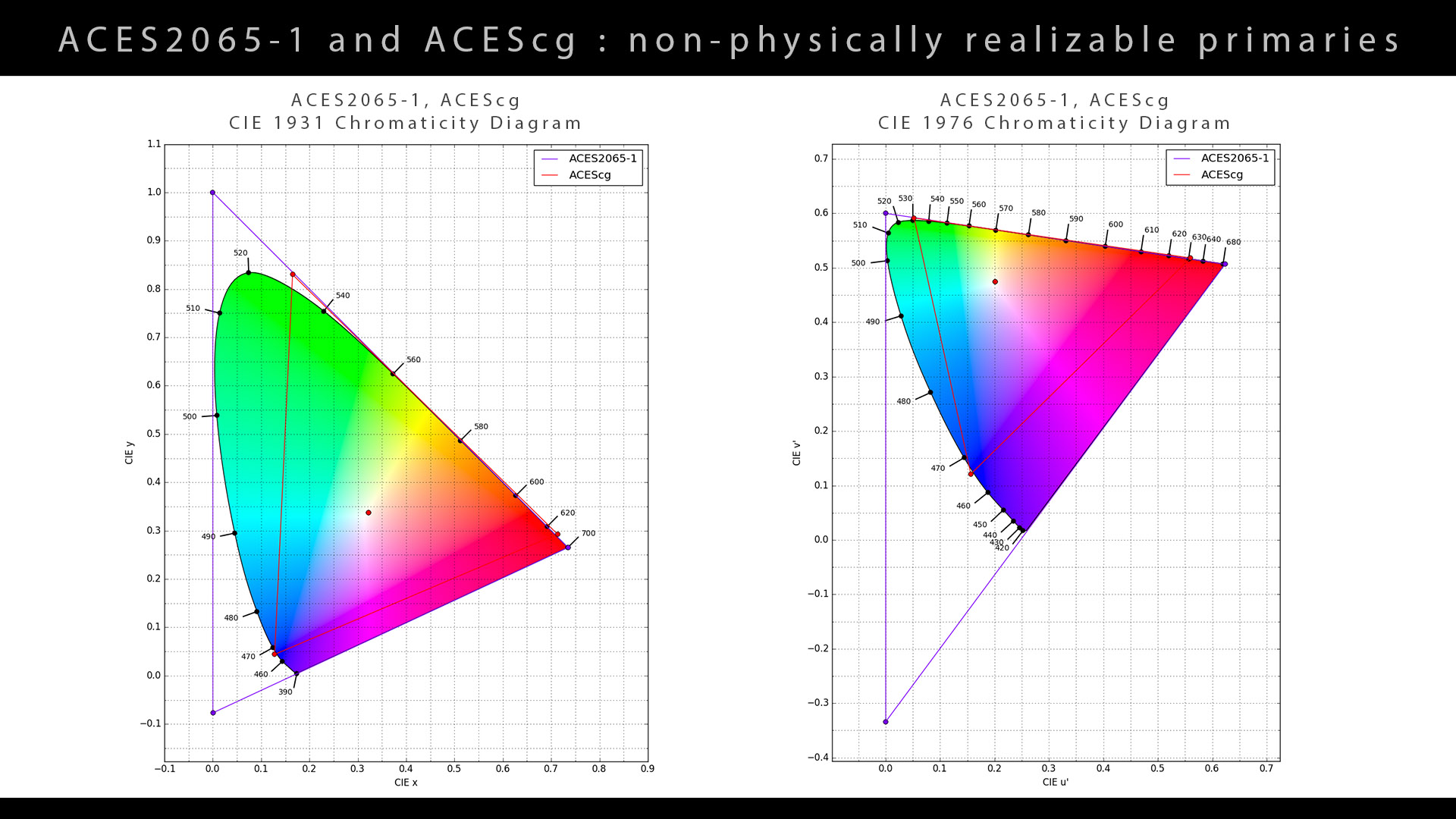
ACES is a CMW that includes a series of color spaces and transforms that allows you to manipulate them. The reference color space developed by the academy is called ACES2065-1 (AP0 primaries). Here are its characteristics :
ACES 是一个 CMW,它包含一系列颜色空间和变换,允许您对其进行操作。该学院开发的参考颜色空间称为ACES2065-1(AP0 原色)。 以下是它的特征:
- Ultra Wide Gamut (non-physically realizable primaries) 超宽色域(非物理可实现的原色)
- Linear 线性
- High Dynamic Range 高动态范围
- Standardised 标准化
- RGB
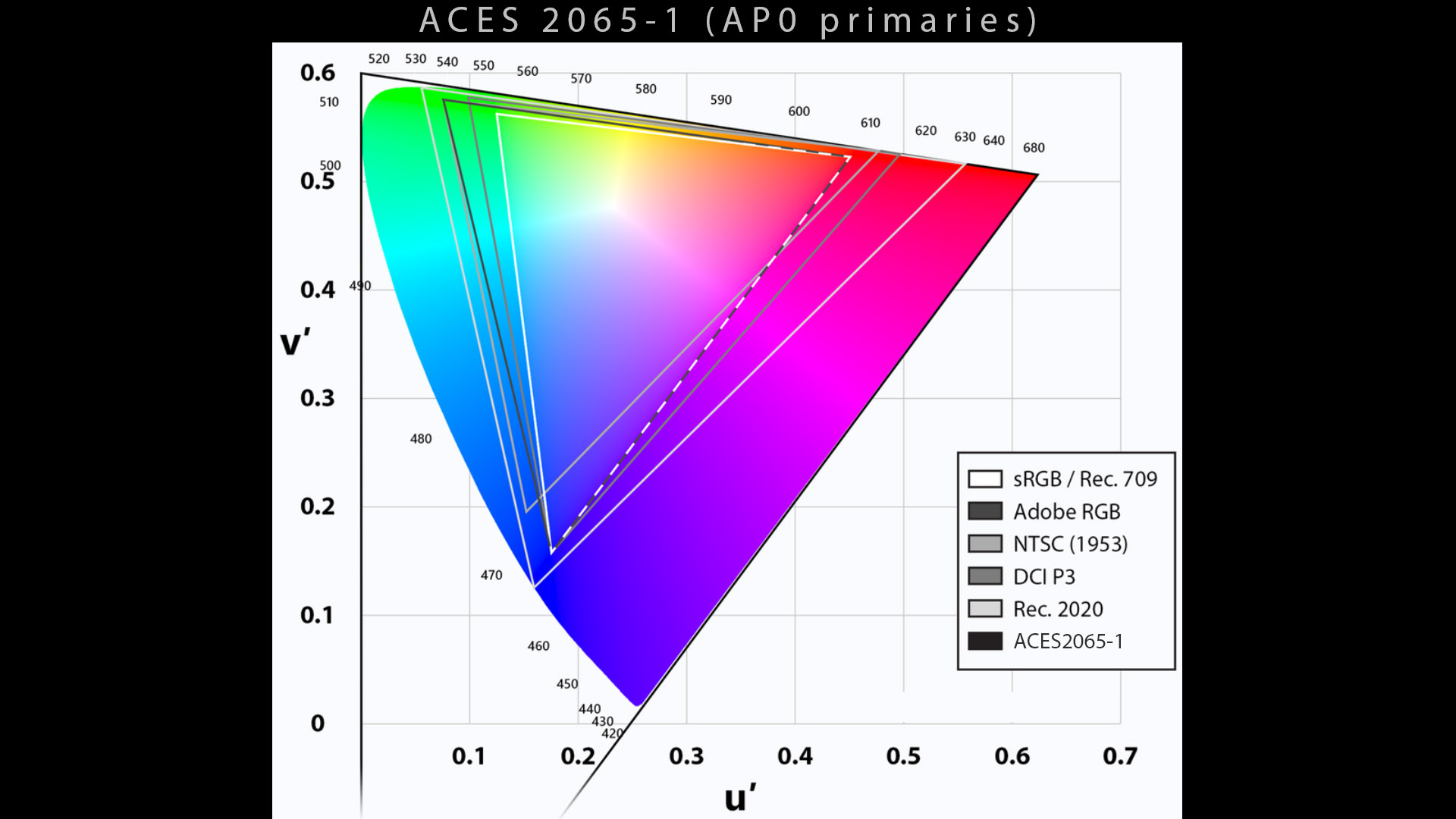
ACES2065-1 is also called the ACES colorspace. But I’d rather use its full name.
ACES2065-1 也称为 ACES 色彩空间。但我更愿意使用它的全名。
-- Terminology accuracy is critical in color management.
-- 术语的准确性在色彩管理中至关重要。
一张图片中的 ACES ACES in one picture
ACES is composed of three main processes described in the following image :
ACES 由下图描述的三个主要过程组成:
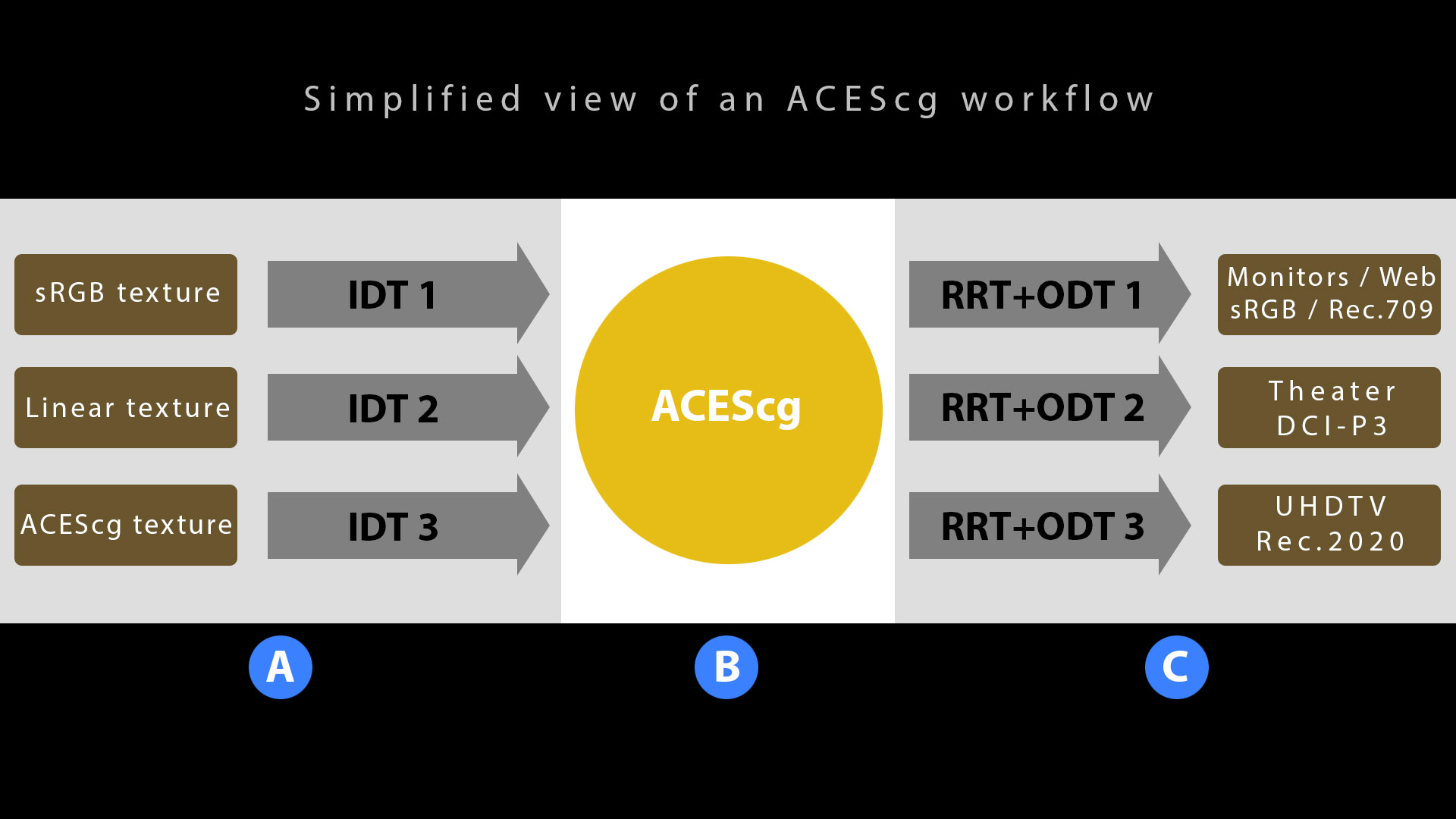
- A. IDT is the import/conversion of the textures/images/renders to the ACEScg colorspace.
- A. IDT是将纹理/图像/渲染导入/转换为ACEScg色彩空间。
- B. ACEScg is the rendering/working space.
- B. ACEScg是渲染/工作空间。
- C. RRT + ODT are the Output Transform to the monitor or video projector.
- C. RRT + ODT是到显示器或视频投影仪的输出转换。
We used to say RRT(Rendering Reference Transform) and ODT (Output Device Transform). I shall refer to them as Output Transform.
我们过去常说 RRT(渲染参考变换)和 ODT(输出设备变换)。我将它们称为输出变换。
-- RRT and ODT were merged for the HDR Output Transforms in ACES 1.1.
--RRT 和 ODT 合并用于 ACES 1.1 中的 HDR 输出转换。
The idea behind ACES is to deal with any color transform you may need :
ACES 背后的想法是处理您可能需要的任何颜色变换:
- Is your texture in sRGB from Internet ? Or is it in linear within the sRGBgamut ? ACES provides all the matrixes and LUTs to convert one colorspace to another with the IDT (Input Device Transform).
- 您的纹理是否来自互联网的sRGB ?还是在sRGB色域内呈线性?ACES 提供所有矩阵和 LUT,以便使用 IDT(输入设备转换)将一个色彩空间转换为另一个色彩空间。
- Is you monitor Rec.709 or P3 ? ACES provides all the LUTs to view your renders with the appropriate Output Transform.
- 您的显示器是Rec.709还是P3?ACES 提供所有 LUT,以便您使用适当的输出变换查看渲染。
This is why one of the important things about Color Management : you must know the colorspace (primaries, transfer function and white point) for each process (input, working space and output).
这就是为什么色彩管理的重要事项之一:您必须了解每个过程(输入、工作空间和输出)的色彩空间(原色、传递函数和白点) 。
--ACES tries to clarify that.
--ACES 试图澄清这一点。
ACES 颜色空间 ACES color spaces
Here is a list of the five ACES color spaces :
以下是五个 ACES 颜色空间的列表:
- ACES 2065-1 is scene linear with AP0 primaries. It remains the core of ACES and is the only interchange and archival format (for DCDM).
- ACES 2065-1是具有 AP0 主色调的场景线性格式。它仍然是 ACES 的核心,并且是唯一的交换和存档格式(用于 DCDM)。
- ACEScg is scene linear with AP1 primaries (the smaller “working” color space for Computer Graphics).
- ACEScg与 AP1 原色(计算机图形学的较小的“工作”色彩空间)场景线性相关。
- ACEScc, ACEScct and ACESproxy all have AP1 primaries and their own specified logarithmic transfer functions.
- ACEScc、ACEScct和ACESproxy均具有 AP1 原色和各自指定的对数传递函数。
| Primaries | White Point | Transfer functions | Usage | |
|---|---|---|---|---|
| ACES2065-1 | AP0 (non-physically realizable) | ~D60 | Linear | Interchange and archival space |
| ACEScc | AP1 (non-physically realizable) | ~D60 | Logarithmic | Working space (color grading) |
| ACEScct | AP1 (non-physically realizable) | ~D60 | Logarithmic (Cineon like) | Working space (color grading) |
| ACEScg | AP1 (non-physically realizable) | ~D60 | Linear | Working space (rendering, compositing) |
| Acesproxy | AP1 (non-physically realizable) | ~D60 | Logarithmic | Transport space (deprecated) |
| 初选 | 白点 | 传递函数 | 用法 | |
|---|---|---|---|---|
| ACES2065-1 | AP0(非物理可实现) | ~D60 | 线性 (Linear) | 交换和档案空间 |
| ACEcc | AP1(非物理可实现) | ~D60 | 对数 | 工作空间(调色) |
| ACE 诊断试剂盒 | AP1(非物理可实现) | ~D60 | 对数(类似 Cineon) | 工作空间(调色) |
| 血管紧张素转换酶 | AP1(非物理可实现) | ~D60 | 线性 (Linear) | 工作空间(渲染、合成) |
| 乙酰辅酶 | AP1(非物理可实现) | ~D60 | 对数 | 运输空间(已弃用) |
The ACES White Point is not exactly D60 (many people are wrong about this actually). It was chosen to avoid any misunderstanding that ACES would only be compatible with scenes shot under CIE Daylight with a CCT of 6000K.
ACES 白点并非完全是 D60(实际上很多人对此都错了)。之所以选择它,是为了避免任何误解,即 ACES 仅与在 CIE 日光下拍摄且 CCT 为 6000K 的场景兼容。
-- It’s all explained in here.
-- 这里已经解释得很清楚了。
There is also an interesting article about the different ACES color spaces if you want to read more on the topic.
如果您想了解更多有关该主题的内容,还有一篇有关不同 ACES 颜色空间的有趣文章。
Please note that the ACES2065-1 color space is not recommended for rendering. You should use ACEScg (AP1 primaries).
请注意,不建议使用 ACES2065-1 颜色空间进行渲染。 您应该使用 ACEScg(AP1 原色)。
-- More explanations are provided right below.
-- 下面提供了更多解释。
为什么选择 ACEScg? Why ACEScg ?
What about Computer Graphics ? How ACES can modify our renders ? Some tests have also been conducted by Steve Agland (Animal Logic) and Anders Langlands (Weta Digital) to render in ACES2065-1.
那么计算机图形学呢?ACES 如何修改我们的渲染? Steve Agland (Animal Logic) 和**Anders Langlands** (Weta Digital) 也对ACES2065-1进行了一些渲染测试。
An unexpected issue occurred when rendering in the ACES2065-1 color space : it was so big that it gave some negative values and would mess up with energy conservation. It is very well explained in this post. Some color peeps refer to this event as The Great Discovery.
在ACES2065-1色彩空间中进行渲染时出现了一个意外问题:它太大了,以至于给出了一些负值,并且会扰乱能量守恒。这篇文章对此进行了很好的解释。一些色彩爱好者将此事件称为 “大发现” 。
On top of that, grading on ACES2065-1 did not feel “natural“. From ACEScentral, Nick Shaw explains :
最重要的是,ACES2065-1 的评级感觉不够“自然”。来自ACEScentral 的Nick Shaw解释道:
The AP1 primaries are a compromise which code most colors likely to occur in images from real cameras using positive values. Because even the most saturated ACEScg colors are still “real”, this means that the maths of grading operations works in a way which “feels” better to colorists.
AP1 原色是一种折衷方法,它使用正值对真实相机图像中可能出现的大多数颜色进行编码。因为即使是最饱和的 ACEScg 颜色仍然是“真实的”,这意味着调色操作的数学运算方式对调色师来说“感觉”更好。
-- ACEScg is more artist friendly.
-- ACEScg 对艺术家更加友好。
Therefore another color space has been created for Computer Graphics : ACEScg (AP1 primaries) (which is similar to *Rec. 2020*). I will repeat in bold and with emphasis because it is CRITICAL : you should never render inACES2065-1.
因此,为计算机图形学创建了另一个色彩空间:*ACEScg(AP1 原色)* (类似于Rec *. 2020*)。我将用粗体和强调的方式重复一遍,因为它至关重要:您永远不应该在ACES2065-1中进行渲染。
ACEScg:我们的工作/渲染空间 ACEScg : our working/rendering space
Why would we render in one color space and display in another ? What is the point ? Remember the Rendering space and the Display space from Chapter 1 ? We have already seen that they do not have to be the same.
为什么我们要在一个颜色空间中渲染而在另一个颜色空间中显示?这样做有什么意义?还记得第一章中的渲染空间和显示空间吗?我们已经看到它们不必相同。
But what if I told you that rendering within different primaries will NOT give the same result ? I’ll repeat for clarity : rendering in Linear – sRGB or ACEScg will not give the same “beauty” exr. The lighting calculation and therefore result will be different.
但如果我告诉你,在不同的原色中渲染不会产生相同的结果 , 你会怎么想?为了清楚起见,我再重复一遍:在线性 - sRGB或ACEScg中渲染不会产生相同的“美感”效果。照明计算和结果将有所不同。
Lego Batman and Ninjago were rendered in linear – P3-D60, which was entirely down to the space the surfacing was done in. Peter Rabbit forward was rendered in ACEScg.
Lego Batman 和 Ninjago 以线性 - P3-D60 渲染,这完全取决于表面处理的空间。Peter Rabbit 前进以 ACEScg 渲染。
-- The choice of rendering primaries is definitely not a trivial decision…
-- 渲染原色的选择绝对不是一个微不足道的决定……
First of all, we shall all agree that RGB rendering is kind of broken from first principles (compared to spectral rendering). So we want to use a colorspace for rendering that makes it a bit less broken and ACEScg is a good candidate for that. By switching from Linear – sRGB to ACEScg, you will access Wide Gamut Rendering. How do we know which particular color space is suited for our needs ? As always, by doing some tests !
首先,我们都同意 RGB 渲染与基本原理相比有些不协调(与光谱渲染相比)。因此,我们希望使用一种色彩空间进行渲染,使其不那么不协调,而ACEScg就是一个很好的选择。通过从Linear – sRGB切换到ACEScg,您将访问宽色域渲染。我们如何知道哪种特定的色彩空间适合我们的需求?一如既往,通过进行一些测试!
To perform a proper comparison between rendering color spaces, we’d need a reference called the “ground truth“. In our case, it would be an unbiased image like the spectral render engine Mitsuba allows you to generate. Otherwise we could not compare objectively the renders !
为了对渲染色彩空间进行适当的比较,我们需要一个称为“基本事实”的参考。在我们的例子中,它将是一个无偏图像,就像光谱渲染引擎Mitsuba允许您生成的图像一样。否则我们无法客观地比较渲染!
The claim is not that BT2020 or ACEScg are the ultimate colourspaces, in fact none is, the claim is that they tend to reduce error generally a bit better compared to others. They happen to have an orientation that is the jack-of-all-trades of all the major RGB colourspaces.
并不是说 BT2020 或 ACEScg 是终极色彩空间,事实上它们都不是,而是它们比其他色彩空间更能减少错误。它们恰好是所有主要 RGB 色彩空间的万能者。
-- Thomas Mansencal.
-- 托马斯·曼森卡尔。
Spectral、Rec.709 和 Rec. 2020 之间的比较 Comparison between Spectral, Rec.709 and Rec. 2020
Some really interesting tests and research have been conducted by Anders Langlands and Thomas Mansencal. They are explained in this post. Three different renders have been done :
Anders Langlands和Thomas Mansencal进行了一些非常有趣的测试和研究。本文对此进行了解释。进行了三种不同的渲染:
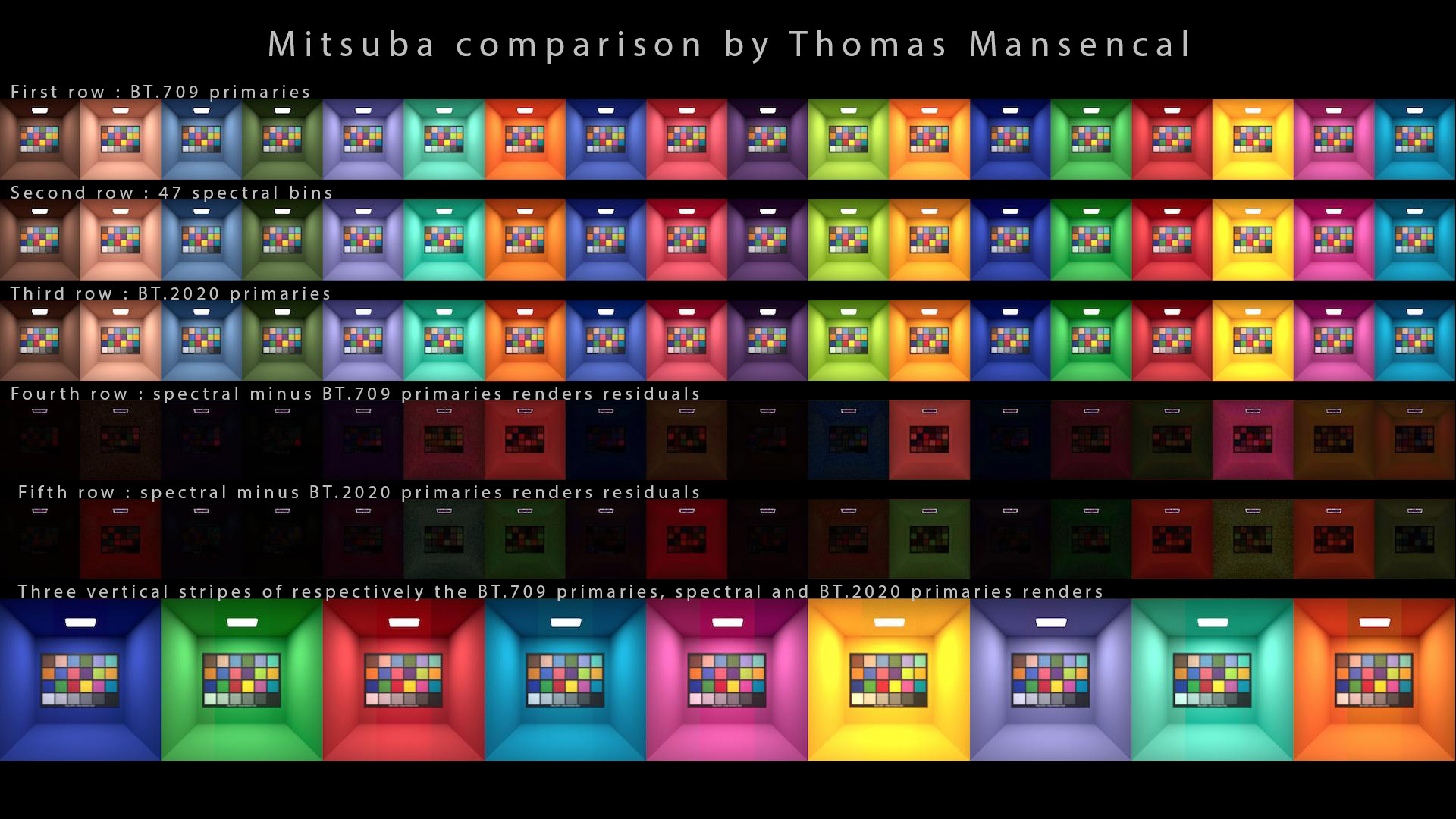
- sRGB/Rec.709, the smallest gamut of all.
- sRGB/ Rec.709,所有色域中最小的。
- Spectral, the ground truth using wavelengths for its calculation.
- 光谱,使用波长进行计算的基本事实。
- Rec. 2020, which is similar to ACEScg.
- Rec. 2020 ,与ACEScg类似。
Then, you subtract them from one another. The darkest it gets, the closer it is to spectral ! So if you have a look at the bottom row the average value is overall darker. Which means that Rec. 2020 gets us “closer” to spectral rendering.
然后,将它们相减。颜色越暗,就越接近光谱!所以如果你看一下下面一行,你会发现平均值总体上更暗。 这意味着Rec. 2020让我们“更接近”光谱渲染。
What is the difference between ACEScg and Rec. 2020 ? What is the advantage to have the three ACEScg primaries out of the CIE diagram ? To encompass P3 mostly, ACEScg is a gamut close to BT.2020 but that encompasses P3. This requires non-physically realizable primaries.
ACEScg和 Rec. 2020之间有什么区别?将三个 ACEScg 原色置于 CIE 图之外有什么好处?为了最大程度地涵盖 P3,ACEScg 的色域接近 BT.2020,但涵盖 P3。这需要非物理可实现的原色。
-- Explanation by Thomas Mansencal. It is worth noting that the choice of the ACEScg primaries was controversial.
-- 托马斯·曼森卡尔 (Thomas Mansencal) 解释。值得注意的是,ACEScg 主色调的选择是有争议的。
ACEScg 解释 ACEScg explanation
The technical reason behind this difference is given in a series of posts :
一系列文章中给出了这种差异背后的技术原因:
From Thomas Mansencal : On a strictly technical point of view, rendering engines are indeed colourspaces agnostic. They just chew through whatever data you throw at them without making any consideration of the colorspace the data is stored into. However the choice of colorspace and its primaries is critical to achieve a faithful rendering. […]
**Thomas Mansencal**表示:从严格的技术角度来看,渲染引擎确实与色彩空间无关。它们只会处理您向其输入的任何数据,而不会考虑数据存储在哪个色彩空间中。然而,色彩空间及其原色的选择对于实现忠实的渲染至关重要。[…]
If you are using sRGB textures, you will be rendering in this particular gamut (by default). Only the use of an Input Device Transform (IDT) will allow you to render in ACEScg (or a conversion beforehand).
如果您使用 sRGB 纹理,您将在此特定色域中进行渲染(默认情况下)。只有使用输入设备转换 (IDT) 才允许您在ACEScg中进行渲染(或事先进行转换)。
From Thomas Mansencal : What most CG artists are referring to as linear is currently sRGB / BT.709 / Rec. 709 colourspace with a linear transfer function. ACEScg is intrinsically linear which makes it perfect for rendering. […] some RGB colorspaces have gamuts that are better suited for CG rendering and will get results that overall will be closer to a ground truth full spectral rendering. ACEScg / BT.2020 have been shown to produce more faithful results in that regard.
Thomas Mansencal表示:目前大多数 CG 艺术家所指的线性是指具有线性传递函数的 sRGB / BT.709 / Rec. 709 色彩空间。ACEScg 本质上是线性的,这使其非常适合渲染。 […] 一些 RGB 色彩空间的色域更适合 CG 渲染,并且总体上会得到更接近真实全光谱渲染的结果。ACEScg / BT.2020 已被证明在这方面能产生更忠实的结果。
And if this was not clear enough :
如果这还不够清楚的话:
Yes, the basis vectors are different and BT.2020 / ACEScg are producing better results, likely because the primaries are sharper along the fact that the basis vectors are rotated in way that reduces errors. A few people (I’m one of them) have written about that a few years ago about it. […] Each RGB colorspace has different basis vectors as a result of which mathematical operations such as multiplication, division and power are not equivalent. […] Generally, you should avoid rendering with ACES2065-1 because it is far from optimal for computer graphics rendering, […].
是的,基向量不同,BT.2020/ACEScg 产生了更好的结果,可能是因为原色更清晰,并且基向量以减少错误的方式旋转。几年前有几个人(我是其中之一)写过关于它的文章。[…] 每个 RGB 颜色空间都有不同的基向量,因此乘法、除法和幂等数学运算并不等价。[…]通常,您应该避免使用 ACES2065-1 进行渲染,因为它远非计算机图形渲染的最佳选择,[…]。
进一步了解虚拟初选 A closer look at virtual primaries
One of my favorite posts on ACESCentral contains some interesting information :
我最喜欢的 ACESCentral 帖子之一包含一些有趣的信息:
The reason for unreal primaries is that they are necessary in order to code all colours within the CIE “horseshoe” using only positive values. The AP0 primaries form the smallest possible triangle which contains all the real colours. This has the knock-on effect that a significant proportion of code values are “wasted” on unreal colours. […] The AP1 primaries are a compromise which code most […] colours likely to occur in images from real cameras using positive values. Because even the most saturated ACEScc/ACEScct/ACEScg colours are still real, this means that the maths of grading operations works in a way which “feels” better to colourists.
之所以需要非真实原色,是因为它们是使用正值编码 CIE“马蹄形”内所有颜色所必需的。AP0 原色形成包含所有真实颜色的最小三角形。这会产生连锁反应,即很大一部分代码值被“浪费”在非真实颜色上。[…] AP1 原色是一种折衷方案,它使用正值编码最有可能出现在真实相机图像中的颜色。因为即使是最饱和的 ACEScc/ACEScct/ACEScg 颜色仍然是真实的,这意味着调色操作的数学运算方式让调色师“感觉”更好。
-- Nick Shaw.
-- 尼克·肖。
AP1 was designed to produce more reasonable ‘RGB’ grading (so that the dials move in the direction of R and G and B), to pick up critical yellows and golds along the spectral locus (to get that entire edge of the locus), and to clearly encompass Rec.2020 primaries by just a small amount. […] Getting rid of the negative blue primary location in AP0 was also a goal.
AP1 的设计目标是产生更合理的“RGB”分级(这样刻度盘就会朝 R、G 和 B 方向移动),拾取光谱轨迹上的关键黄色和金色(以获得轨迹的整个边缘),并清晰地包含少量 Rec.2020 原色。[…] 消除 AP0 中的负蓝色原色位置也是一个目标。
-- Jim Houston.
-- 吉姆休斯顿。
You can also check Scott Dyer’s answer from the same thread. From my personal experience, I can share that rendering in ACEScg :
您还可以从同一主题中查看Scott Dyer 的回答。根据我的个人经验,我可以在 ACEScg 中分享该渲染:
- Is not “better” than rendering in Linear – sRGB. It is just different and you should test by yourself to see if Wide Gamut Rendering fits your needs.
- 并不比线性 - sRGB 渲染“更好”。它只是不同而已,你应该自己测试一下,看看广色域渲染是否符合你的需求 。
- Gives a result which is closer to Spectral Rendering, but this not necessarily suitable for all projects, especially in Full CG.
- 给出的结果更接近光谱渲染,但这不一定适合所有项目,尤其是在全 CG 中。
- Does not give access to more bright and saturated colors. That is the biggest misconception about it. These values do not make it to the display !
- 无法获得更明亮和饱和的颜色。这是对它最大的误解。这些值无法显示出来!
So yeah, Wide Gamut rendering has both pros and cons. And as always, you should test for yourself.
所以,广色域渲染既有优点也有缺点。和往常一样,你应该自己测试一下。
输入设备转换 (IDT) Input Device Transform (IDT)
The IDT is the process to import the textures/images to your working/rendering space, which most likely will be ACEScg.
IDT 是将纹理/图像导入到您的工作/渲染空间的过程,很可能是 ACEScg。
康奈尔框示例 Cornell box example
Here are two renders of a Cornell Box in Guerilla Render. I have used the same sRGB textures for both renders, with the following values :
这是 Guerilla Render 中康奈尔盒子的两张渲染图。我对两张渲染图使用了相同的 sRGB 纹理,其值如下:
- Green sRGB primary at (0, 1, 0).
- 绿色 sRGB 原色位于 (0, 1, 0)。
- Red sRGB primary at (1, 0, 0).
- 红色 sRGB 原色位于 (1, 0, 0)。
- Middle gray at (0.18, 0.18, 0.18).
- 中间灰色为 (0.18, 0.18, 0.18)。
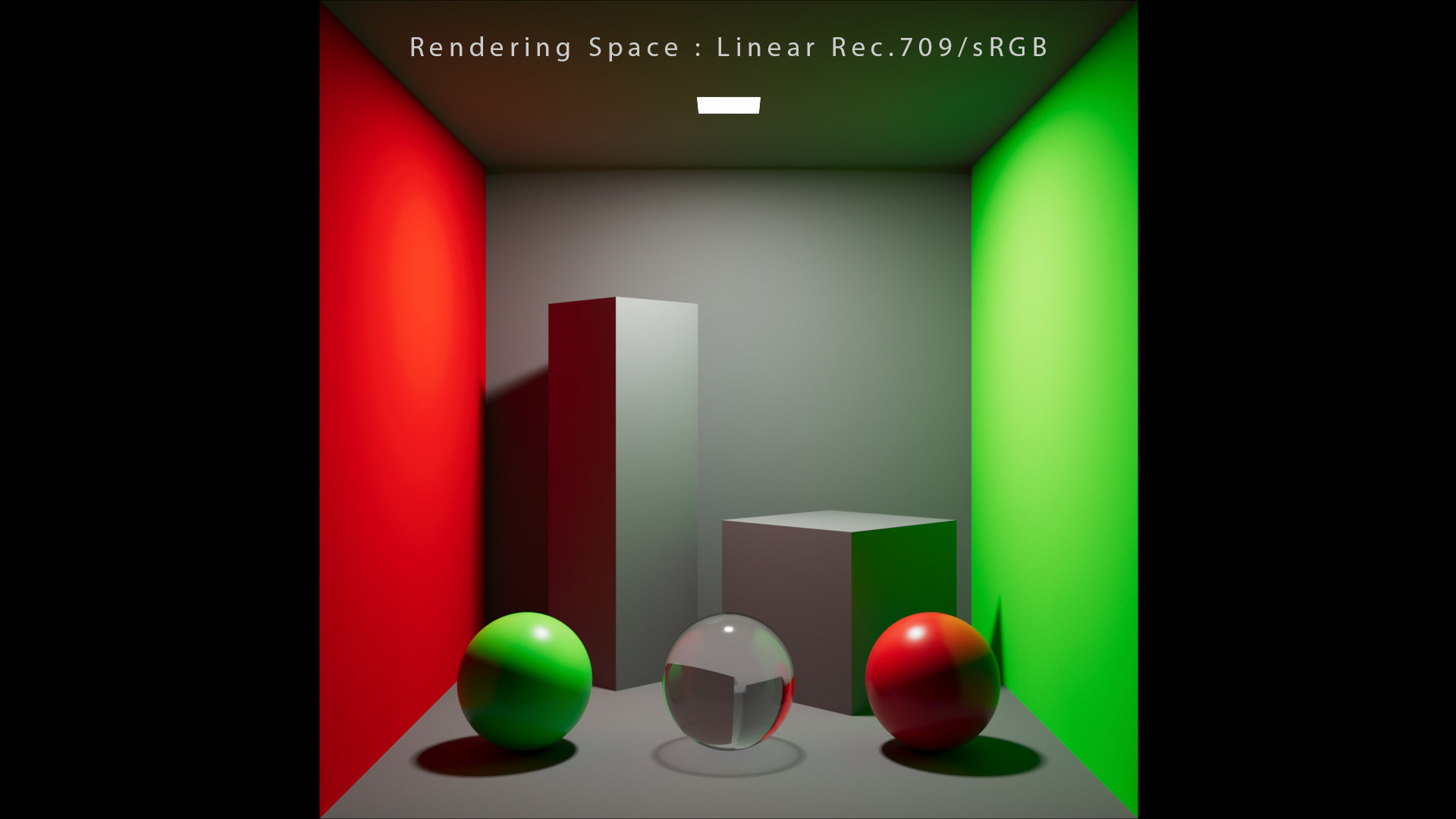
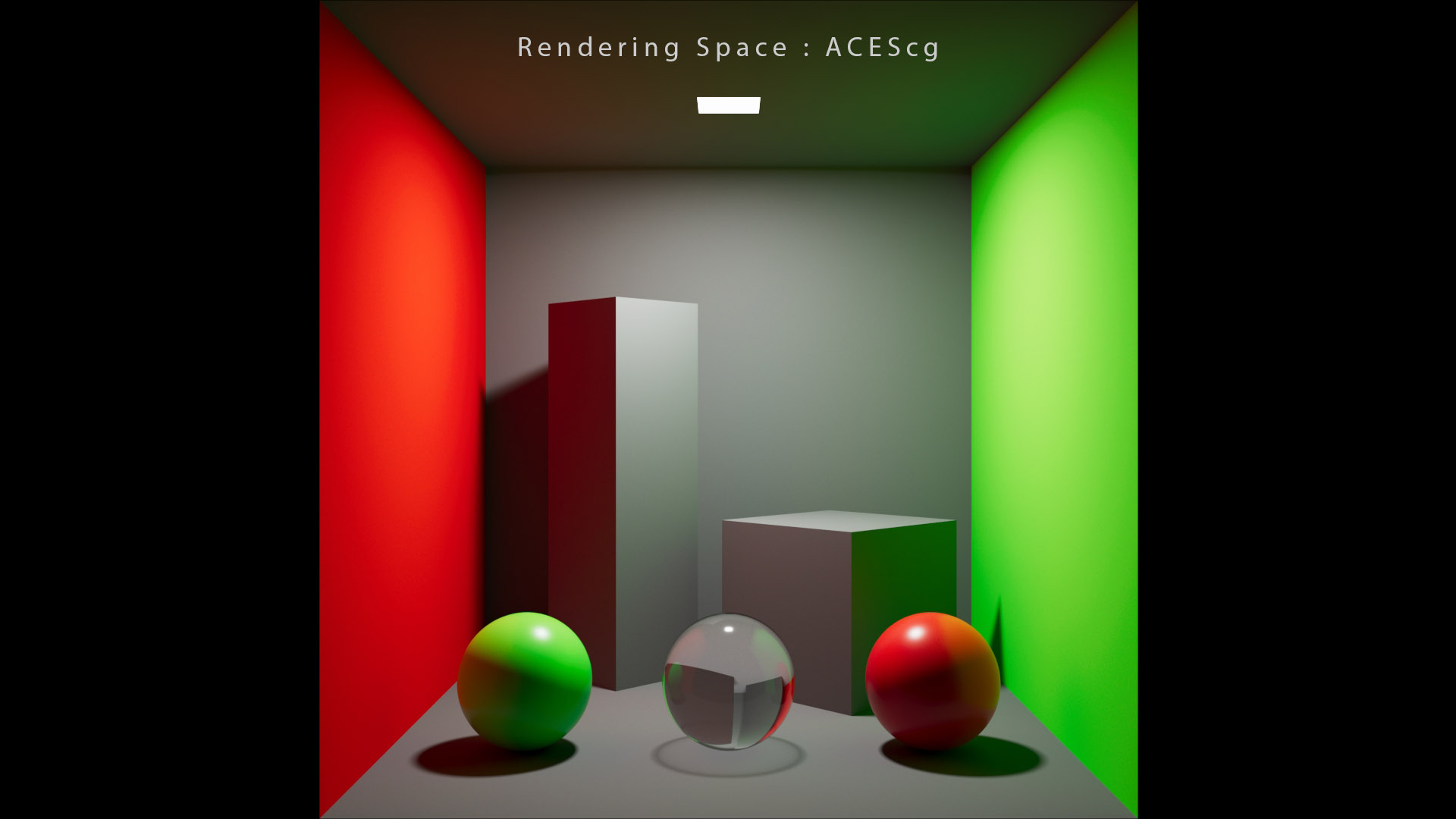
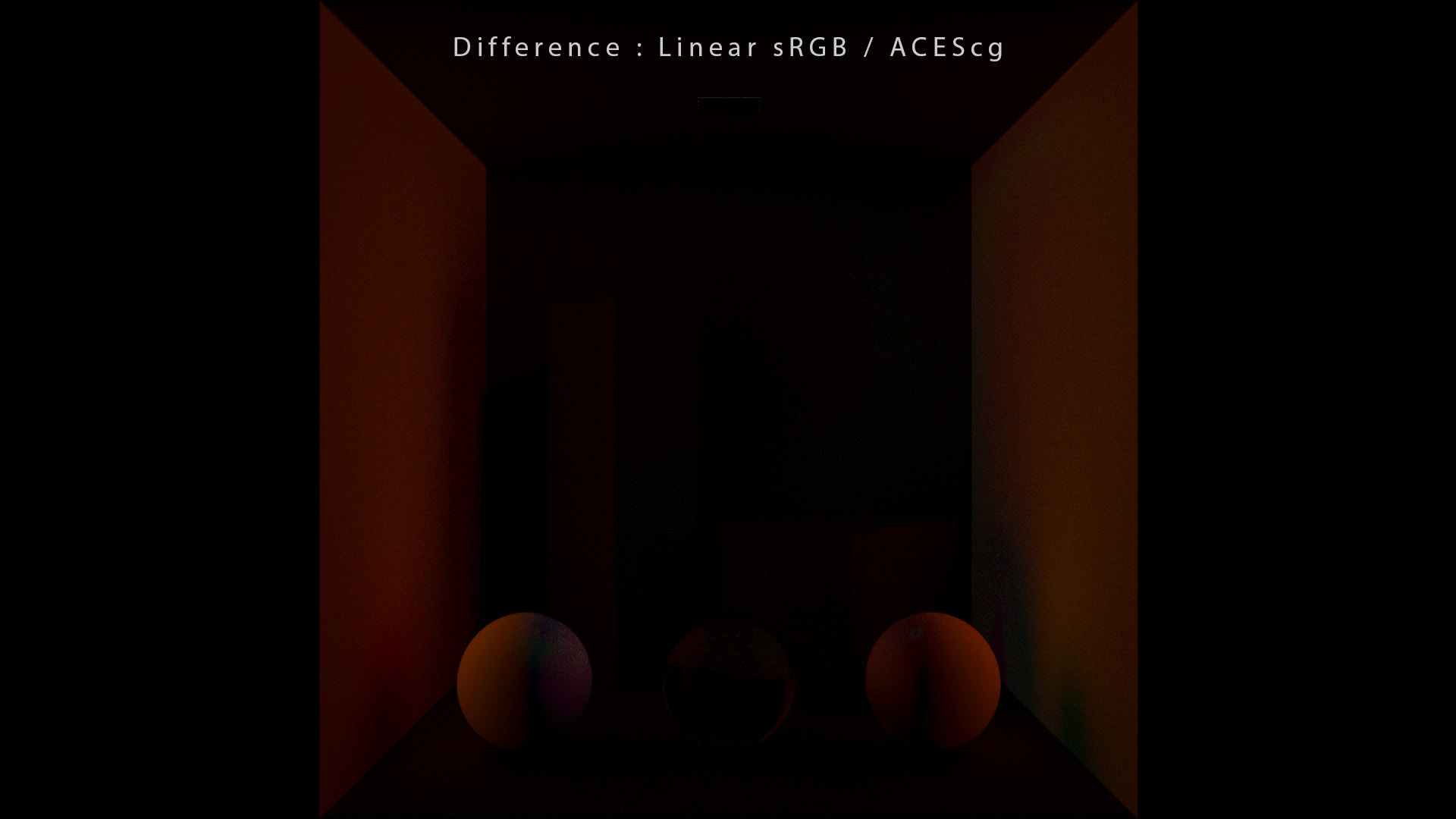
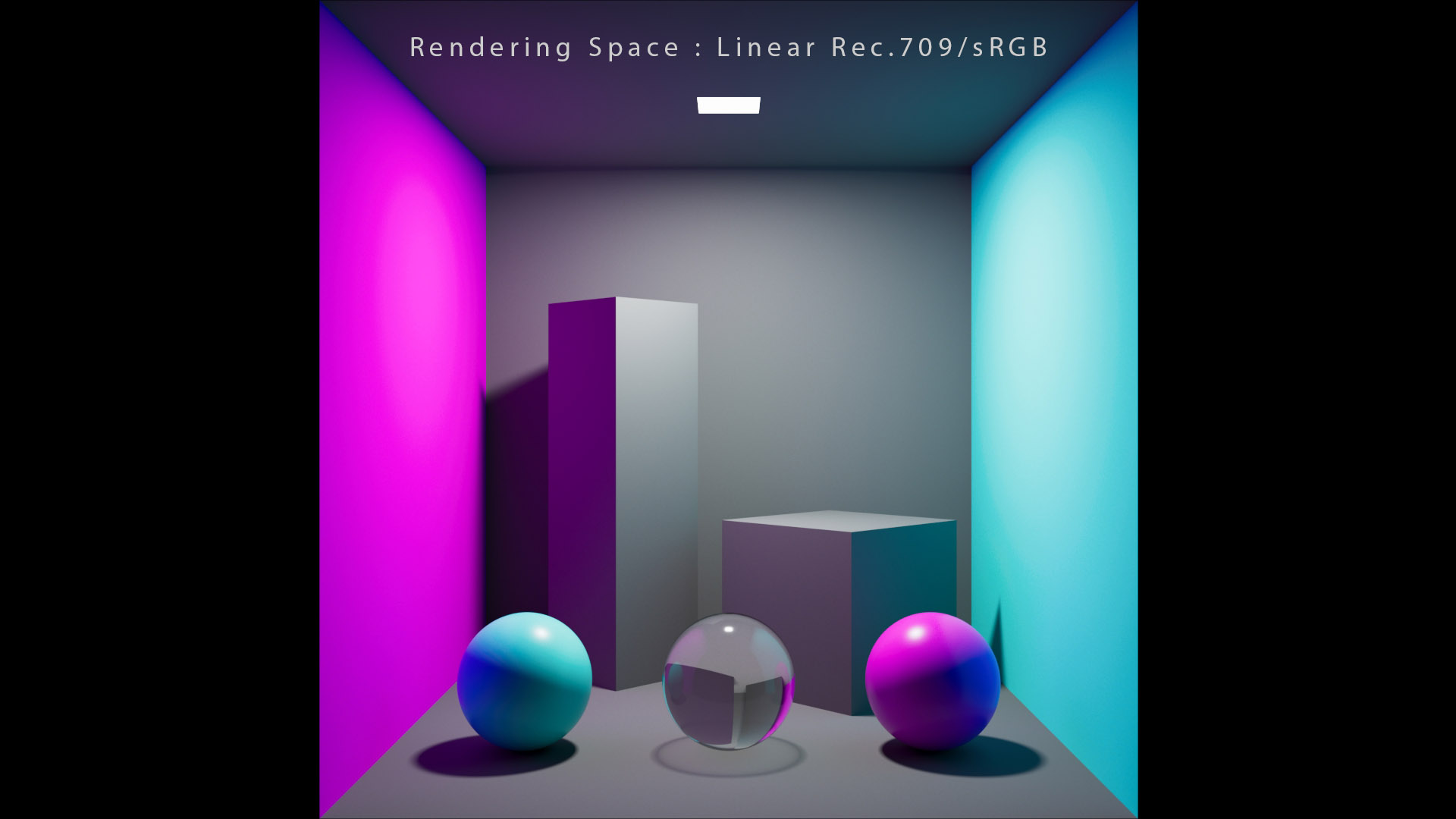
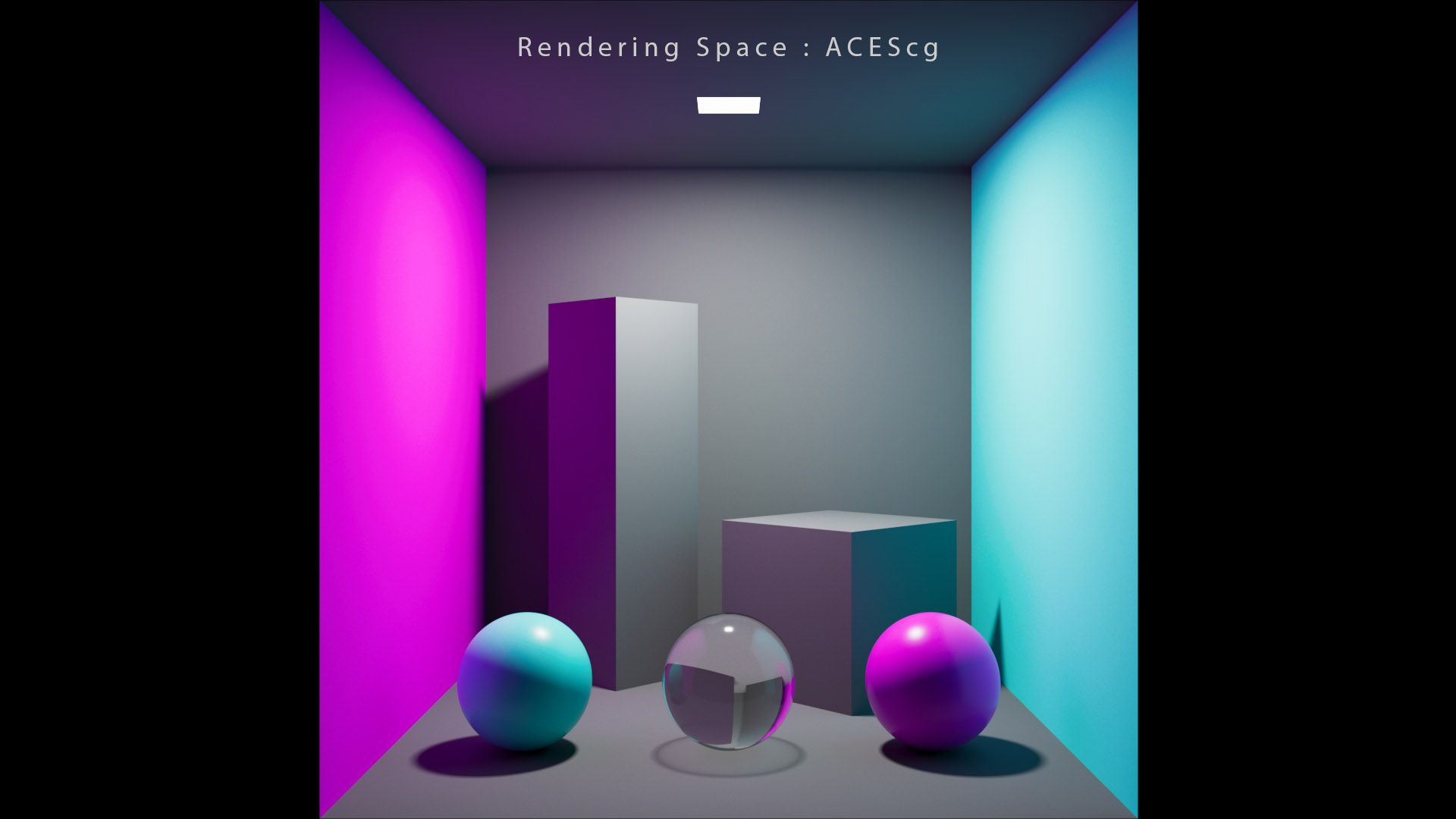
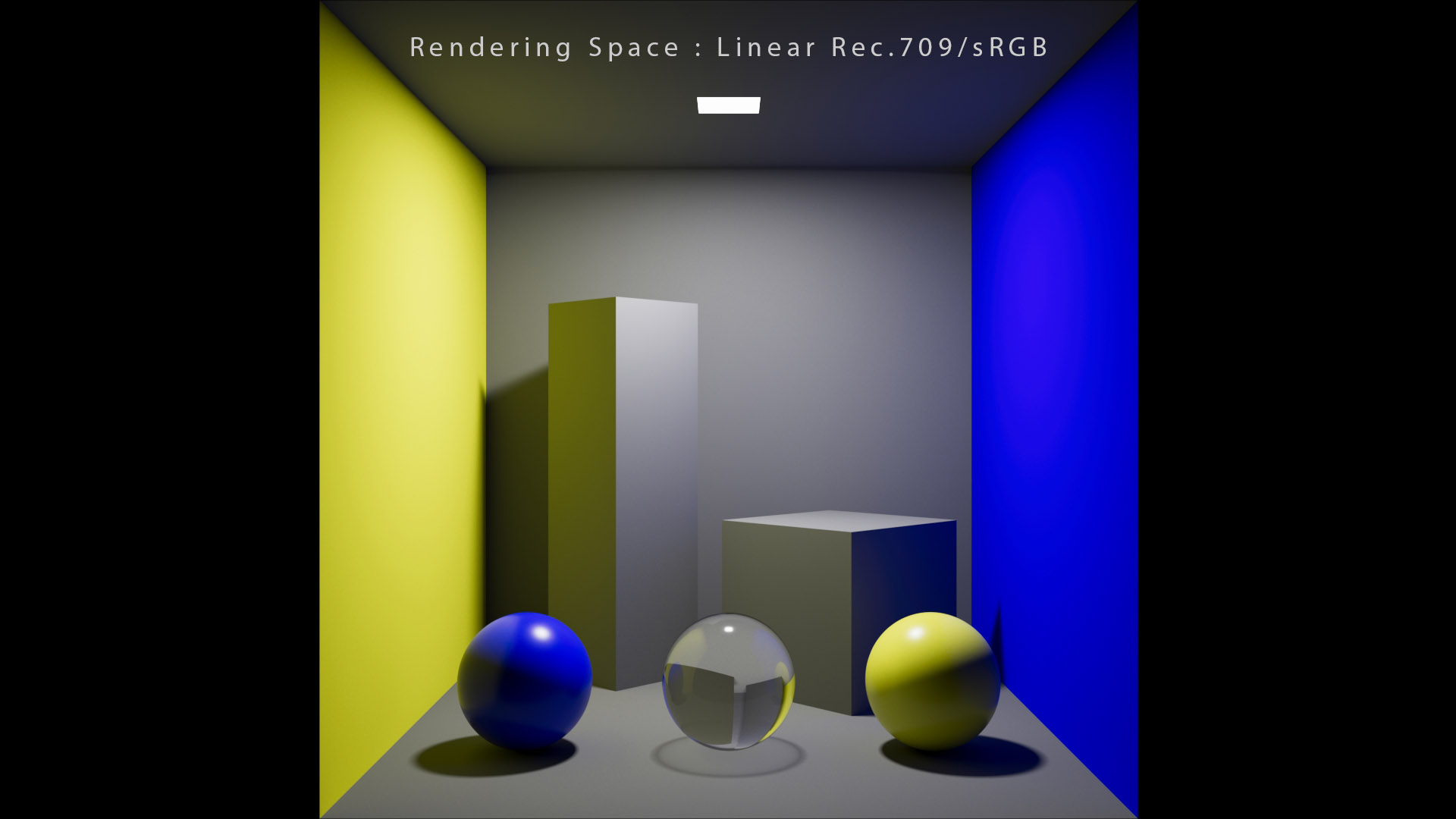
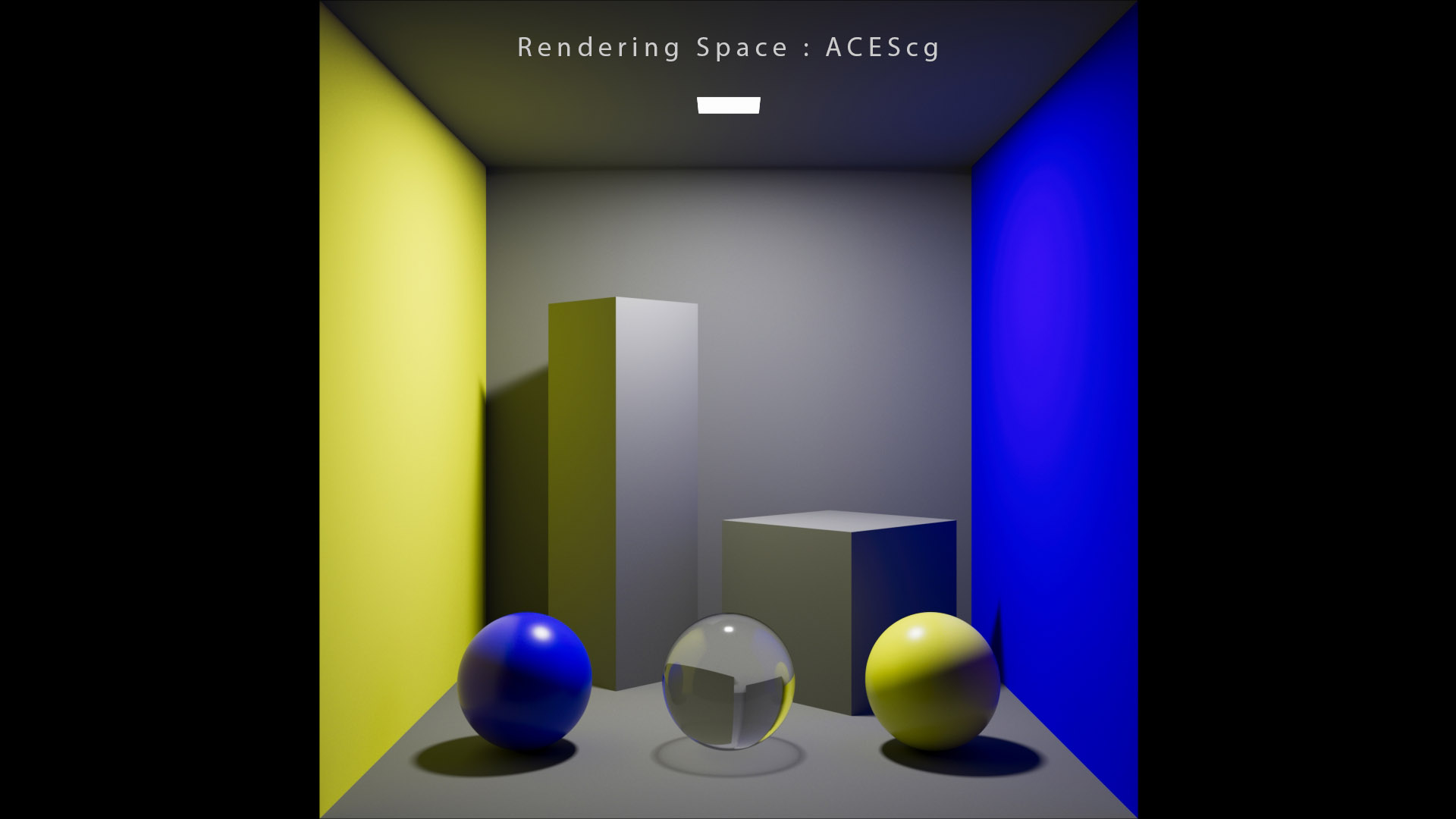
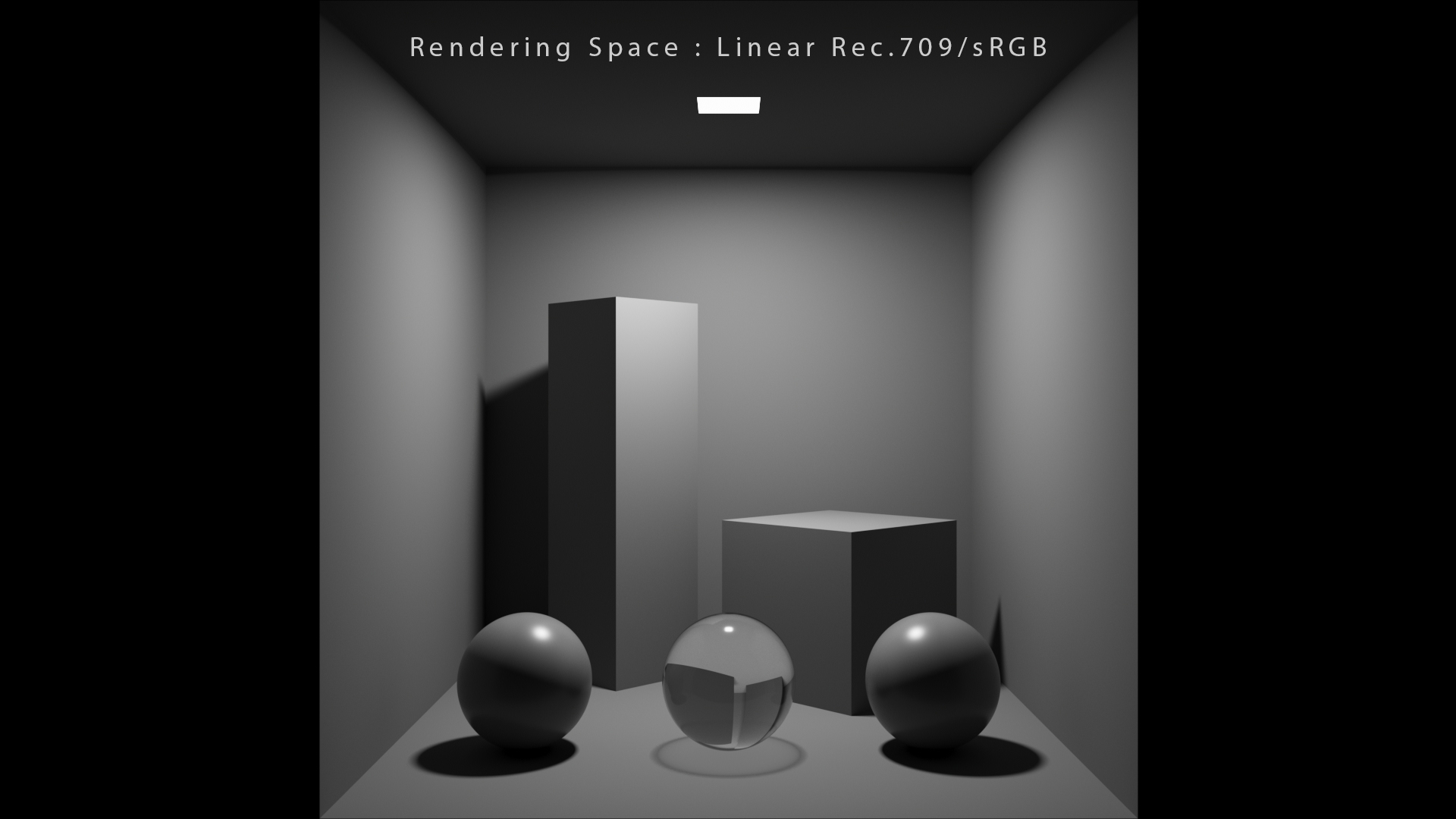
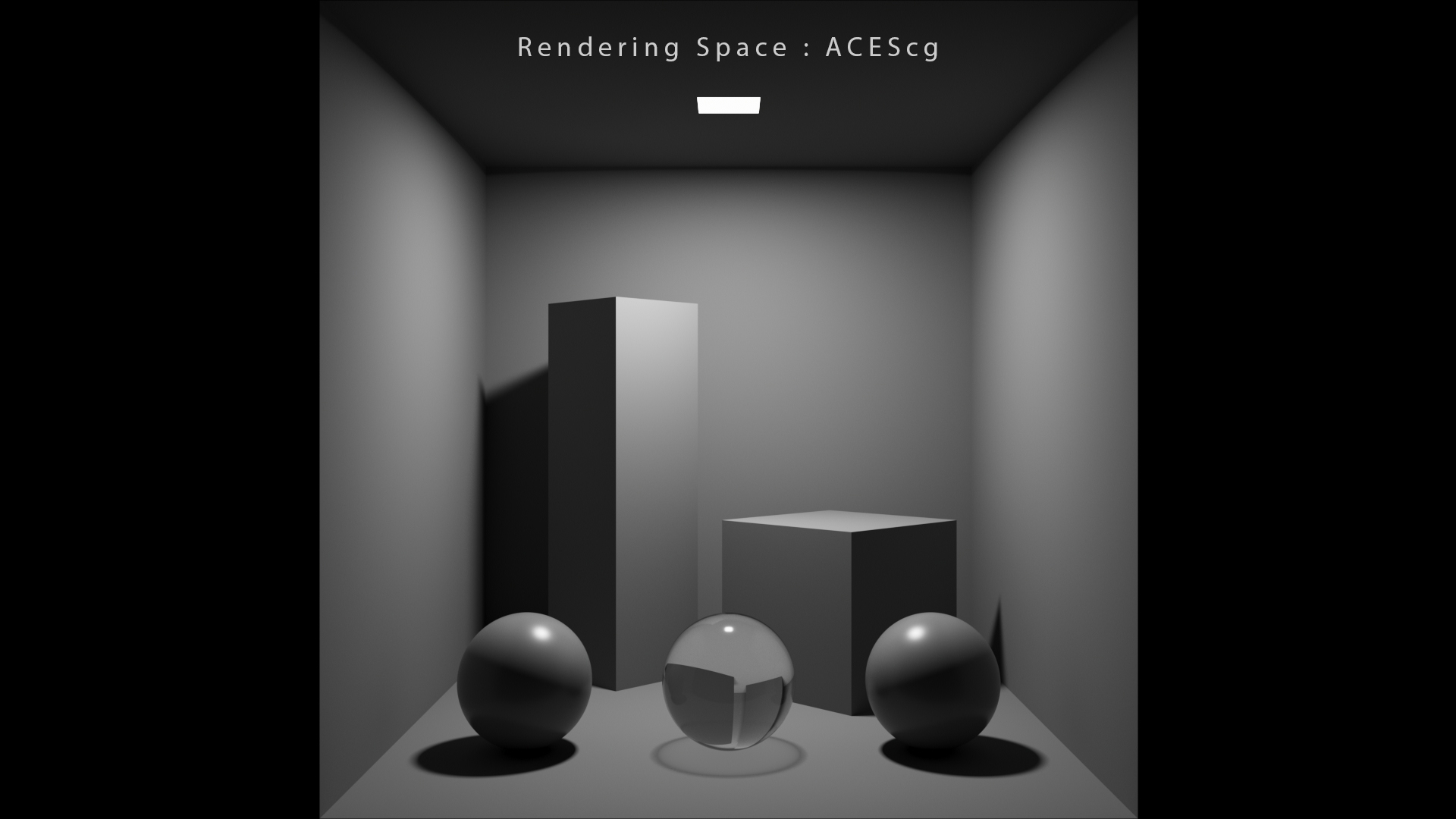
The only difference between these Cornell boxes is the rendering space :
这些康奈尔盒之间的唯一区别是渲染空间:
- In the first one, the rendering space is what many softwares call “linear“. Which actually means sRGB gamut with a linear transfer function (“Utility – Linear – sRGB“).
- 第一个中,渲染空间是许多软件所称的“线性”。这实际上意味着具有线性传递函数的sRGB色域(“Utility - Linear - sRGB ”)。
- In the second one, the rendering space is ACEScg. I set the IDT correctly to properly test the wide gamut rendering.
- 在第二个中,渲染空间是ACEScg。我正确设置了 IDT 以正确测试宽色域渲染。
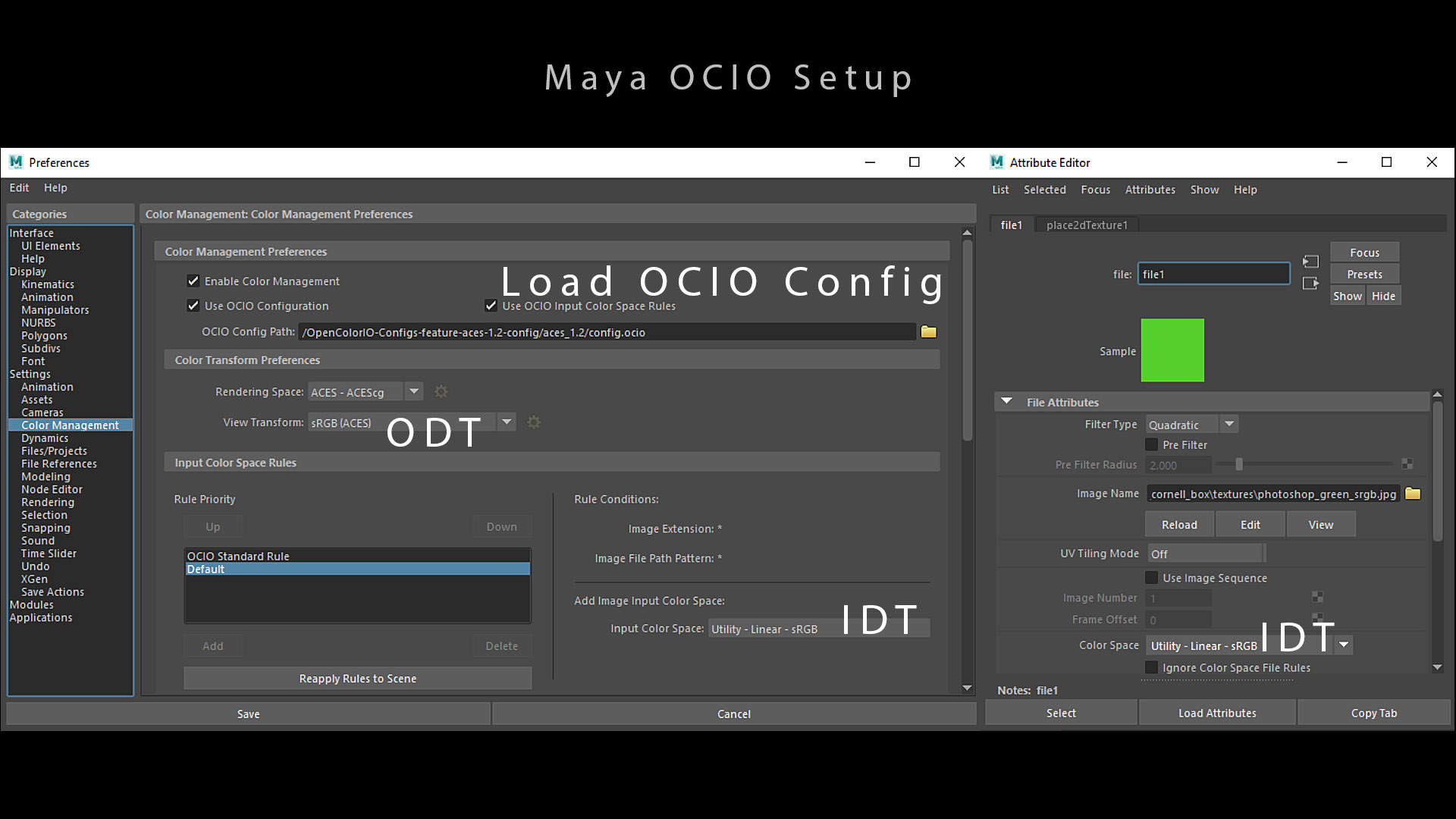
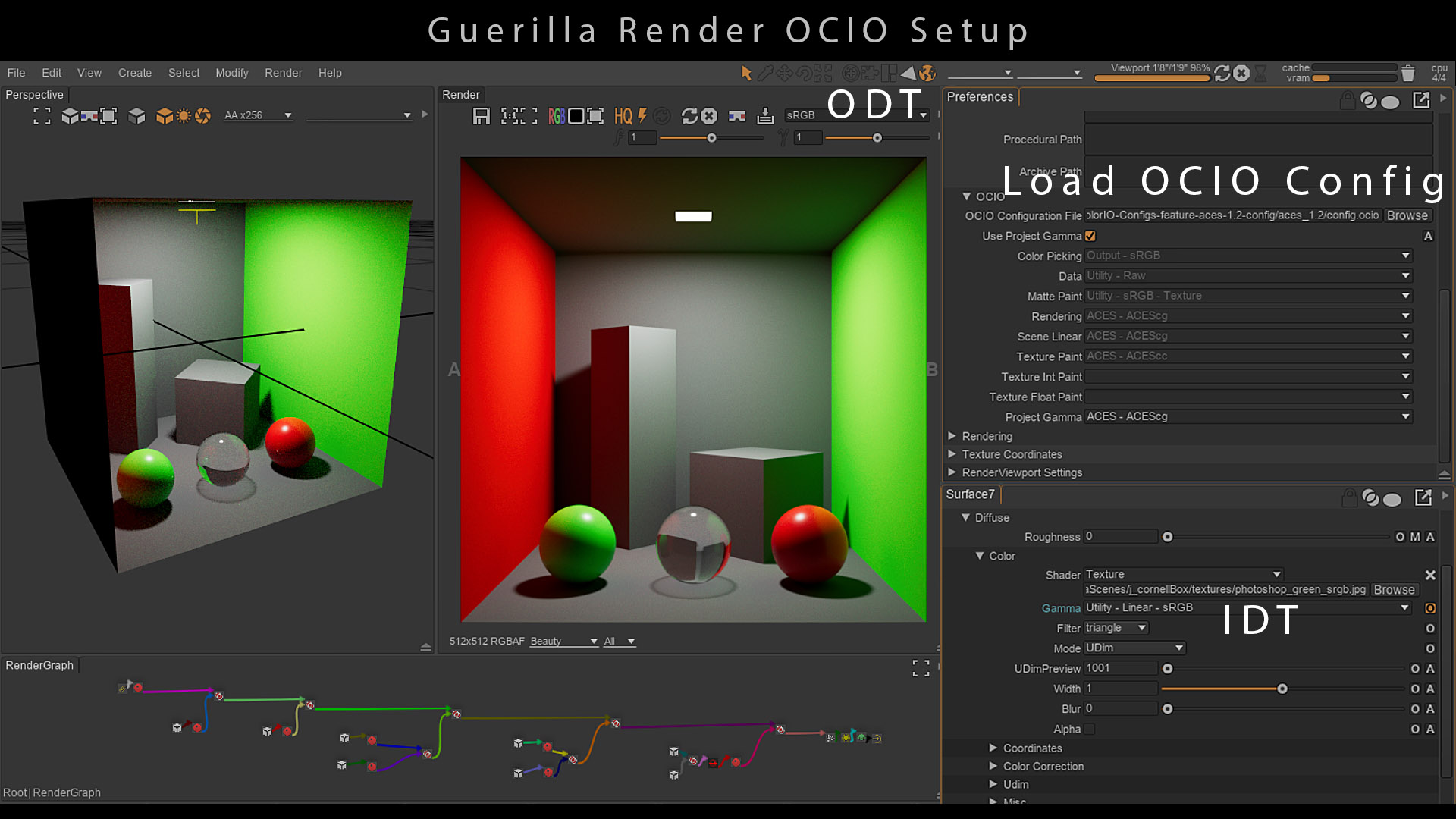
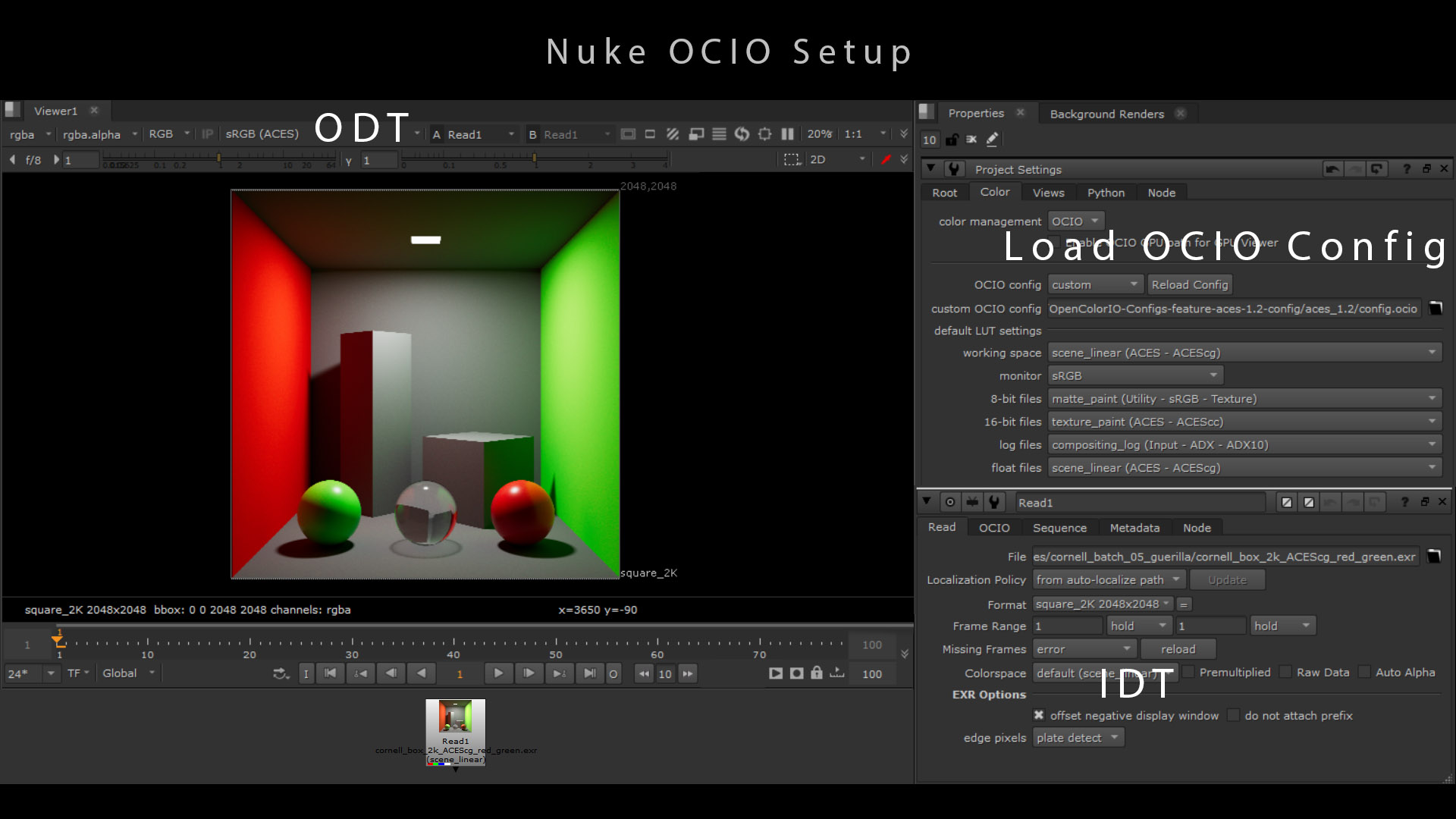
Main thing about this test to take in account is that I used some textures. If you use colors directly in your software, you may not get the same result. It would also depend on how the color_picking role has been implemented. So use the following values carefully :
关于这个测试,需要考虑的主要事情是我使用了一些纹理。 如果你在软件中直接使用颜色,可能不会得到相同的结果。这还取决于color_picking角色的实现方式。因此请谨慎使用以下值:
| sRGB primaries | sRGB primaries converted to ACEScg | |
|---|---|---|
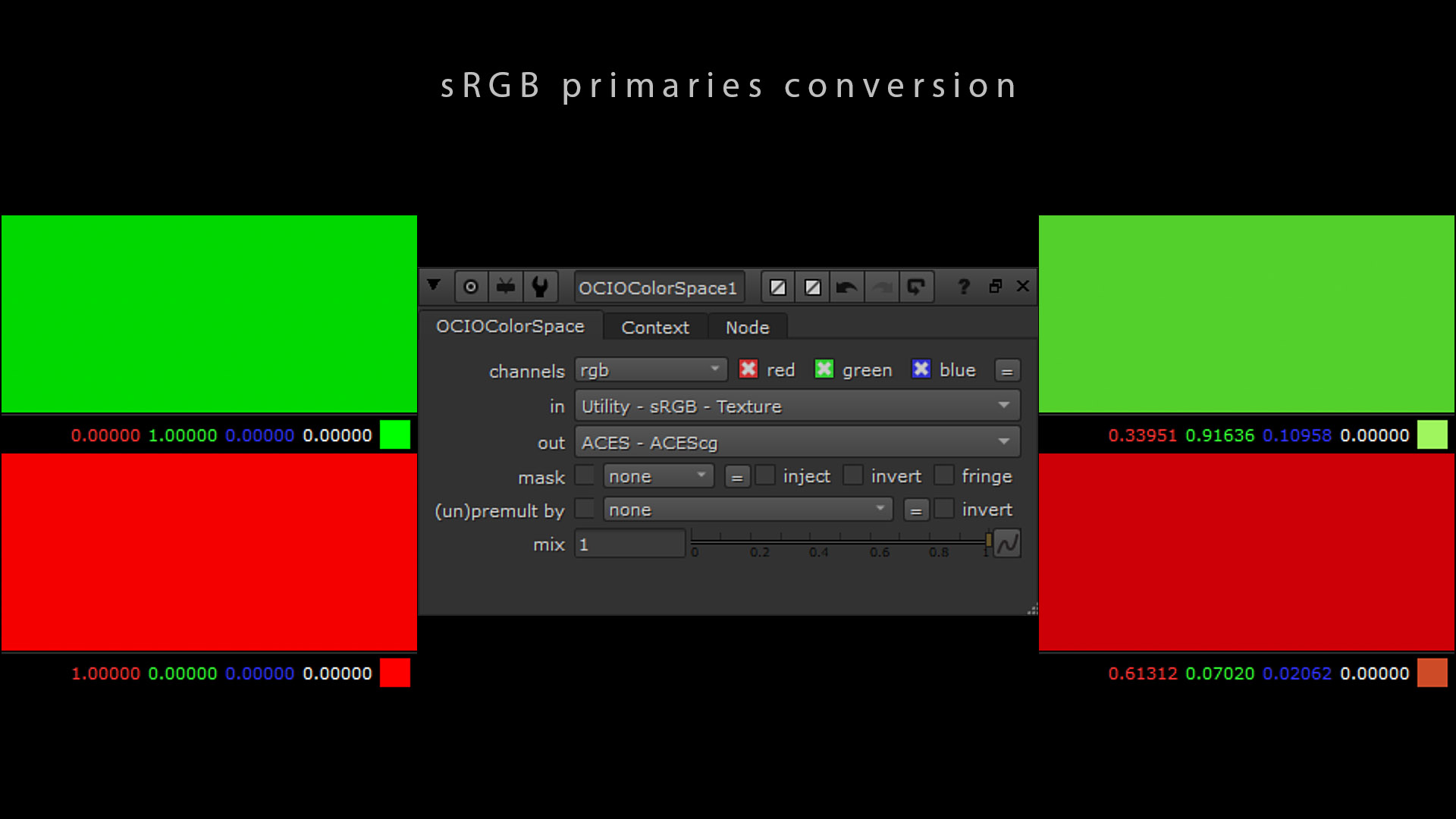
| Red primary | 1, 0, 0 | 0.61312, 0.07020, 0.02062 |
| Green primary | 0, 1, 0 | 0.33951, 0.91636, 0.10958 |
| Blue primary | 0, 0, 1 | 0.04737, 0.01345, 0.86980 |
| Mid gray | 0.18, 0.18, 0.18 | 0.18, 0.18, 0.18 |
| sRGB 原色 | sRGB 原色转换为 ACEScg | |
|---|---|---|
| 红原色 | 1,0,0 | 0.61312,0.07020,0.02062 |
| 绿色原色 | 0,1,0 | 0.33951,0.91636,0.10958 |
| 蓝色原色 | 0,0,1 | 0.04737,0.01345,0.86980 |
| 中灰色 | 0.18, 0.18, 0.18 | 0.18, 0.18, 0.18 |
You must also be careful with your mipmap generation (tex files). If you switch your rendering space, it is safer to delete the existing tex files. Otherwise you may get some incorrect results.
您还必须小心处理 mipmap 生成(tex 文件)。如果您切换渲染空间,删除现有的 tex 文件会更安全。否则您可能会得到一些不正确的结果。
为什么我们会得到不同的全局照明? Why do we get a different global illumination ?
OCIO allows us to set the color space of our scene to ACEScg and to have a closer-to-spectral GI in our render. We can do the same process in Nuke to analyze what is actually happening :
OCIO 允许我们将场景的颜色空间设置为 ACEScg,并在渲染中获得更接近光谱的 GI。我们可以在 Nuke 中执行相同的过程来分析实际发生的情况:
- On the left, we have a pure green constant at 0,1,0.
- 在左侧,我们有一个纯绿色常数 0,1,0。
- We convert it from sRGB to ACEScg using an OCIOColorSpace node.
- 我们使用OCIOColorSpace节点将其从sRGB转换为ACEScg。
- The same color expressed in ACEScg has some information in the red and blue channels. It is really just a conversion : ACES does not “add” anything.
- ACEScg中表达的相同颜色在红色和蓝色通道中有一些信息。这实际上只是一种转换: ACES 不会“添加”任何东西。
The conversion does not change the color. It gives the same chromaticity but expressed differently.
转换不会改变颜色。它给出相同的色度,但表达方式不同。
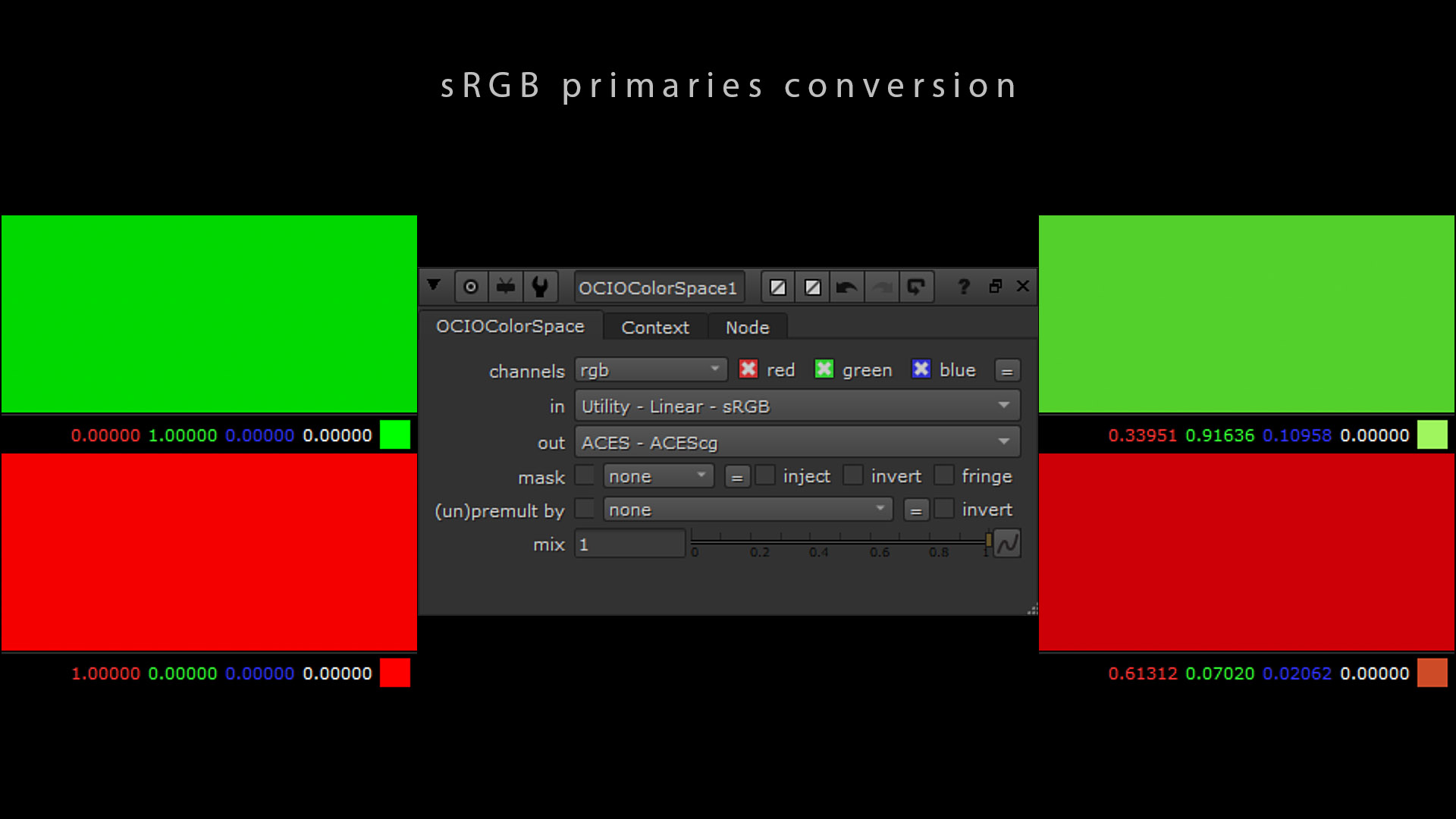
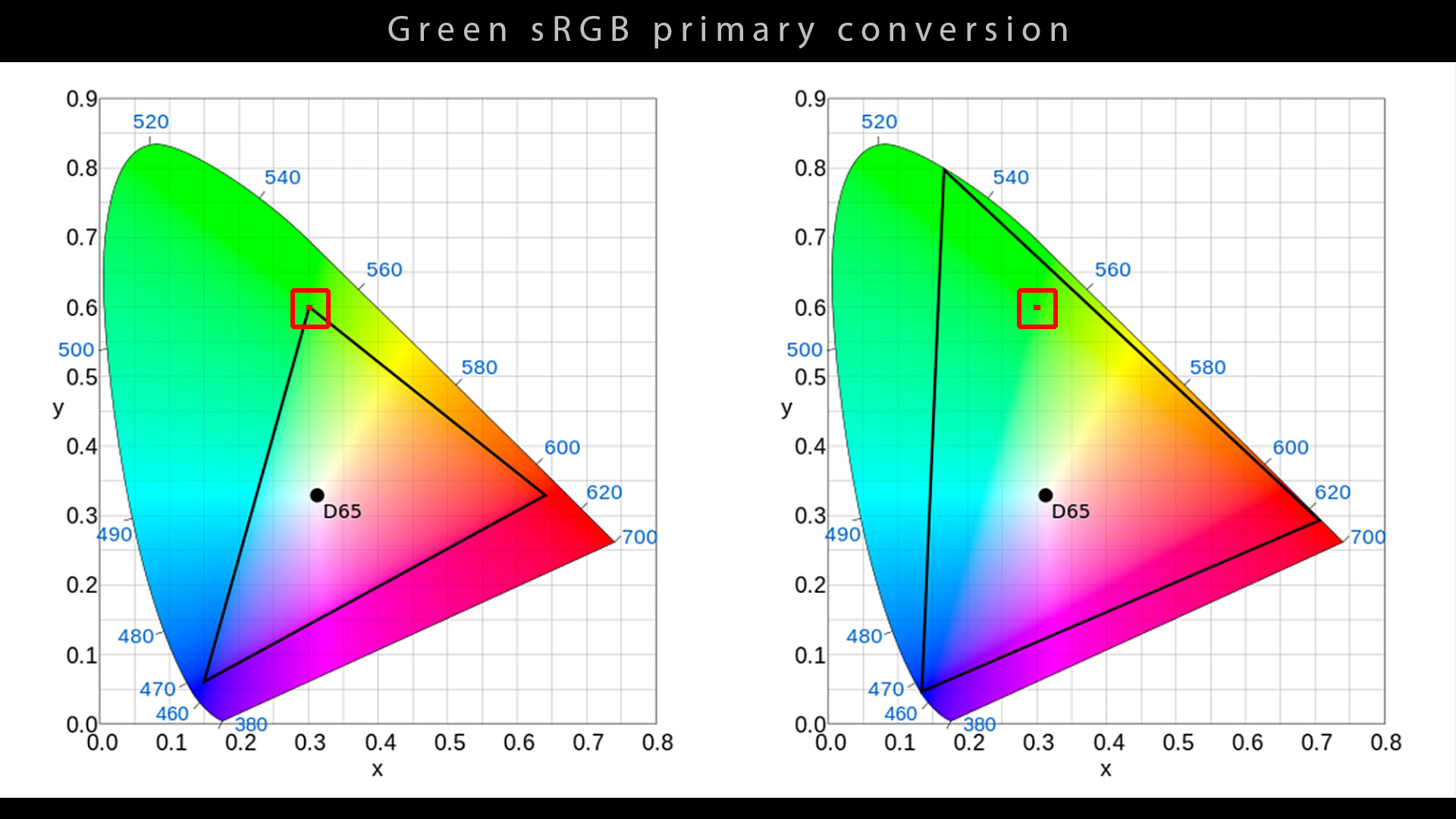
Here is another way of explaining it :
以下是另一种解释方式:
- On the left, we have a green primary in the sRGB/Rec.709 color space.
- 在左侧,我们在sRGB/Rec.709色彩空间中有一个绿色原色。
- Using a Matrix 3×3 to switch from sRGB to ACEScg, this chromaticity with unique XY coordinates has been converted.
- 使用3×3 矩阵从sRGB切换到ACEScg,此具有唯一 XY 坐标的色度已转换。
- The color is not a pure green anymore in the ACEScg color space (right image).
- 在ACEScg颜色空间中,颜色不再是纯绿色(右图)。
Because of the conversion process, the ray is no longer stopped by a zero on some channels (red and blue in this case). Light paths are therefore less likely to be stopped by a null channel.
由于转换过程,光线不再被某些通道(本例中为红色和蓝色)上的零值阻挡。因此,光路不太可能被零值通道阻挡。
IDT 概述 IDT overview
ACES provides all the 3D LUTs and Matrix we need to process these transforms. Most common IDT for Computer Graphics are :
ACES 提供了处理这些变换所需的所有 3D LUT 和矩阵。计算机图形学最常见的 IDT 是:
- Utility – sRGB – Texture : If your texture comes from Photoshop or Internet. Only for display-referred textures encoded with an sRGB OETF, like an albedo map.
- 实用程序 – sRGB – 纹理:如果您的纹理来自 Photoshop 或互联网。仅适用于使用 sRGB OETF 编码的显示参考纹理,如反照率图。
- Utility – Linear – sRGB : If your texture is linear within the sRGB primaries and you want to convert it to ACEScg, like an exr file.
- 实用程序 - 线性 - sRGB:如果您的纹理在 sRGB 原色中是线性的,并且您想要将其转换为 ACEScg,就像 exr 文件一样。
- Utility – Raw : If you do NOT want any transform applied on your texture, like normal maps.
- 实用程序 - 原始:如果您不想在纹理上应用任何变换,如法线贴图。
Please note that if your rendering space is ACEScg, in this particular case,Utility – Raw and ACEScg are contextually the “same” IDT. No transforms are applied with both options.
请注意,如果您的渲染空间是 ACEScg,那么在这种特殊情况下,Utility – Raw和ACEScg在上下文中是“相同”的 IDT。这两个选项均不应用任何变换。
绘制色域 To plot the gamut
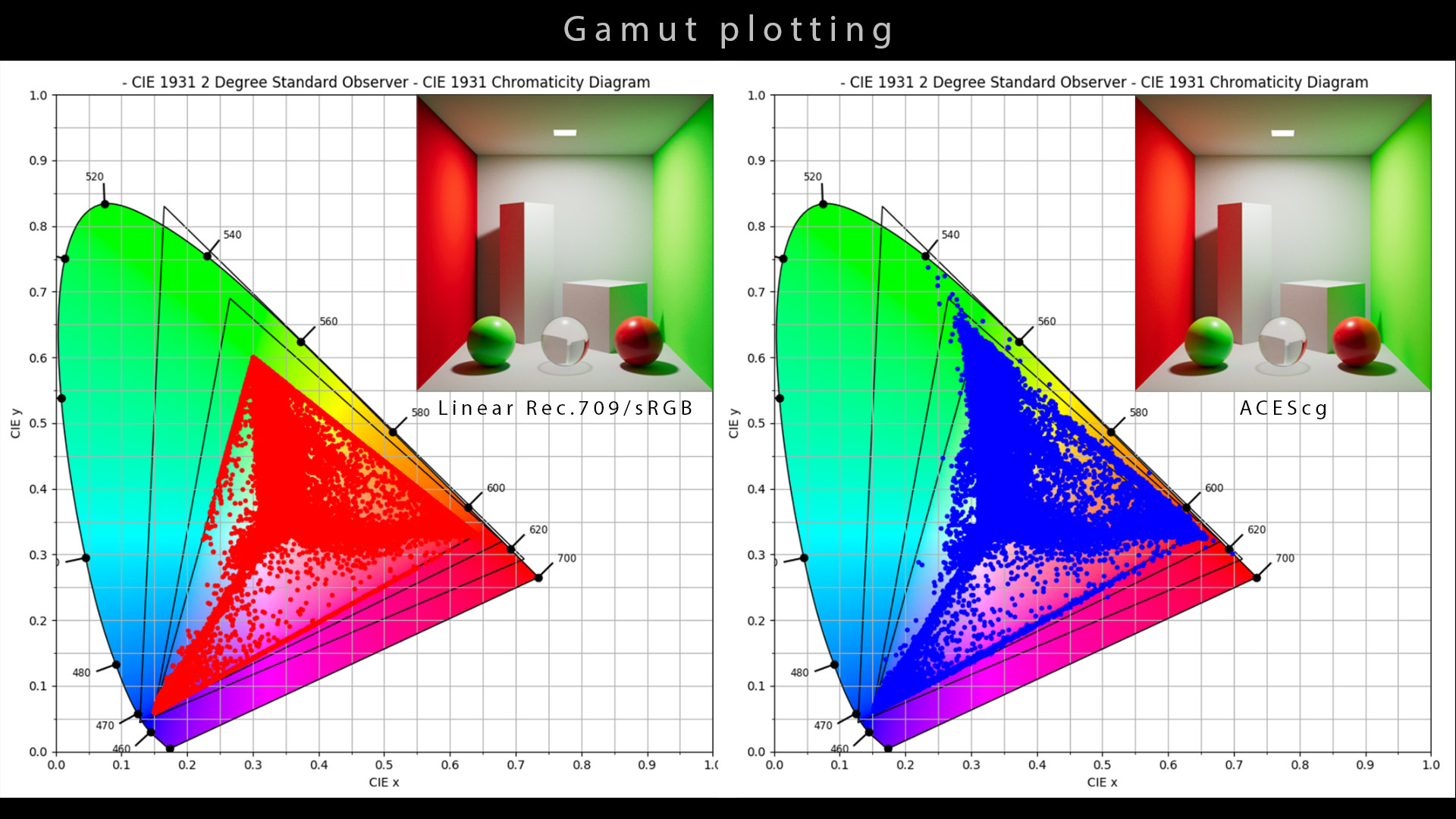
Plotting the gamut of an image allows you to map its pixels against the CIE 1931 Chromaticity Diagram. This function is available in colour-science, developed by Thomas Mansencal.
绘制图像的色域可让您将其像素与 CIE 1931 色度图进行映射。 此功能可在色彩科学中找到,由Thomas Mansencal开发。
- On the first image, we have plotted a render done in sRGB. The pixels are within the sRGB gamut.
- 在第一张图片中,我们绘制了在 sRGB 中完成的渲染图。像素位于 sRGB 色域内。
- On the second image, we have plotted a render done in ACEScg. The pixels have a wider coverage of the gamut.
- 在第二张图片上,我们绘制了在 ACEScg 中完成的渲染。像素的色域覆盖范围更广。
There is also an app available on Windows and Mac called Color Spatioplotter if you want to plot the gamut of an image. I haven’t tried it myself but from the feedback I got, it seems to be working fine at a very affordable price.
如果您想要绘制图像的色域,Windows 和 Mac 上还有一款名为Color Spatioplotter的应用程序。我自己还没有尝试过,但从我收到的反馈来看,它似乎运行良好,而且价格非常实惠。
As a conclusion on this IDT / ACEScg section, I would like to add that :
作为 IDT / ACEScg 部分的结论,我想补充一点:
- The Cornell boxes examples are best-case scenarios. In real production, with much more complex stimuli, the differences are not that important.
- 康奈尔盒子的例子是最佳情况。在实际生产中,刺激要复杂得多,差异并不那么重要。
- Closer to Spectral rendering should be interpreted as “the chromaticities after indirect bounces are closer“, which again does not necessarily look “better” (as shown here).
- 更接近光谱渲染应该解释为“间接反射后的色度更接近”,但这并不一定看起来“更好”(如此处所示)。
- Wide gamut rendering adds an another layer of complexity when it comes to displaying these images, since a proper gamut compression (which ACES does not have) would be needed.
- 宽色域渲染在显示这些图像时增加了另一层复杂性,因为需要适当的色域压缩(ACES 没有)。
Again, test for yourself, trust your eyes and compare both pros and cons.
再次,亲自测试,相信自己的眼睛,比较优点和缺点。
输出变换 Output Transform
The ACES Output Transform is made of two separated steps called the Reference Rendering Transform (RRT) and the Output Device Transform (ODT). This was and is still true for all Output Transforms in ACES 1.0.X. The release of ACES 1.1 introduced some new HDR Output Transforms as a single step, which is called Single Stage Tone Scale (SSTS).
ACES 输出变换由两个独立的步骤组成,称为参考渲染变换 (RRT) 和输出设备变换 (ODT)。ACES 1.0.X 中的所有输出变换都遵循这一原则,现在依然如此。ACES 1.1 版本引入了一些新的 HDR 输出变换作为单个步骤,称为单级色调缩放 (SSTS)。
Tone Scale is the ACES terminology for what generally people call Tone Mapping.
色调等级是 ACES 术语,即人们通常所说的色调映射。
The origin of the two steps Output Transform (RRT+ODT) can be found in this document by Ed Giorgianni. The idea behind it is the following :
两步输出变换(RRT+ODT)的起源可以在Ed Giorgianni 的这篇文档中找到。 其背后的想法如下:
- RRT : intermediate rendering to an idealized and hypothetical reference display. It is the ” ACES look“, like a virtual film stock.
- RRT:中间渲染到理想化和假设的参考显示。它是“ ACES 外观”,就像虚拟胶片一样。
- ODT : final rendering for a specific real-world display device (primaries, eotf and white point). It also takes in account the Viewing Environment (dark, dim or normal surround) and the nits.
- ODT:特定真实世界显示设备的最终渲染(原色、eotf 和白点)。它还考虑了观看环境(黑暗、昏暗或正常环绕)和尼特。
If you display your sRGB render directly on P3 without transformation, I would say that it is “Absence of Colour Management”.
如果您不经过转换就直接在 P3 上显示 sRGB 渲染,我会说这是“缺乏色彩管理”。
-- Thomas Mansencal.
-- 托马斯·曼森卡尔。
In the next paragraphs, you will find a description of the ACES 1.X Output Transforms. It is not an in-depth analysis, but rather a collection of information from ACESCentral and some simple visual examples. We now know (in January 2022), partly thanks to the Output Transform Virtual Working Group for ACES2.0, their limitations and issues. I have described them a bit below and also more extensively in this article. Watch out !
在接下来的段落中,您将找到对 ACES 1.X 输出变换的描述。这不是深入的分析,而是来自 ACESCentral 的信息和一些简单的视觉示例的集合。我们现在知道(2022 年 1 月),部分归功于 ACES2.0 的输出变换虚拟工作组,它们的局限性和问题。我在下面对它们进行了一些描述,并在本文中进行了更广泛的描述。小心!
参考渲染变换 (RRT) Reference Rendering Transform (RRT)
In practice, the RRT + ODT process is combined for the user but I think it is worth to describe here some components of the RRT. I am particularly interested by the infamous “sweeteners” : glow module, red modifierandglobal desaturation.
实际上,RRT + ODT 流程是为用户组合的,但我认为值得在这里描述RRT 的一些组件。我对臭名昭著的“甜味剂”特别感兴趣:辉光模块、红色修改器和全局去饱和。
The output of the RRT is called Output Color Encoding Specification (OCES).
RRT 的输出称为输出颜色编码规范 (OCES)。
These “sweeteners” have generated much debate about where they belong and if they should be part of a Look Modification Transform (LMT). They also cause problems for invertibility. Here are a few quotes about their history :
这些“甜味剂”引起了很多争论,关于它们属于哪里以及它们是否应该成为外观修改变换(LMT) 的一部分。它们还给可逆性带来了问题。以下是一些关于它们历史的引述:
[They] originally came from an aim to be “pseudo filmic” in the early days. [..] Glow came from perceived filmic look. […] Red modifier and glow are different. Glow is aesthetic.
[它们] 最初是出于早期“伪电影”的目的。[...] 辉光来自感知的电影外观。[...] 红色修饰符和辉光是不同的。辉光是美学的。
-- Scott Dyer
-- 斯科特·戴尔
I don’t consider [the red modifier] a “sweetener”. It’s compensating for saturation effect of RGB tone scale.[…] It is compensating for “hot” reds.
我不认为 [红色修饰剂] 是一种“甜味剂”。它是为了补偿 RGB 色调的饱和度效果。[…] 它是为了补偿“热”红色。
-- Doug Walker and Alex Forsythe
-- 道格·沃克和亚历克斯·福赛斯
It is worth noting that at some point in the future, the whole Output Transform architecture may be modified for ACES 2.0. There is a thread about “following” the three OCIO steps : Look, Display, View.
值得注意的是,在未来的某个时候,整个输出变换架构可能会针对 ACES 2.0 进行修改。有一个关于“遵循”三个 OCIO 步骤的线程: Look、Display、View。
输出设备转换 (ODT) Output Device Transform (ODT)
The ODT is the process to display the reference (OCES) on your monitor. The academy recommends the use of an ODT adapted to your screen. It should be based on your project needs :
ODT 是将参考 (OCES) 显示在您的显示器上的过程。学院建议使用适合您的屏幕的 ODT。它应该基于您的项目需求:
- Do you work for TV and Internet ? You should display in sRGB or Rec.709.
- 您从事电视和互联网工作吗?您应该以sRGB或Rec.709显示。
- Are you working in Feature Film ? You should display in P3.
- 您是在制作故事片吗?您应该在P3中显示。
Rec. 2020 is clearly the future but there are no projectors that are able to cover 100% of this color space. The technology is not there yet. But in ten years maybe, it will be the new norm. So as far as I know, in 2022, Rec.2020 is actually only used as a container for P3 deliveries.
Rec. 2020 显然是未来的趋势,但没有投影仪能够覆盖 100% 的色彩空间。技术还不够成熟。但也许十年后,它将成为新的常态。所以据我所知,在 2022 年,Rec.2020 实际上仅用作 P3 交付的容器。
-- Not there yet, unless you own a Christie.
-- 还没到那一步,除非你拥有一台克里斯蒂 (Christie)。
输出变换的示例和比较 Examples and comparison of Output Transforms
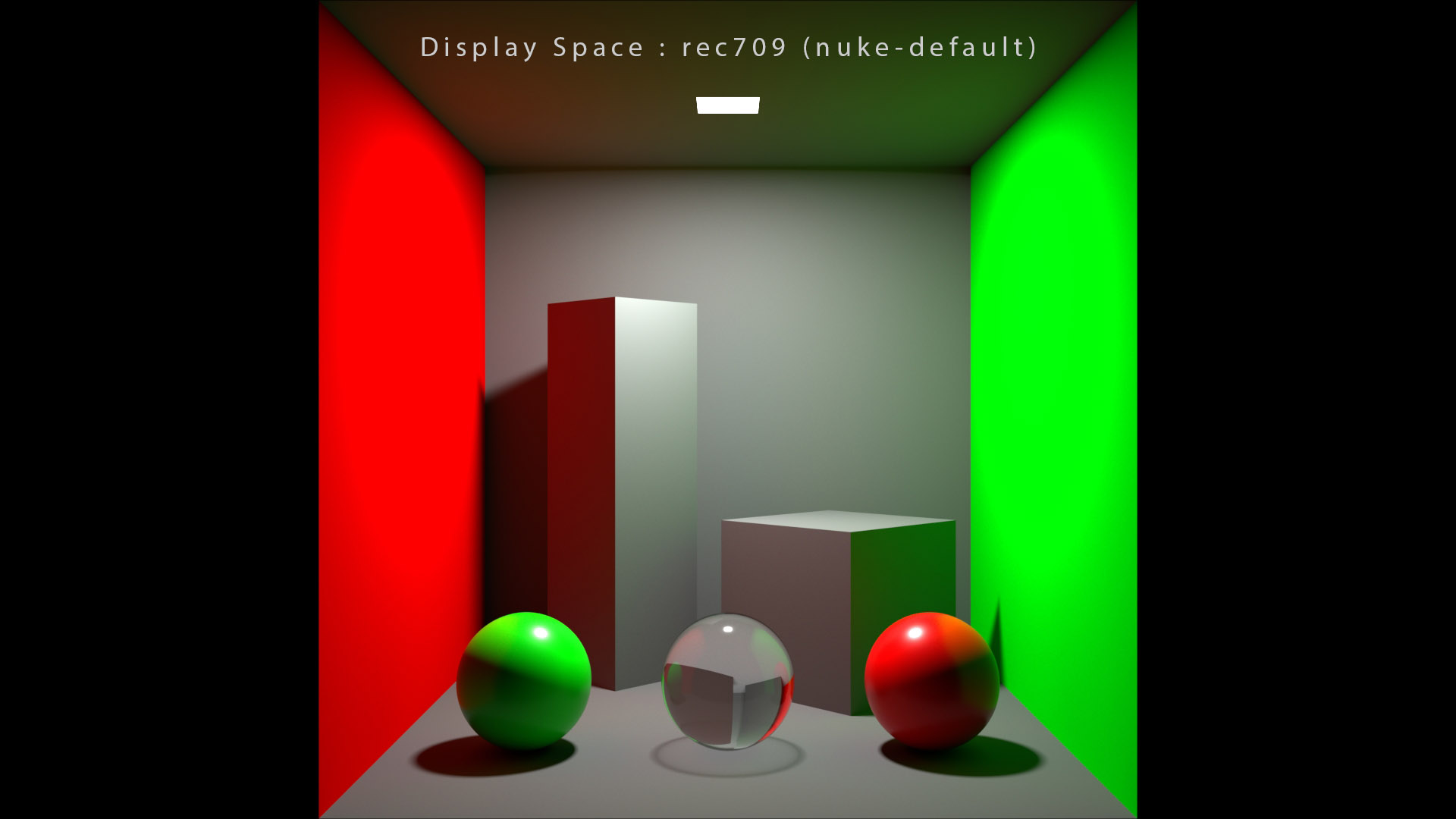
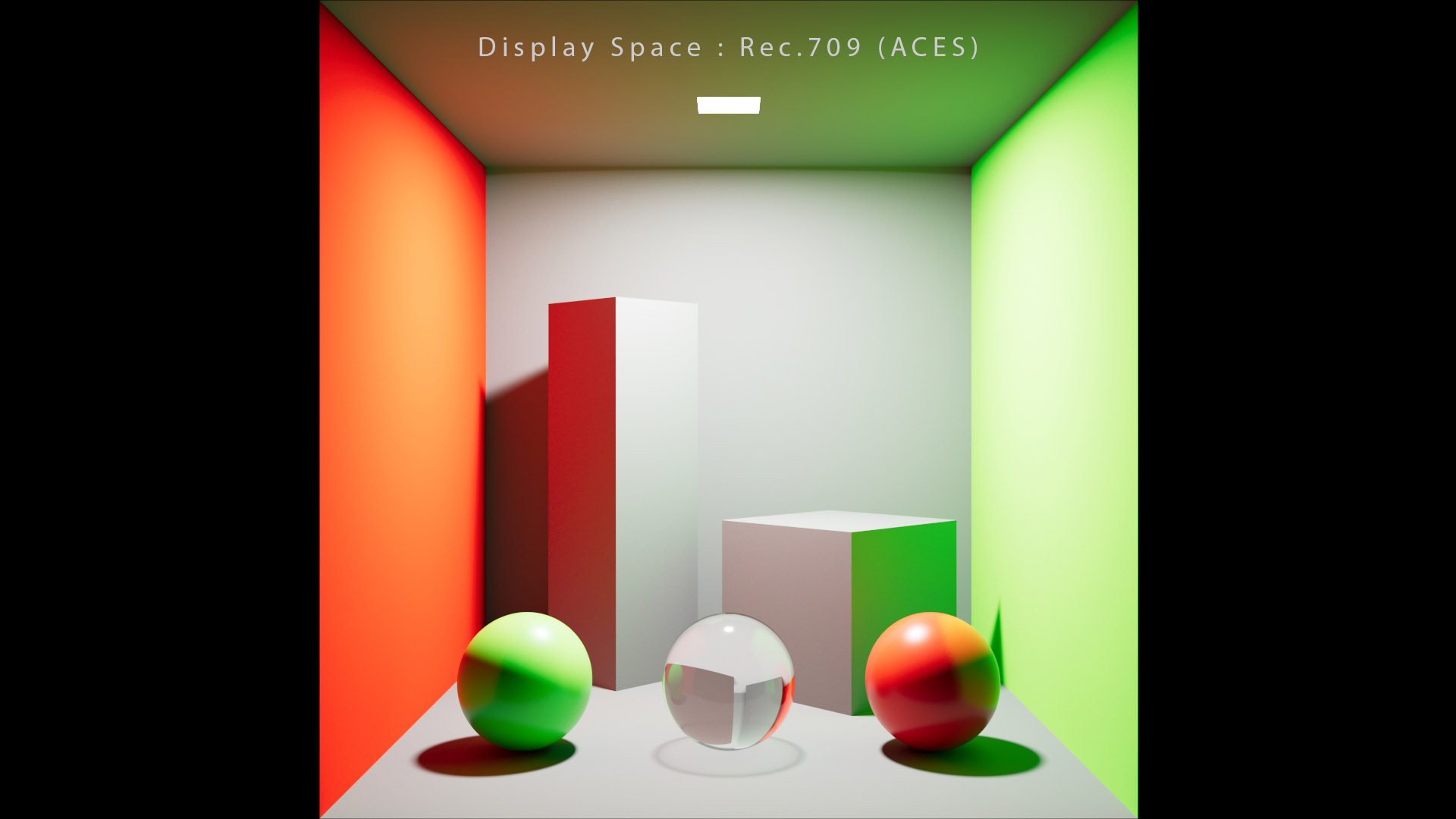
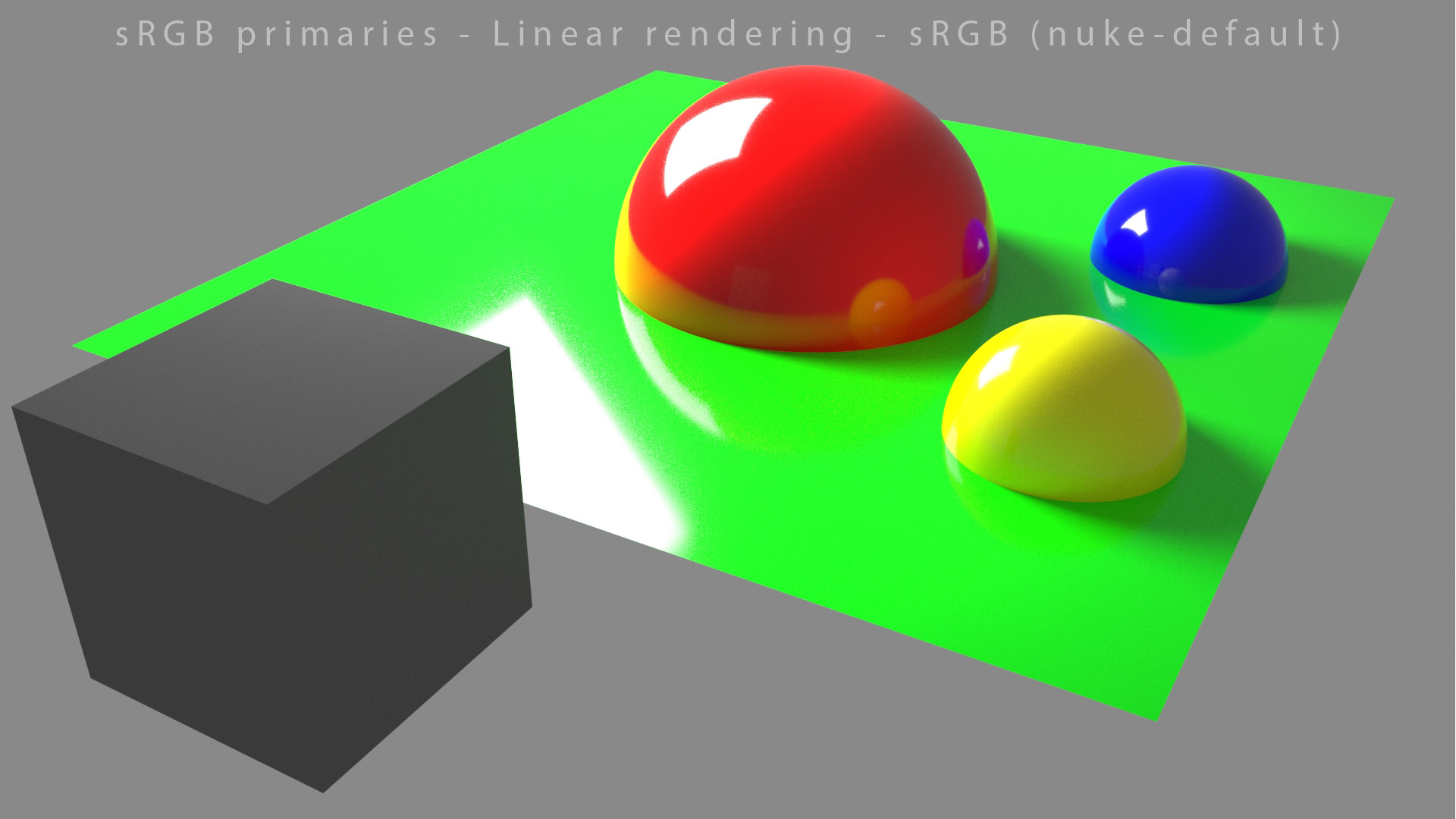
Here are some examples comparing nuke-default OCIO setup with ACES 1.1. Please note that Nuke is wrong in its OCIO config :
以下是一些将 nuke-default OCIO 设置与 ACES 1.1 进行比较的示例。请注意,Nuke 的 OCIO 配置是错误的:
- As it has been implemented in Nuke, rec709 (approximatively a Gamma value of 1.95) is a camera encoding OETF !
- 正如在 Nuke 中实现的,rec709(Gamma 值大约为 1.95)是一个相机编码 OETF!
- Rec.709 (ACES) uses a BT.1886 EOTF (equivalent Power function of 2.4) and is in reference to an EOTF output display.
- Rec.709 (ACES) 使用 BT.1886 EOTF(等效功率函数为 2.4)并参考 EOTF 输出显示。
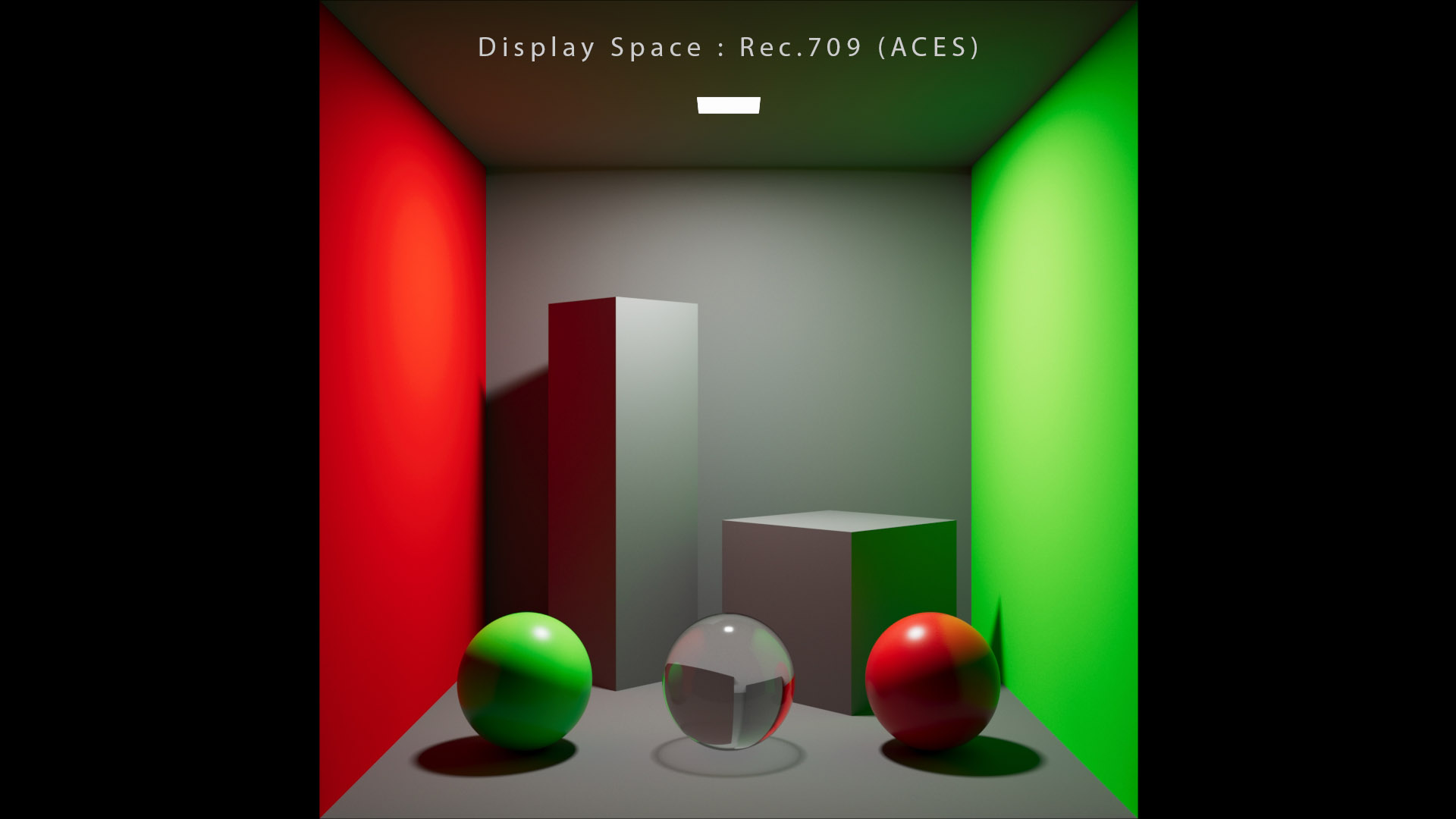
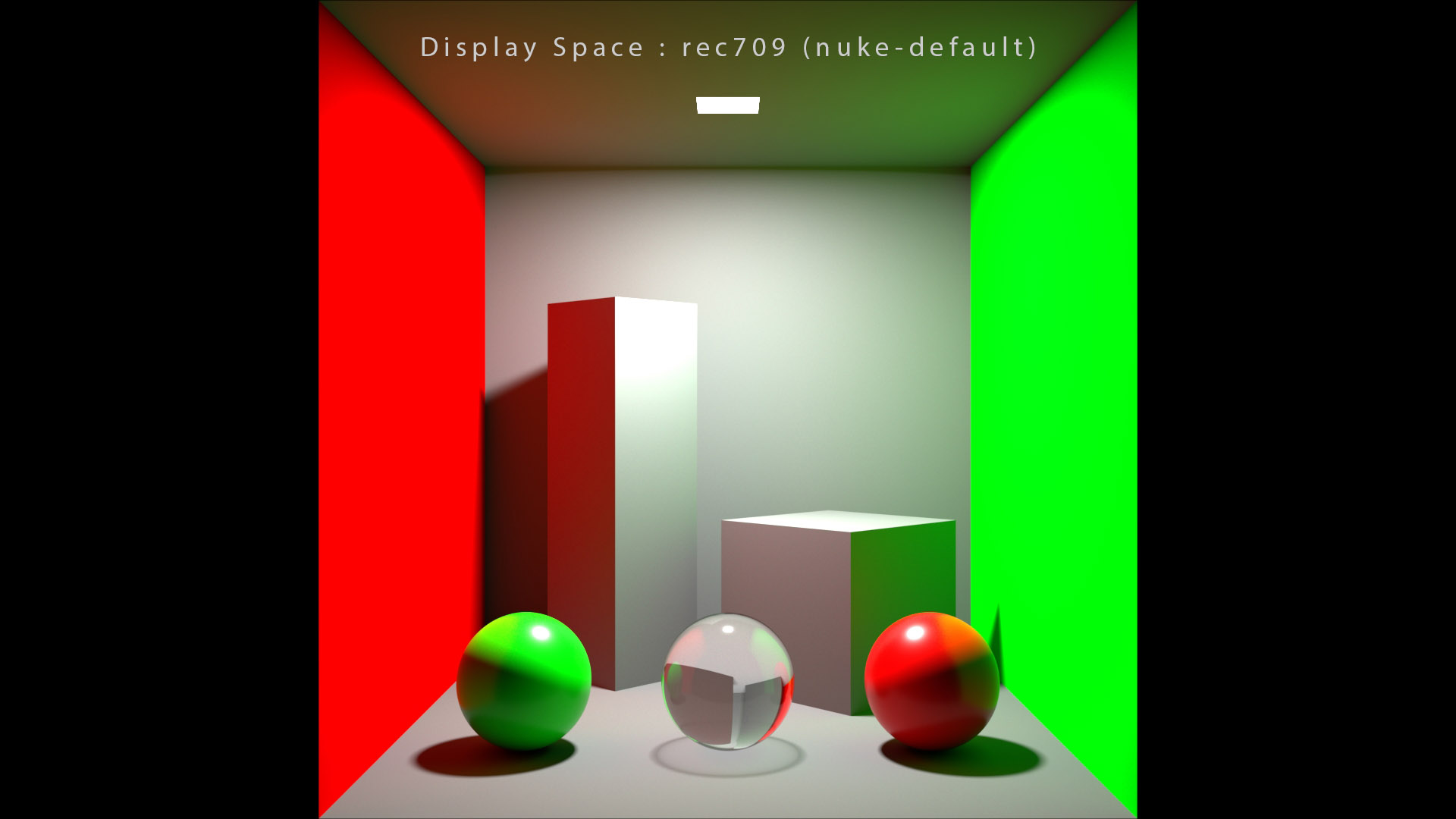
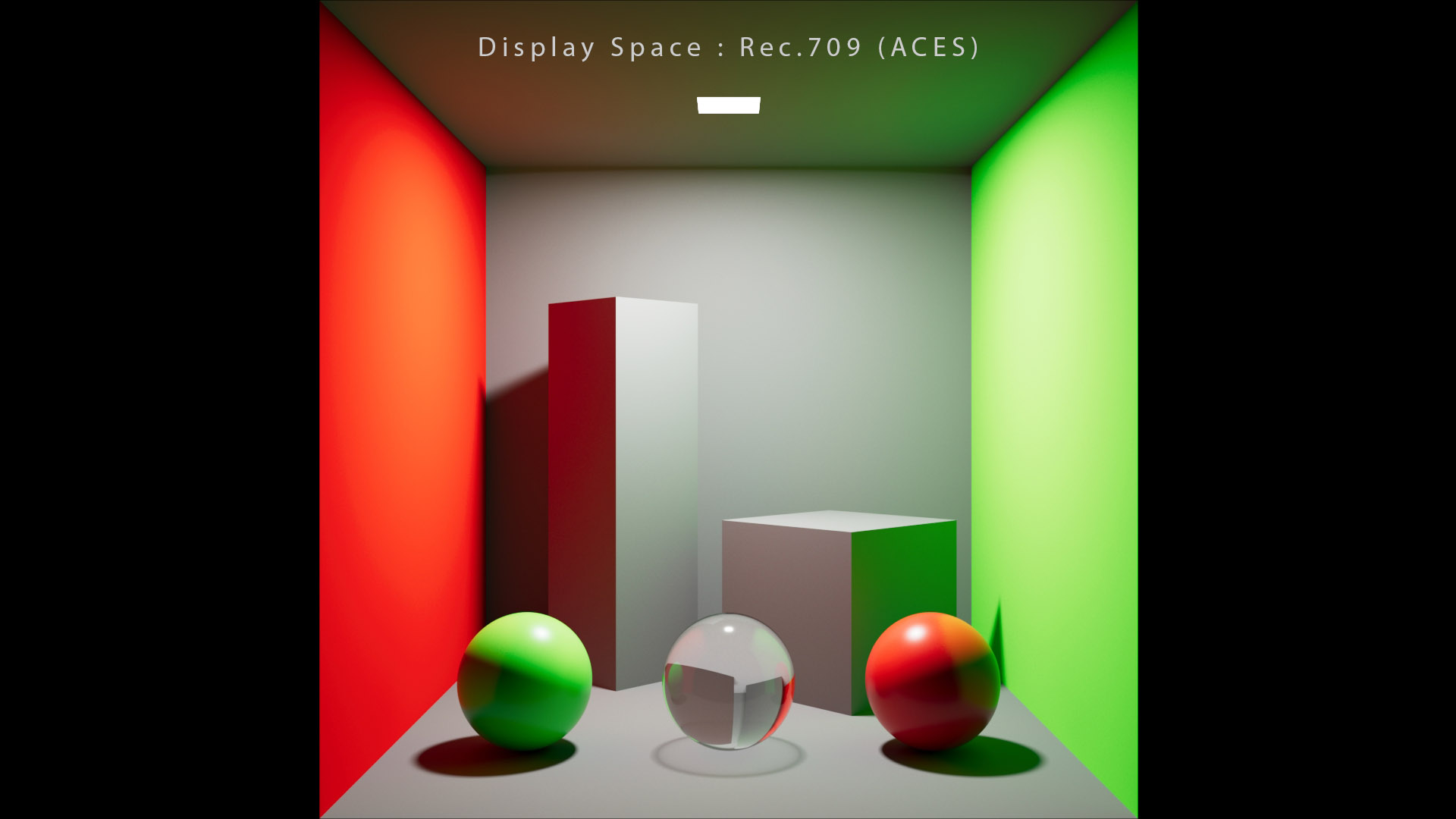
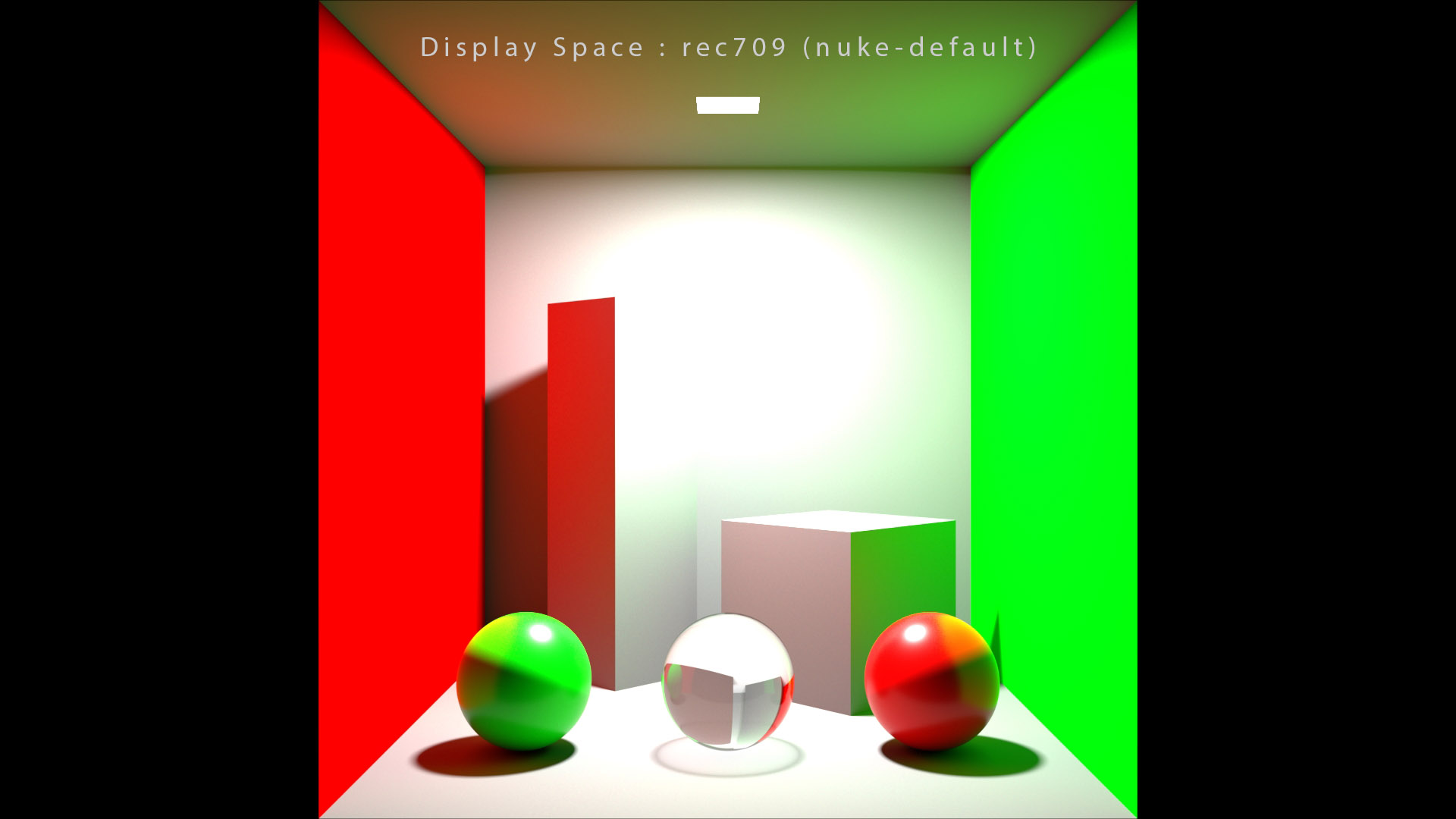
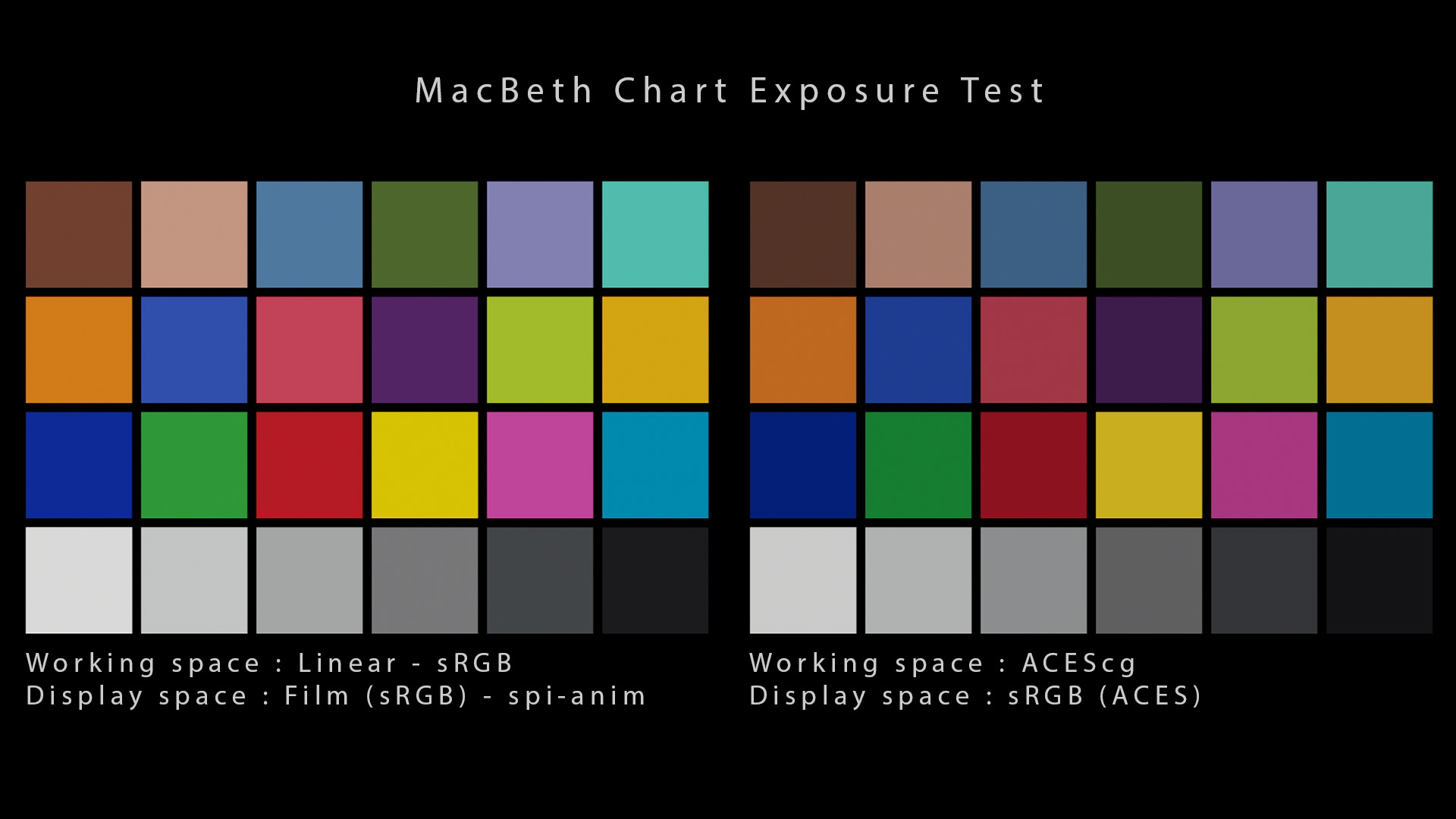
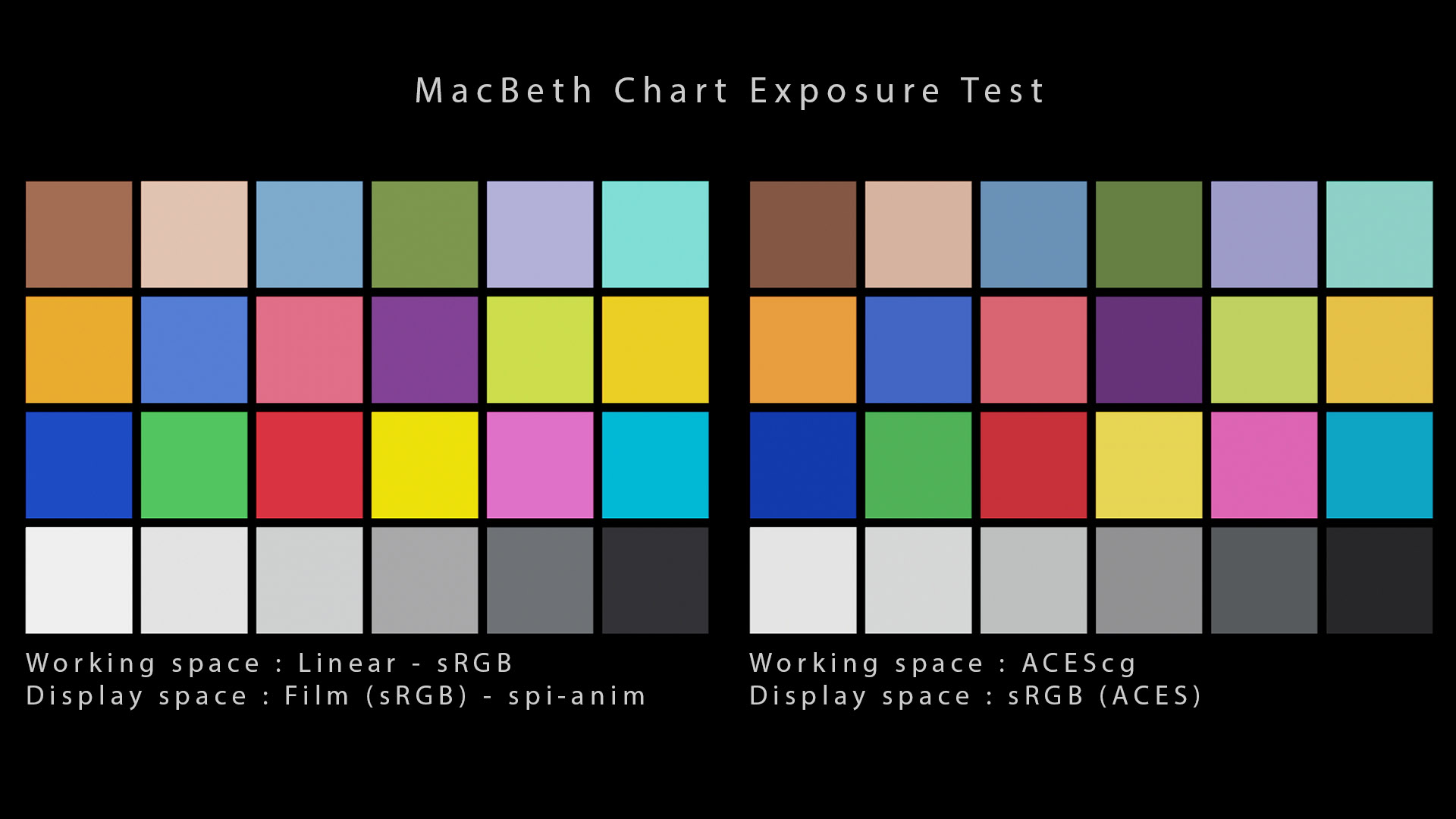
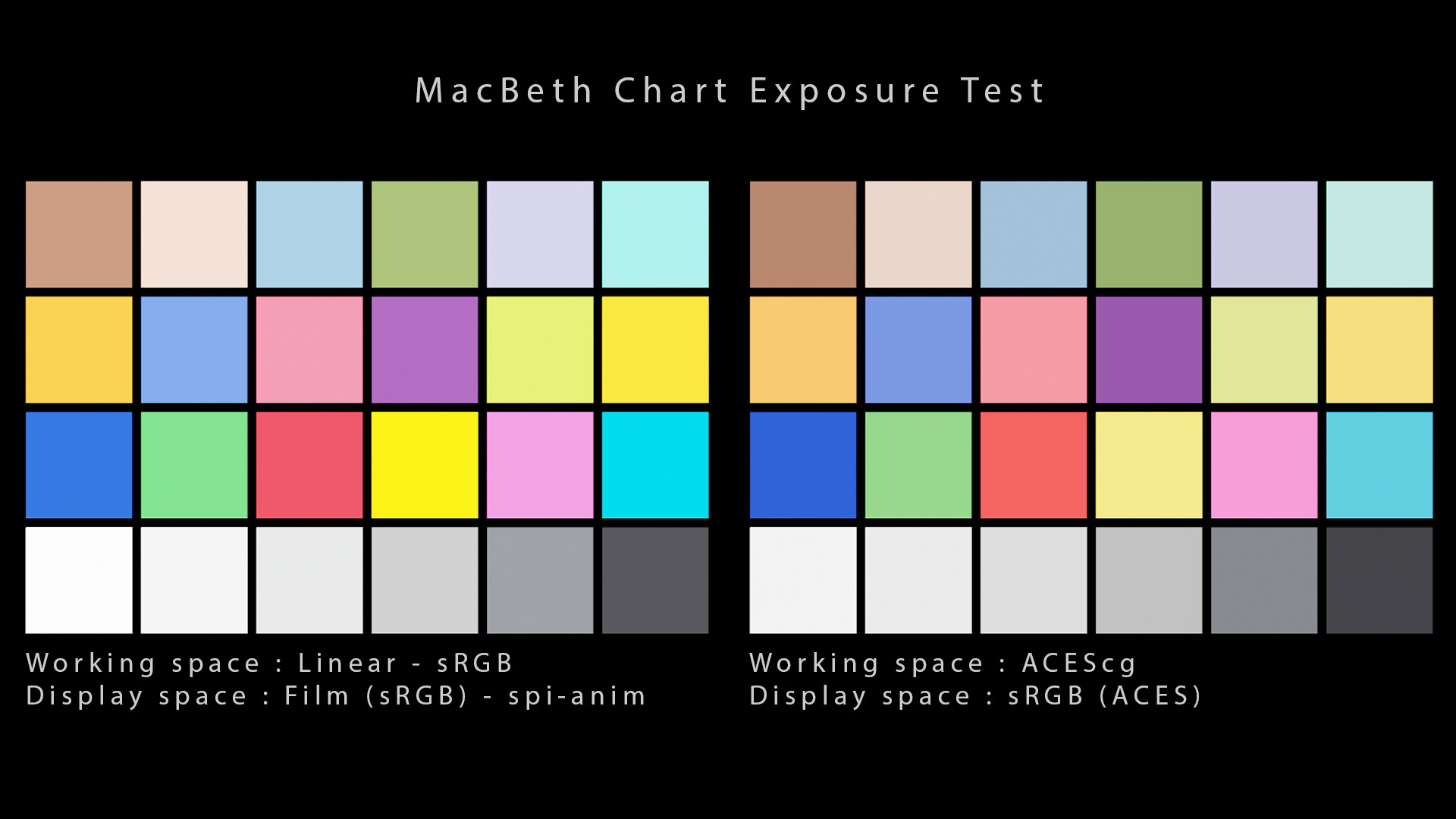
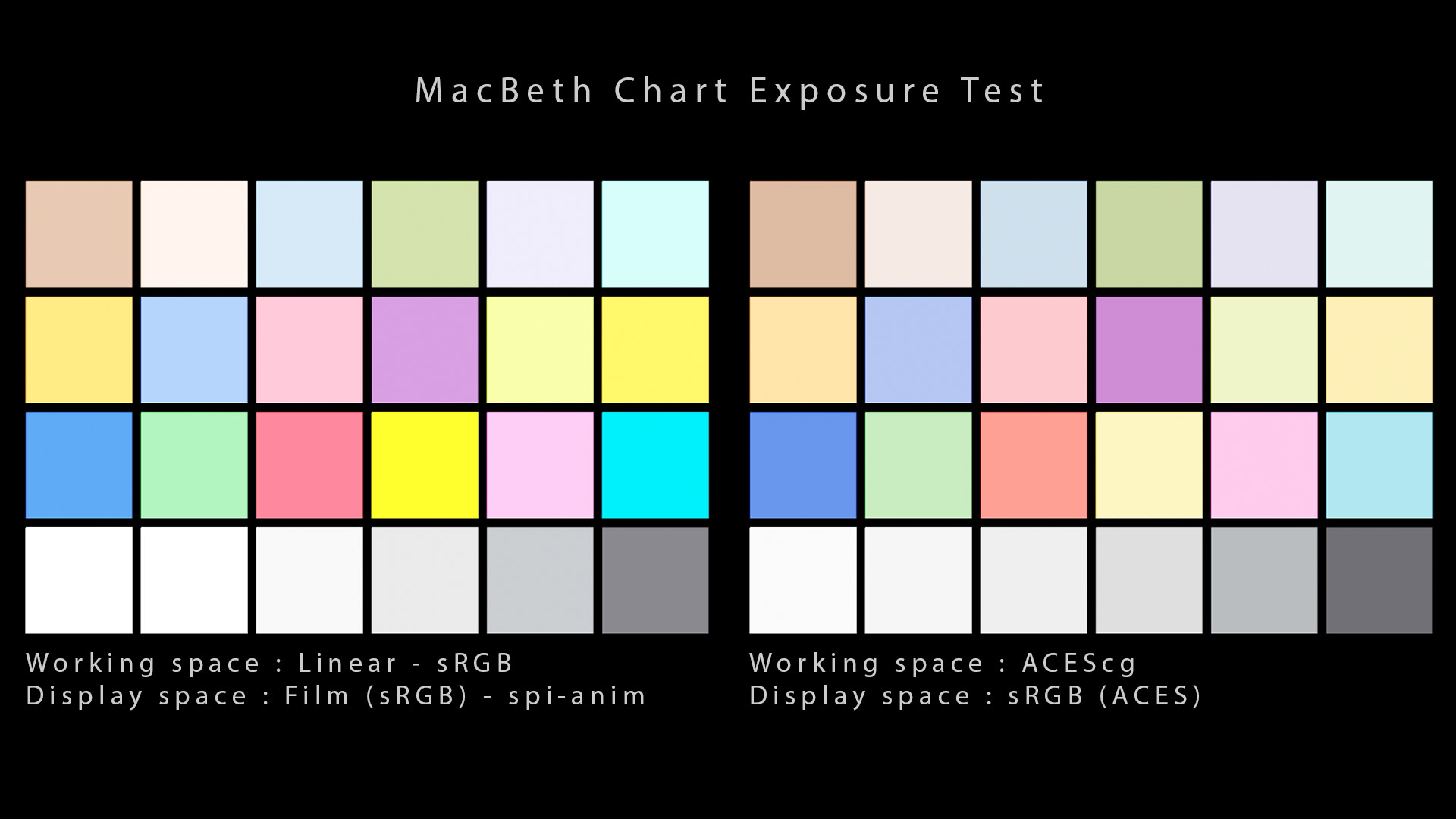
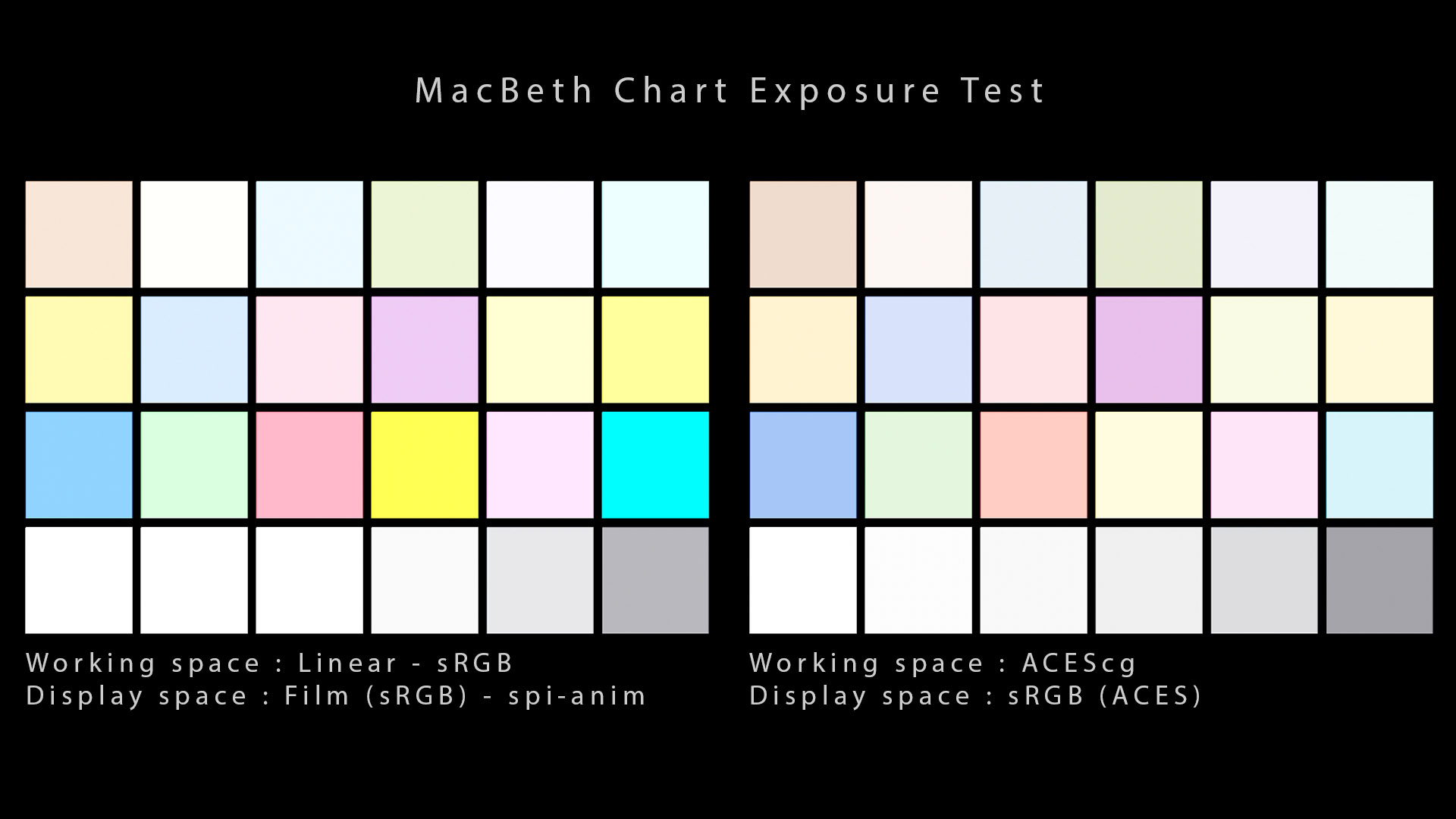
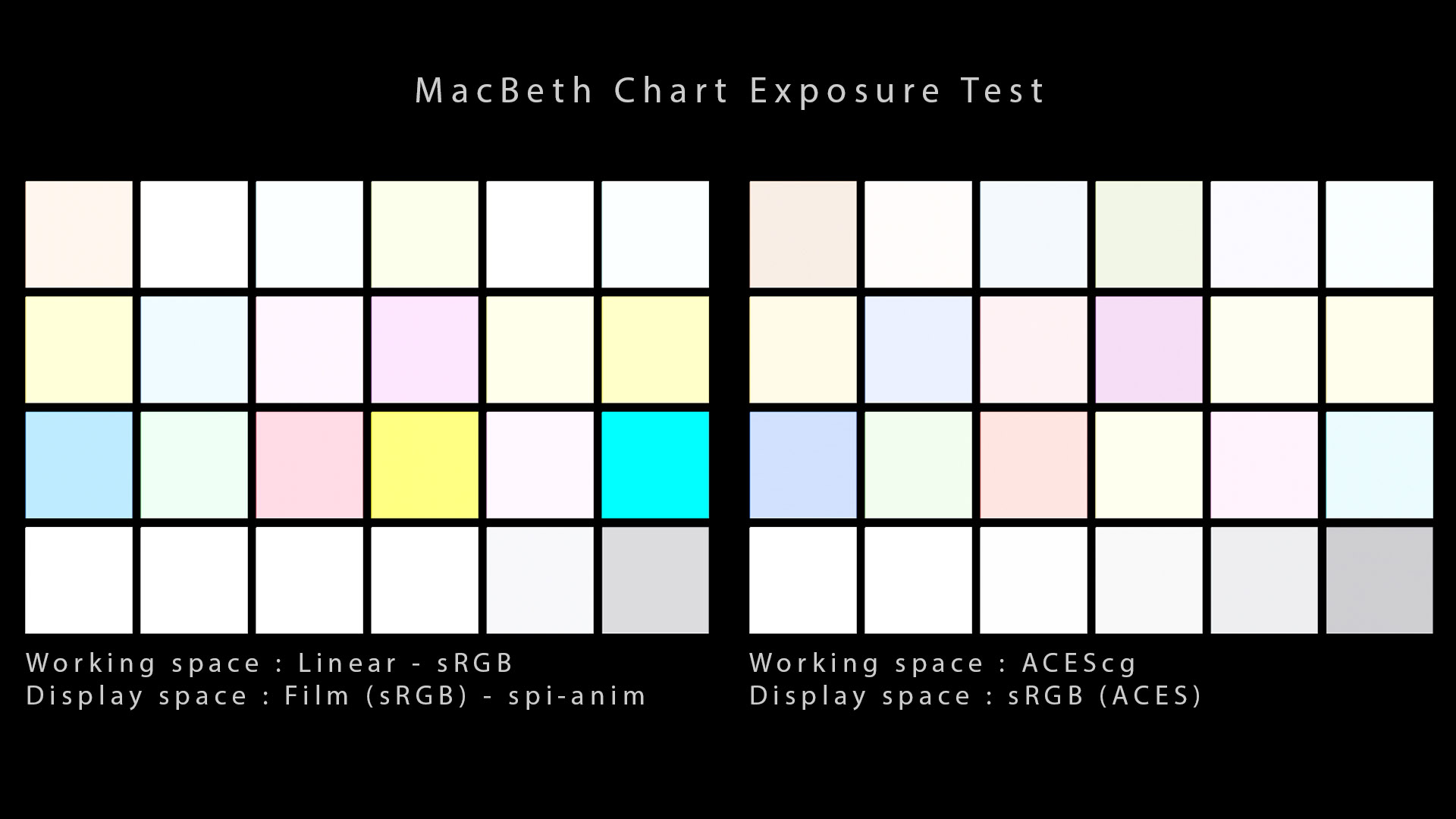
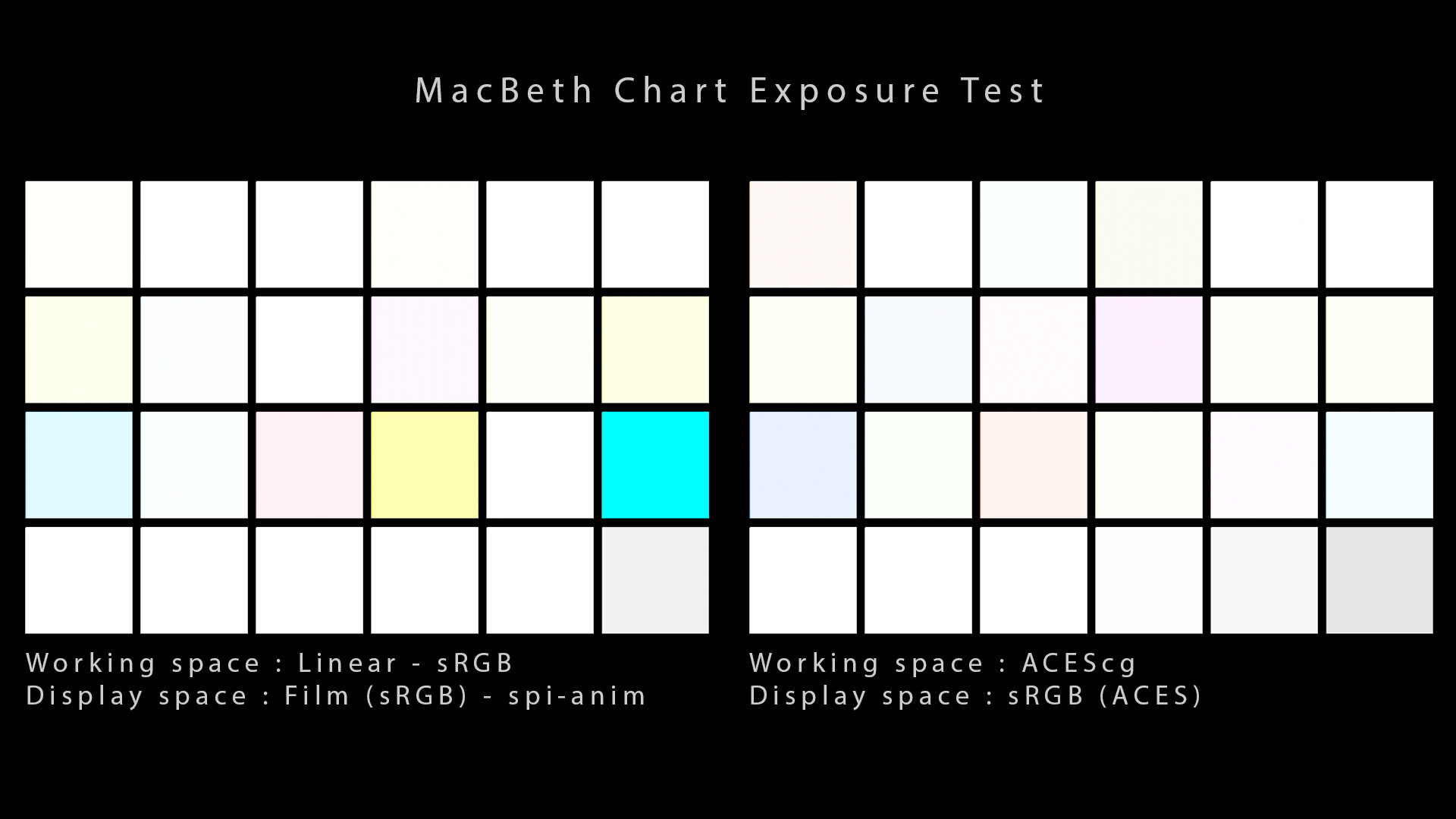
I have also done a test on the MacBeth chart to compare the “Film (sRGB) ” from the spi-anim config with the ACES config.
我还在 MacBeth 图表上做了测试,将 spi-anim 配置中的“胶片(sRGB) ”与 ACES 配置进行了比较。
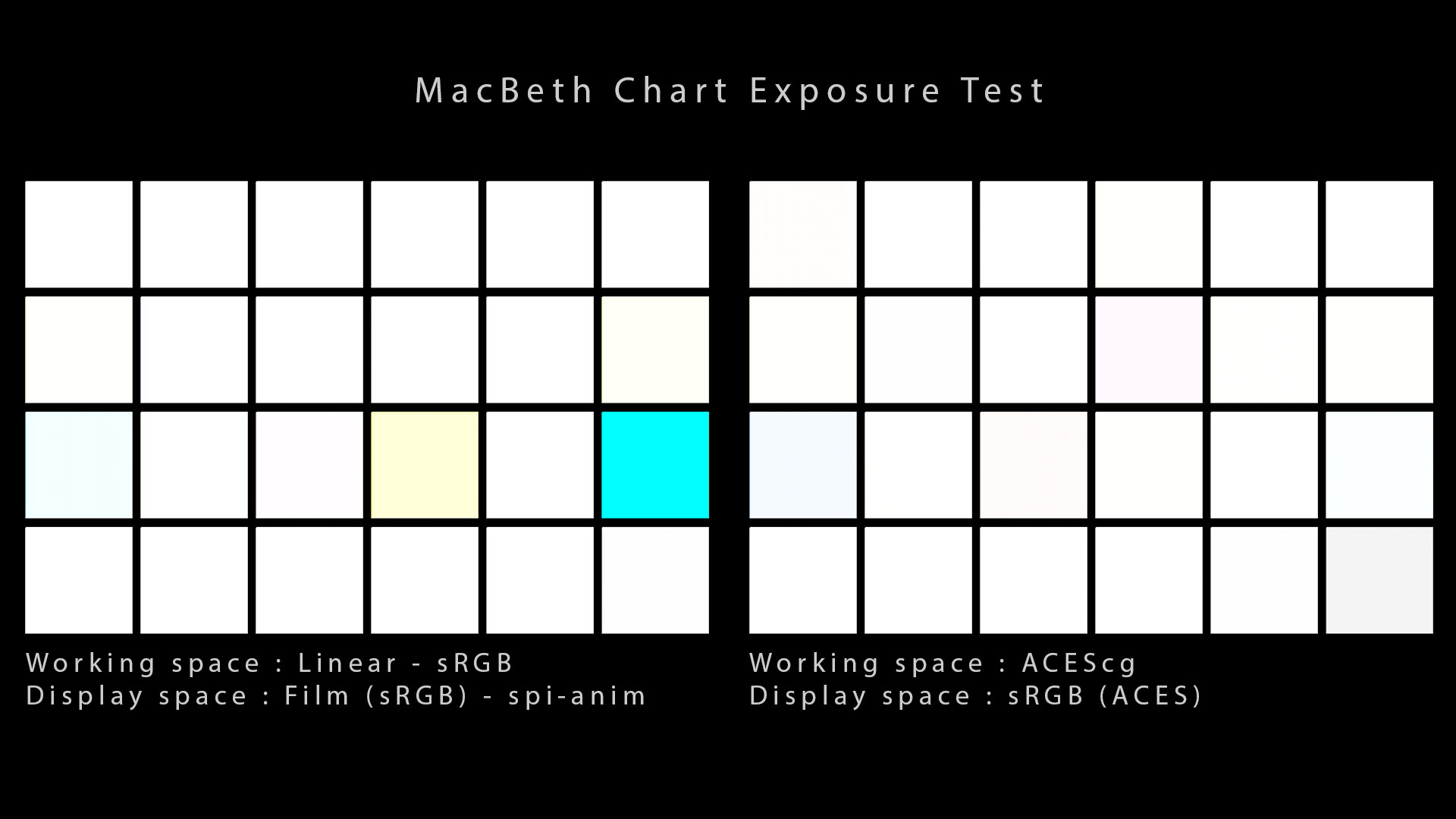
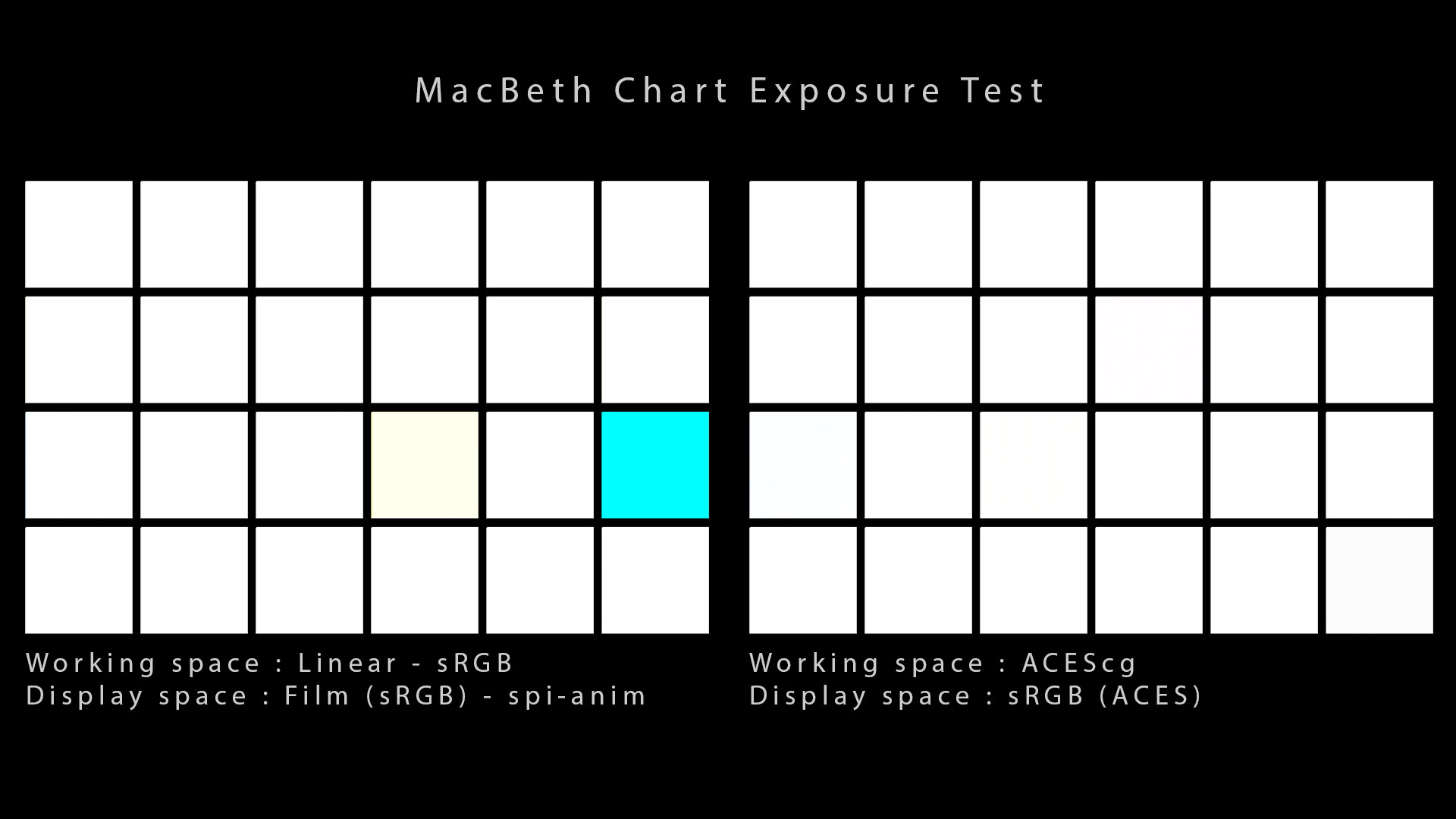
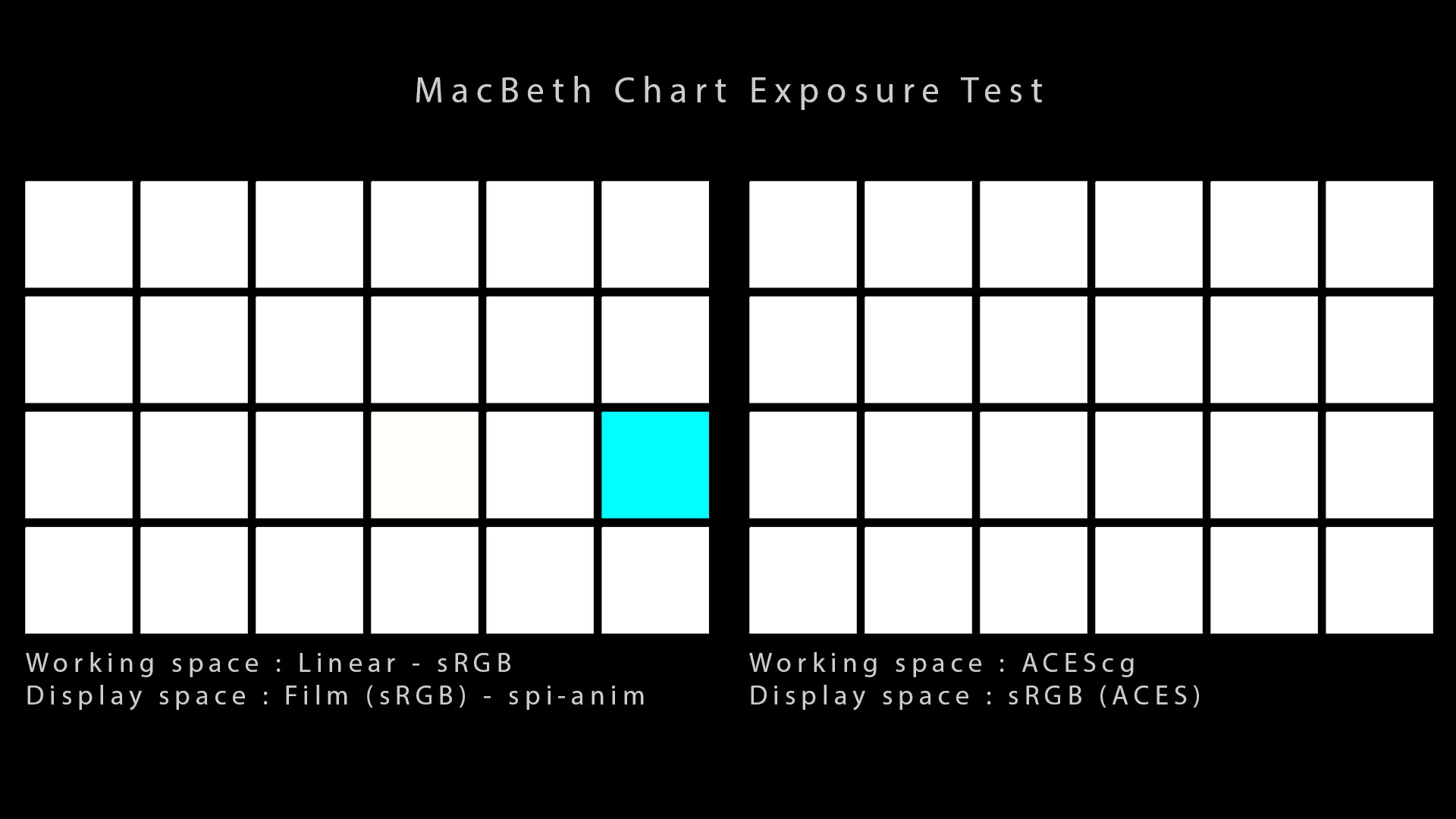
I’ll just put it out there so that it is clear : there is no point in using a P3D65 ACES ODT if your monitor only covers sRGB. It won’t make your renders look prettier.
我只是想说清楚:如果您的显示器仅覆盖 sRGB,则使用 P3D65 ACES ODT 毫无意义。它不会让您的渲染看起来更漂亮。
-- Your ODT should match your monitor characteristics basically.
-- 您的 ODT 应该基本与您的显示器特性相匹配。
输出变换说明 Output Transform clarification
Many artists have been confused by Nuke’s default display transform :
许多艺术家对 Nuke 的默认显示变换感到困惑:
- Why does sRGB display transform and sRGB (ACES) do NOT match ?
- 为什么 sRGB 显示变换和 sRGB(ACES)不匹配?
- Because the sRGB (ACES) Output Transform includes some tone scale !
- 因为sRGB(ACES)输出变换包含一些色调比例!
In ACES, we call this the “rendering” step. Going from ACEScg (scene-referred) to your display is not a simple color space conversion. It is actually a “complex” (color and tonality) rendering operation.
在 ACES 中,我们将其称为“渲染”步骤。从 ACEScg(场景引用)到您的显示器并不是简单的颜色空间转换。它实际上是一个“复杂”(颜色和色调)的渲染操作。
-- Most artists know this process as “tone mapping”.
-- 大多数艺术家都将这个过程称为“色调映射”。
From ACEScentral, Nick Shaw explains :
来自ACEScentral 的Nick Shaw解释道:
The ACES Rec.709 Output Transform is a much more sophisticated display transform, which includes a colour space mapping from the ACEScg working space to Rec.709, and tone mapping to expand mid-tone contrast and compress the shadows and highlights. The aim of this is to produce an image on a Rec.709/BT.1886 display which is a good perceptual match to the original scene.
ACES Rec.709 输出变换是一种更为复杂的显示变换,其中包括从 ACEScg 工作空间到 Rec.709 的色彩空间映射,以及色调映射以扩大中间色调对比度并压缩阴影和高光。 这样做的目的是在 Rec.709/BT.1886 显示器上生成与原始场景在感知上匹配良好的图像。
输出变换概述 Output Transform overview
Some people complain about the tone mapping included in the Output Transform. Here a few things to know :
有些人抱怨 输出变换中包含的色调映射。以下是一些需要了解的事情:
- The ACES tone mapping is not “neutral”, it comes with a “look”. Its values are not arbitrary neither[but indeed subjective].
- ACES 色调映射并非“中性”,而是带有“外观”。其值**也不是任意的**[而是主观的]。
- The contrast of the RRT/ODT was validated by many very experienced industry professionals in a carefully setup projection environment.
- 许多经验丰富的行业专业人士在精心设置的投影环境中**验证了**RRT/ODT 的对比度。
- The tone mapping [has] much less shadow and highlight compression happening in the HDR ODTs.
- 色调映射在 HDR ODT 中发生的**阴影和高光压缩要少**得多。
- The ACES Viewing Transforms are a do-your-best on each device with different viewing conditions.
- **ACES 观看变换是针对具有不同观看条件的每台设备**尽力而为的。
The RRT and ODT splines and thus the ACES system tone scale (RRT+ODT) were derived through visual testing on a large test set of images […] from expert viewers. So no, the values are not arbitrary.
RRT 和 ODT 样条以及 ACES 系统色调等级 (RRT+ODT) 是通过对专家观众的大量测试图像进行视觉测试得出的。因此,这些值不是任意的。
-- From Scott Dyer, ACES mentor.
-- 来自ACES 导师Scott Dyer 。
Some additional explanations about the RRT/ODT process from this post :
这篇文章中有关 RRT/ODT 过程的一些附加解释:
- The ACES RRT was designed for Theatrical Exhibition where Viewing Conditions are Dark. Content for cinema tends to be authored with more contrast to compensate for the dark surround.
- ACES RRT 专为观看条件较暗的影院展览而设计。影院内容往往具有更高的对比度,以补偿黑暗的环境。
- Even though there is a surround compensation process (Dark <–> Dim), the values to drive that process were subjectively obtained and it might not be enough for all the cases.
- 即使存在环绕补偿过程(暗<–>暗淡),驱动该过程的值也是主观获得的,可能不足以满足所有情况。
- The RRT + ODTs are also the results of viewing images by an expert viewer, so there is undeniably some subjectivity built-in.
- RRT + ODT 也是专家查看图像的结果,因此不可否认的是其中存在一定的主观性。
- Some companies such as Epic Games are pre-exposing the Scene-Referred Values with a 1.45 gain (which would match roughly an exposure increase of 0.55 in your lights).
- 一些公司(例如 Epic Games)正在对场景参考值进行预曝光,增益为 1.45(这大致相当于灯光中 0.55 的曝光量增加)。
Another description of the ODT tone scale can be found here.
关于 ODT 音阶的另一种描述可在此处找到。
塑形者 Shaper
The ACES Output Transform includes a shaper, which is a logarithmic color space, to optimize the data. It is a transparent process, nothing more than an intermediate state for data, with purely technical goals.
ACES 输出变换包含一个整形器,即对数颜色空间,用于优化数据。这是一个透明的过程,只不过是数据的中间状态,具有纯粹的技术目标。
What does exactly happen when we display insRGB (ACES) with an OCIO config ? To go to sRGB (ACES) , OCIO first transforms the color to ACES2065-1 (AP0 primaries) . Then from AP0 we go to a colour space called Shaper thanks to a 1D LUT and finally to sRGB thanks to a 3D LUT.
当我们使用 OCIO 配置在sRGB(ACES) 中显示时究竟会发生什么?要转到sRGB(ACES) ,OCIO 首先将颜色转换为ACES2065-1(AP0 原色) 。然后从AP0开始,我们借助 1D LUT进入名为Shaper的色彩空间,最后借助 3D LUT进入sRGB 。
From the ACES 1.2 OCIO Config :
来自 ACES 1.2 OCIO 配置:
  - !<ColorSpace>
    name: Output - sRGB
    family: Output
    equalitygroup: ""
    bitdepth: 32f
    description: |
      ACES 1.0 Output - sRGB Output Transform

      ACES Transform ID : urn:ampas:aces:transformId:v1.5:ODT.Academy.RGBmonitor_100nits_dim.a1.0.3
    isdata: false
    allocation: uniform
    allocationvars: [0, 1]
    to_reference: !<GroupTransform>
      children:
        - !<FileTransform> {src: InvRRT.sRGB.Log2_48_nits_Shaper.spi3d, interpolation: tetrahedral}
        - !<FileTransform> {src: Log2_48_nits_Shaper_to_linear.spi1d, interpolation: linear}
    from_reference: !<GroupTransform>
      children:
        - !<FileTransform> {src: Log2_48_nits_Shaper_to_linear.spi1d, interpolation: linear, direction: inverse}
        - !<FileTransform> {src: Log2_48_nits_Shaper.RRT.sRGB.spi3d, interpolation: tetrahedral}
A*shaperis needed* because a 3D LUT (even 64^3) is not suitable for applying to linear data like ACEScg. Otherwise it would be just a waste of data.
需要一个*整形器,因为3D LUT(即使是 64^3)不适合应用于 ACEScg 这样的线性数据。* 否则就只是浪费数据。* *
送货 Delivery
Once you’re happy with your renders and pretty much done with the project, you are ready to deliver your frames. In animation studios, we generally deliver scene-linear exr files to a digital laboratory, such as this one.
一旦您对渲染感到满意并且项目基本完成,您就可以交付您的帧了。在动画工作室中,我们通常将场景线性 exr 文件交付给数字实验室,例如这个。
With ACES, it is pretty much the same concept with a couple of important notes. For final delivery to the Digital Intermediate, it is recommended to deliver ACES compliant EXR files.
ACES 的概念基本相同,但有几个重要注意事项。对于最终交付给数字中间片,建议交付符合 ACES 标准的 EXR 文件。
This is the standard set by the Academy to exchange files between facilities. This is really important. Your render output will be ACEScg (AP1) but your compositing output has to be ACES2065-1 (AP0) with the correct metadata.
这是学院为设施间交换文件而设定的标准。这真的很重要。您的渲染输出将是ACEScg (AP1), 但您的合成输出必须是具有正确元数据的ACES2065-1 (AP0) 。
Rendering in ACEScg uses color primaries that are closer to actual devices – a little bigger than Rec2020, but AP0 is the target for File Outputs (archive and interchange). When working completely within your own facility without sharing of files, ACEScg is sometimes used for convenience but using the format in the name of the file to distinguish it from the ACES standard (putting ACEScg in EXR with the primaries specified – a device or AP1 – means it is not an ACES file). The ACES flag in a header should not be set.
ACEScg 中的渲染使用更接近实际设备的原色 - 比 Rec2020 稍大,但 AP0 是文件输出(存档和交换)的目标。当完全在自己的设施内工作而不共享文件时,有时会使用 ACEScg 以方便使用,但使用文件名中的格式将其与 ACES 标准区分开来(将 ACEScg 放入 EXR 中并指定原色 - 设备或 AP1 - 意味着它不是 ACES 文件)。不应设置标头中的 ACES 标志。
-- Explanation by Jim Houston.
-- 吉姆休斯顿 (Jim Houston) 的解释。
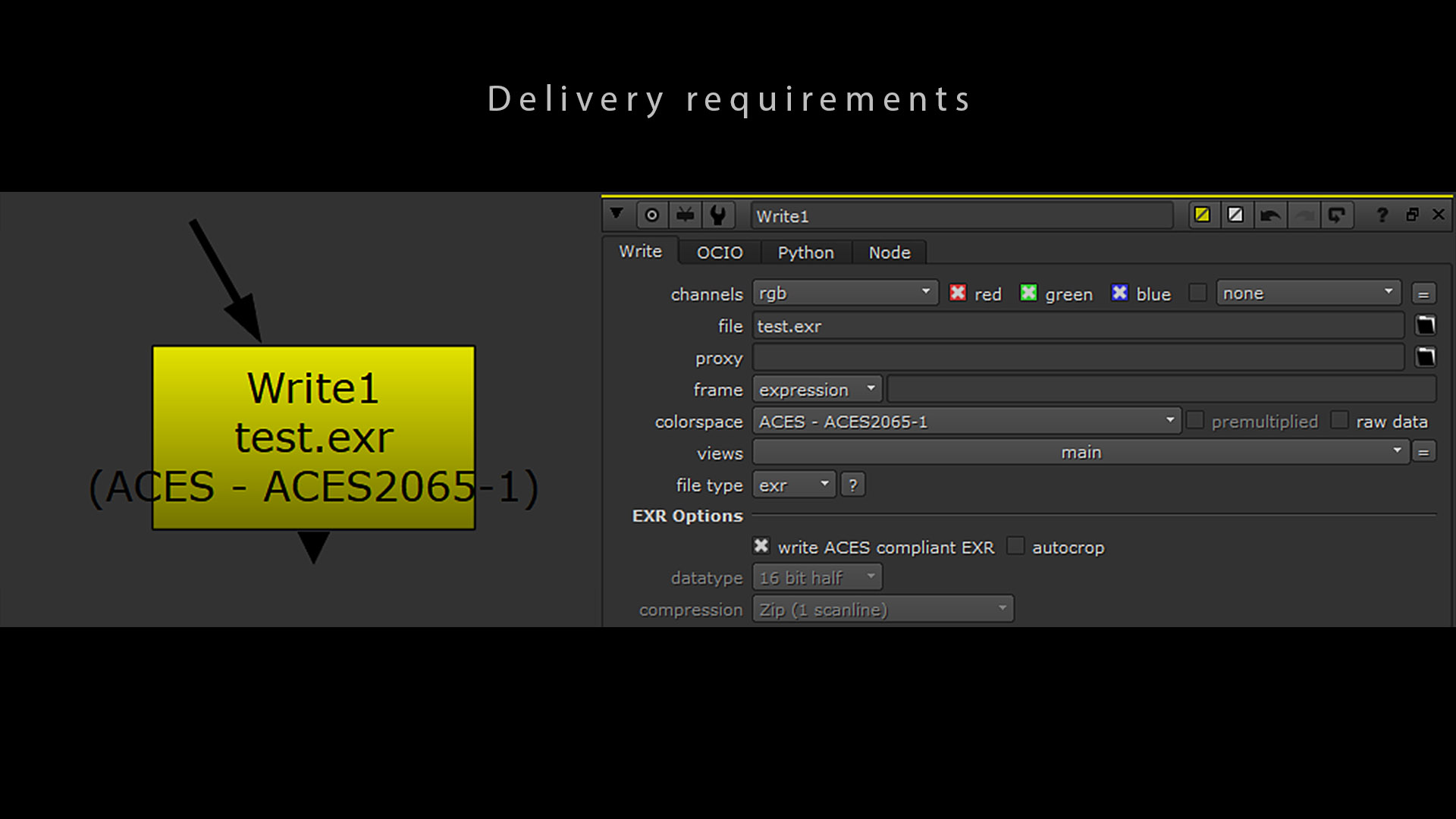
The interchange and archival files should be written as OpenEXRs conforming to SMPTE 2065-4. In Nuke, you should set the Write node’s colorspace to ACES2065-1 and check the box write ACES compliant EXR to get the correct metadata.
交换文件和存档文件应以符合SMPTE 2065-4 的 OpenEXR 格式写入。在 Nuke 中,应将写入节点的色彩空间设置为ACES2065-1 ,并勾选写入符合 ACES 标准的 EXR复选框以获取正确的元数据。
From ACEScentral, Doug Walker explains :
来自ACEScentral 的Doug Walker解释道:
The SMPTE ST 2065-4 spec “ACES Image Container File Layout” currently requires uncompressed files. Also, there are other restrictions such as only 16-bit float and only certain channel layouts (RGB, RGBA, and stereo RGB/RGBA). These limitations do make sense for use-cases that involve archiving or real-time playback.
SMPTE ST 2065-4 规范“ACES 图像容器文件布局”目前要求使用未压缩的文件。此外,还有其他限制,例如仅限 16 位浮点数和仅限某些通道布局(RGB、RGBA 和立体声 RGB/RGBA)。这些限制对于涉及存档或实时播放的用例确实有意义。
ACES 限制 ACES limitations
ACES 回顾与增强 ACES Retrospective and Enhancements
In March 2017, a study has listed some possible improvements for ACES : ACES Retrospective and Enhancements. It is an interesting document that has lead to several changes in the ACES organization. Here is a link to the official response from the ACES Leadership.
2017 年 3 月,一项研究列出了 ACES 的一些可能的改进: ACES 回顾和增强。这是一份有趣的文件,它导致了 ACES 组织的几项变革。以下是ACES 领导层的官方回应链接。
A list of 48 points to improve has also been published on the forum and the creation of several Virtual Working Groups has already brought some solutions to the table. Do not hesitate to join the process !
论坛上还公布了48 项需要改进的要点,并且已成立了多个*虚拟工作组,* 并已提出了一些解决方案。不要犹豫,加入我们的行列吧!
This interesting article also describes ACES’ issues and a proposal to solve them.
这篇有趣的文章还描述了 ACES 的问题以及解决方案的建议。
色调倾斜和色域剪切 Hue skews and Gamut Clipping
The two biggest issues I have encountered with ACES are called Hue skews and Gamut Clipping. Some image makers believe that the audience got used to it and are not bothered. Some find them truly horrific. I’ll let you decide for yourselves.
我遇到的 ACES 最大的两个问题是色调倾斜和色域剪切。一些图像制作者认为观众已经习惯了,不会介意。有些人觉得它们真的很可怕。我让你们自己决定。
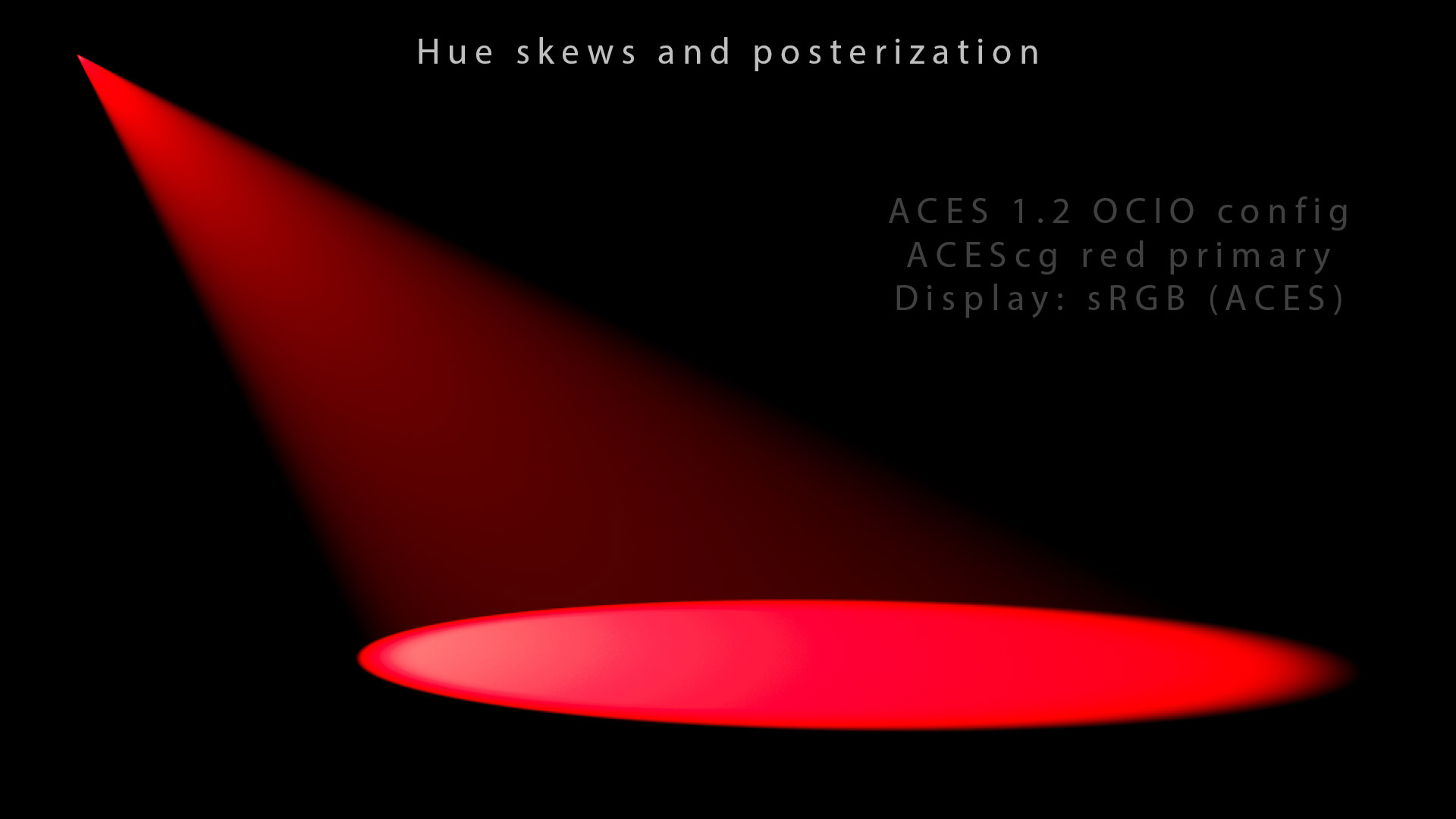
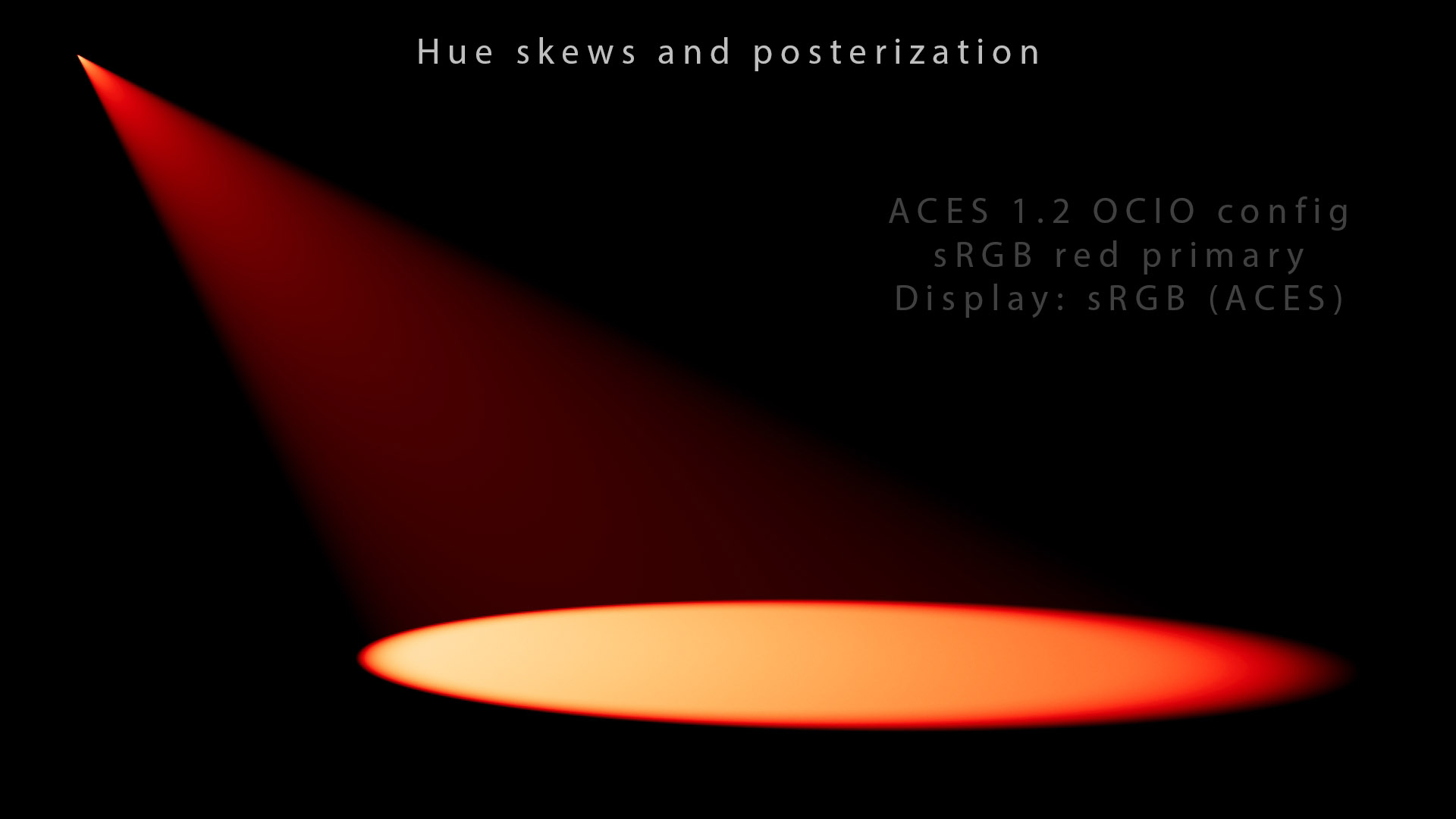
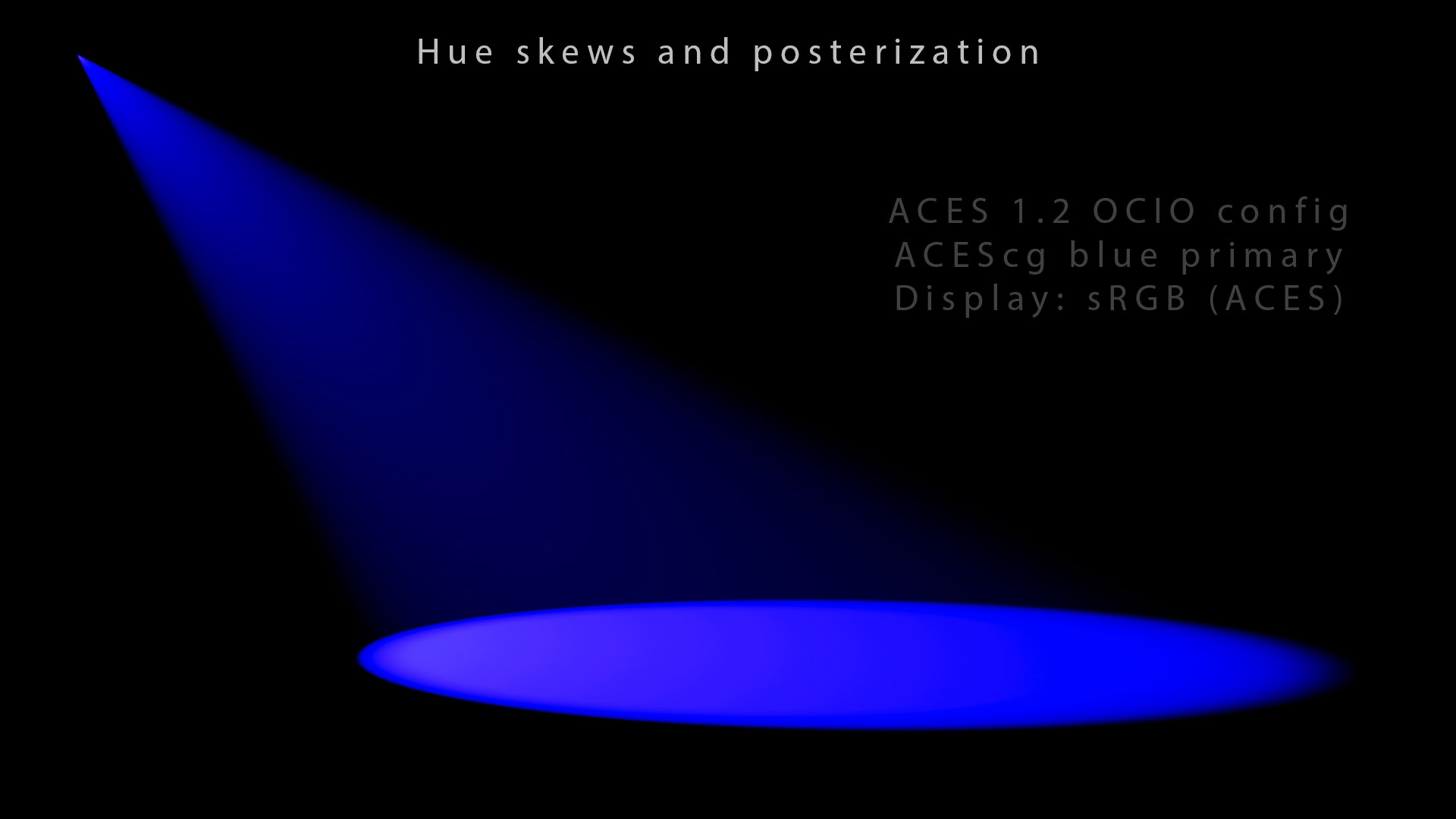
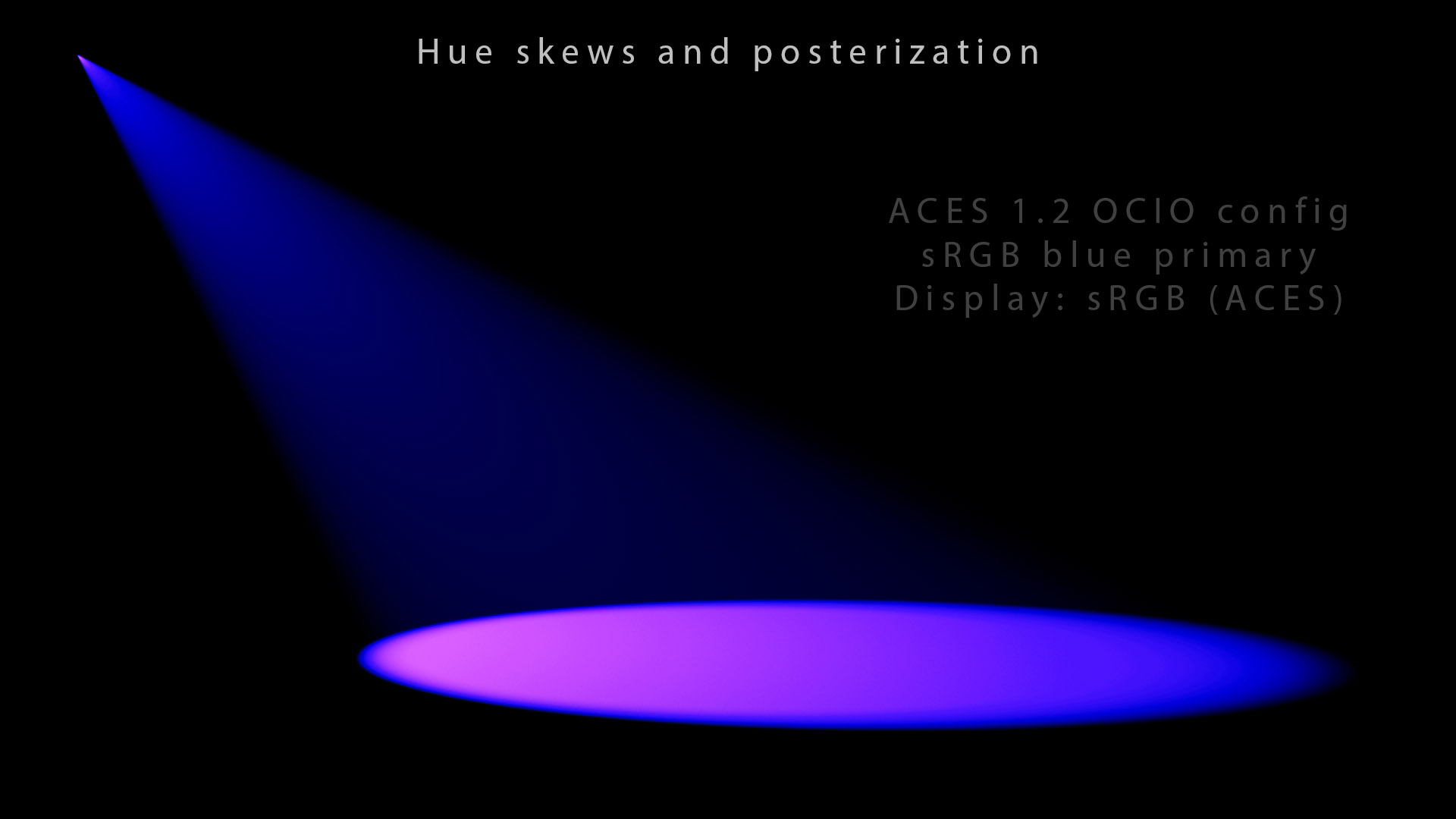
In these slides, I described the issue as “posterization”. It has been discussed on ACESCentral and described as “Gamut Clipping”.
在这些幻灯片中,我将这个问题描述为“色调分离”。ACESCentral*对此进行了讨论* ,并将其描述为“色域剪切”。
There are different reasons for this kind of issues. They are pretty technical and beyond the scope of this chapter but I have listed them here (and more extensively in this article) :
导致此类问题的原因有很多。它们非常技术性,超出了本章的讨论范围,但我在这里列出了它们(并在本文中进行了更详细的介绍):
- A 3×3 matrix can only model linear transformations which may induce Abney effect because they are straight lines (just like brute force gamut clips).
- 3×3 矩阵只能模拟可能引起*阿布尼效应的*线性变换,因为它们是直线(就像强力色域剪辑一样)。
- Discrete per-channel lookups (also called RGB tone mapping) skew the intention. Any aesthetic transfer function that asymptotes at 1.0 suffers this.
- 离散的每通道查找(也称为RGB 色调映射)会扭曲意图。任何在 1.0 处渐近的美学传递函数都会受到影响。
- The aesthetic transfer function ends up collapsing lots of different values into the same one, hence Gamut Clipping. The non-physically realizable primaries of ACEScg may also be responsible.
- 美学传递函数最终将许多不同的值合并为同一个值,因此产生了色域剪切。ACEScg 的非物理可实现原色也可能是造成这种情况的原因。
ODT 剪辑值 The ODTs clip values
Most of these notions are eventually related to what we call gamut mapping. This is the key element missing in ACES. I have thought for a very long time that the ODT would remap the gamut it in a smart way. Unfortunately it is not the case, it just does a 3×3 matrix transform, a tone scale and a clamp !
这些概念中的大多数最终都与我们所谓的色域映射有关。 这是 ACES 中缺少的关键元素。我很久以来就认为 ODT 会以一种智能的方式重新映射色域。不幸的是,事实并非如此,它只是进行 3×3 矩阵变换、色调缩放和限制!
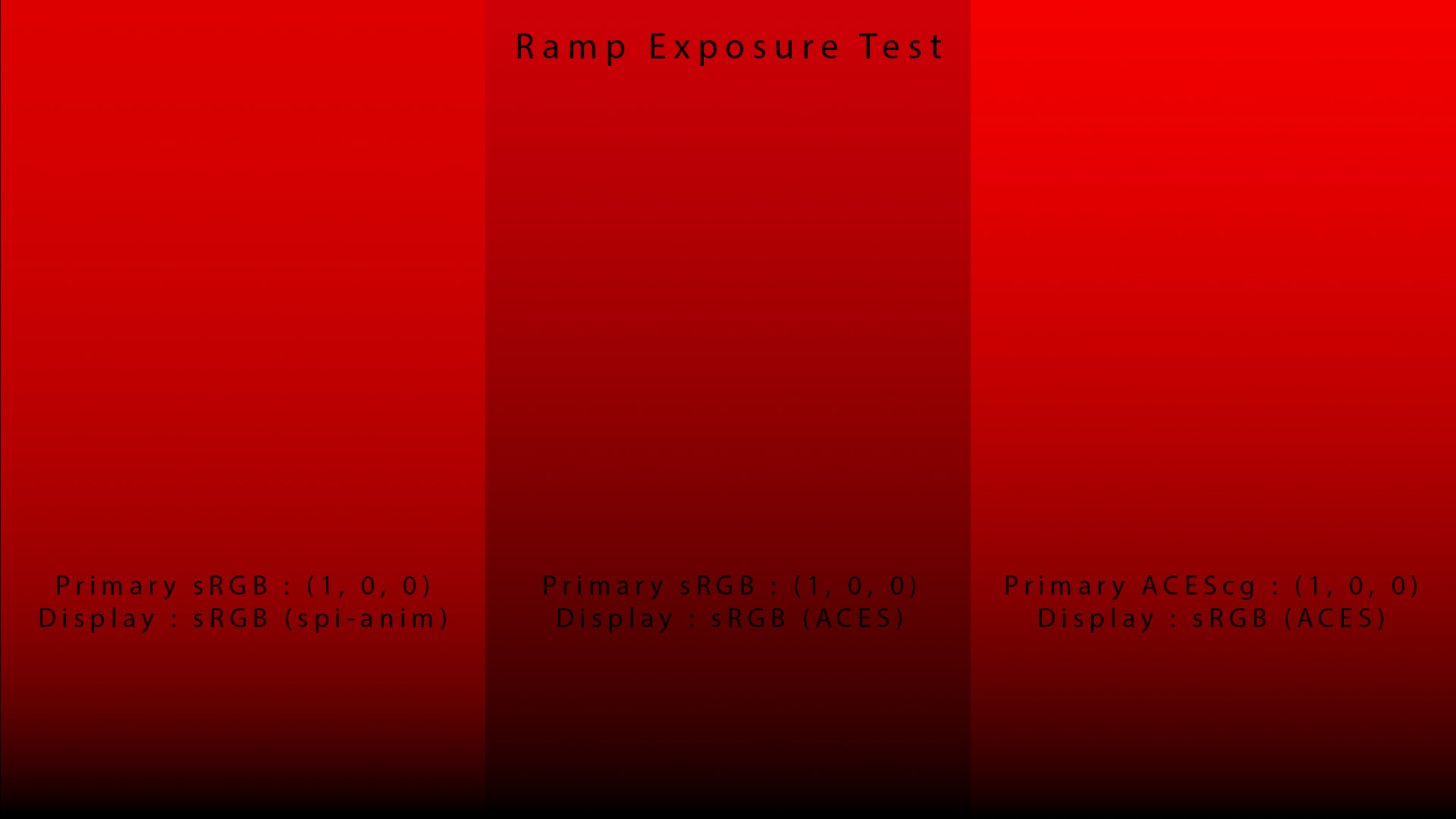
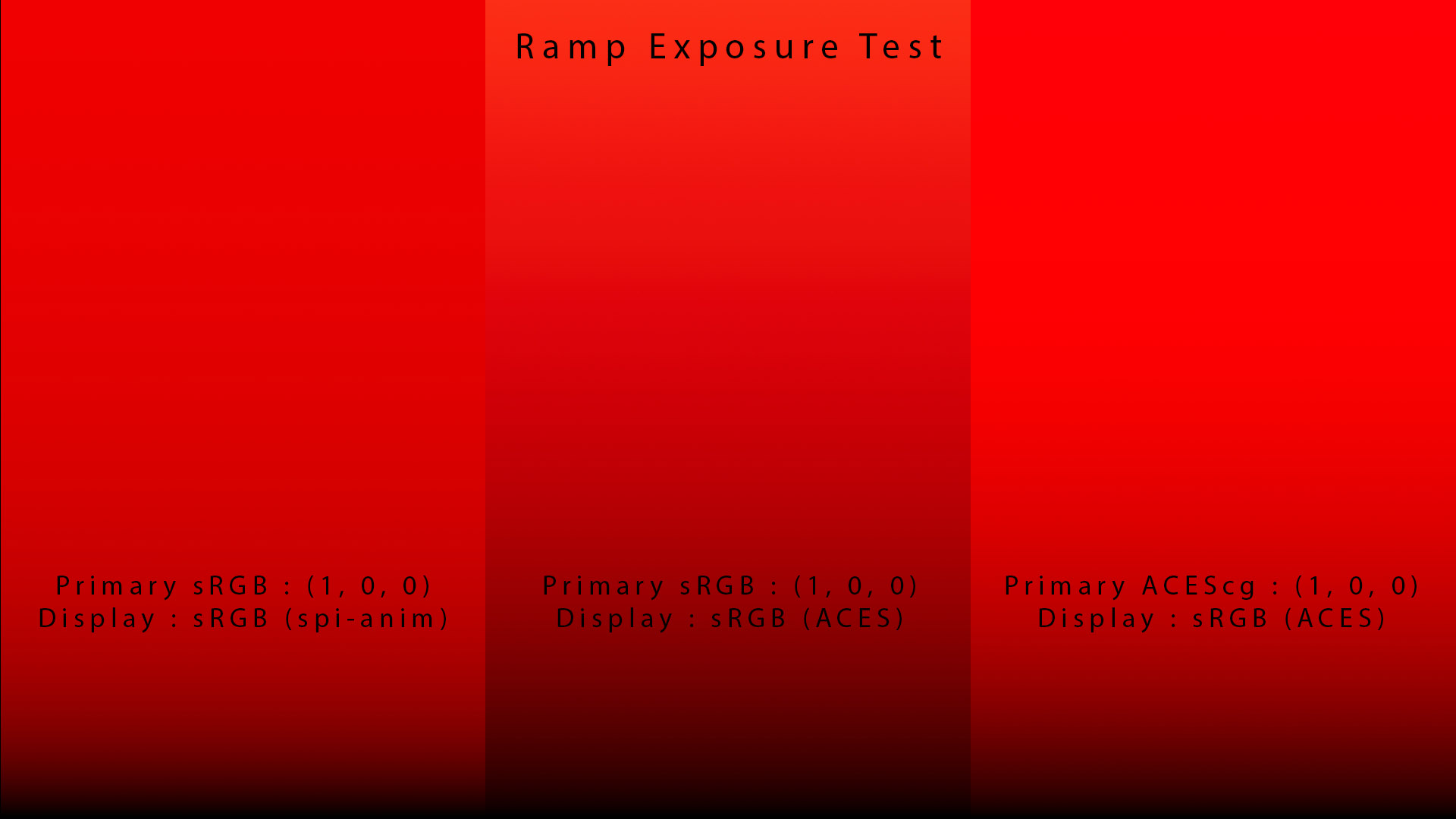
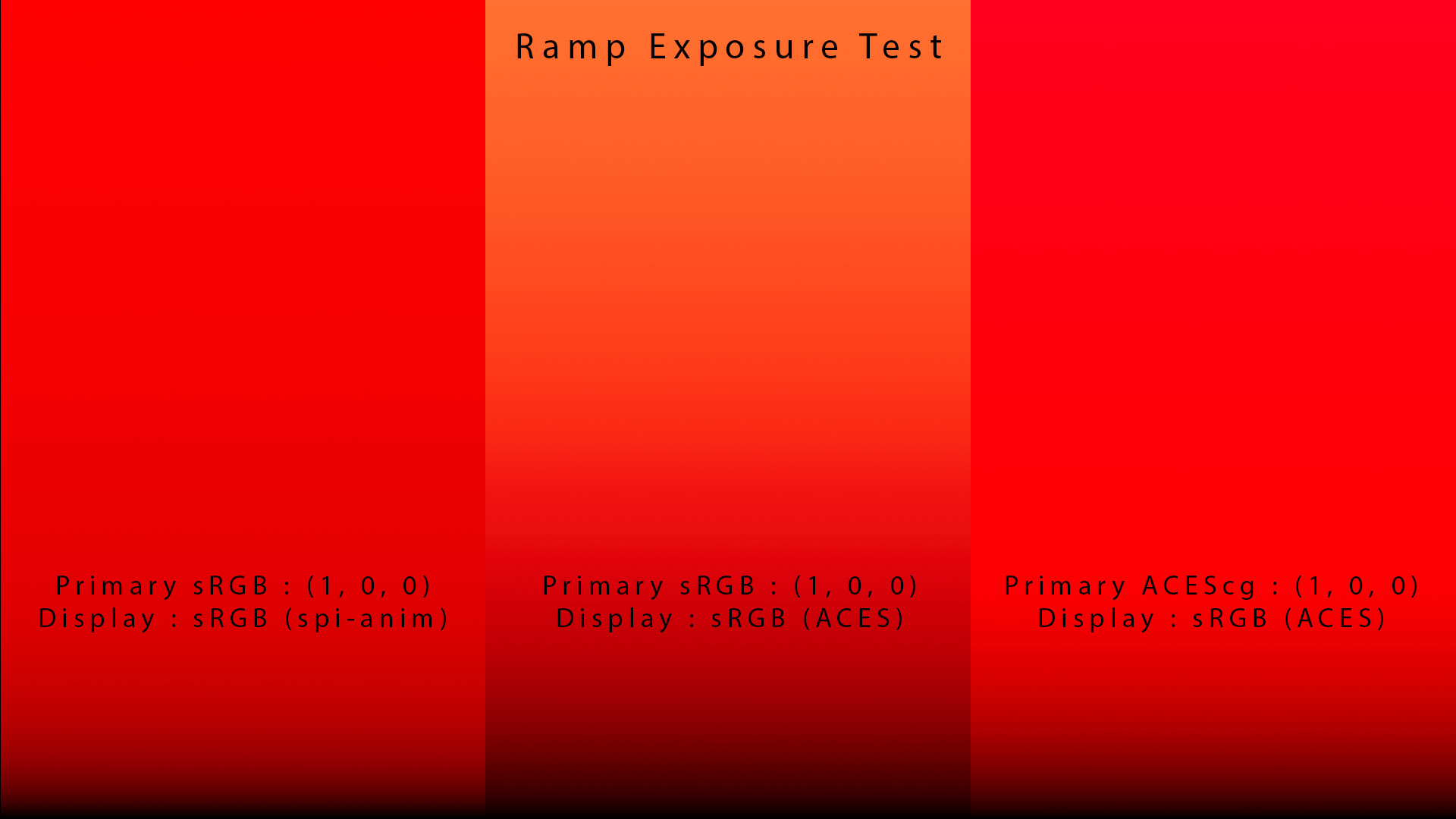
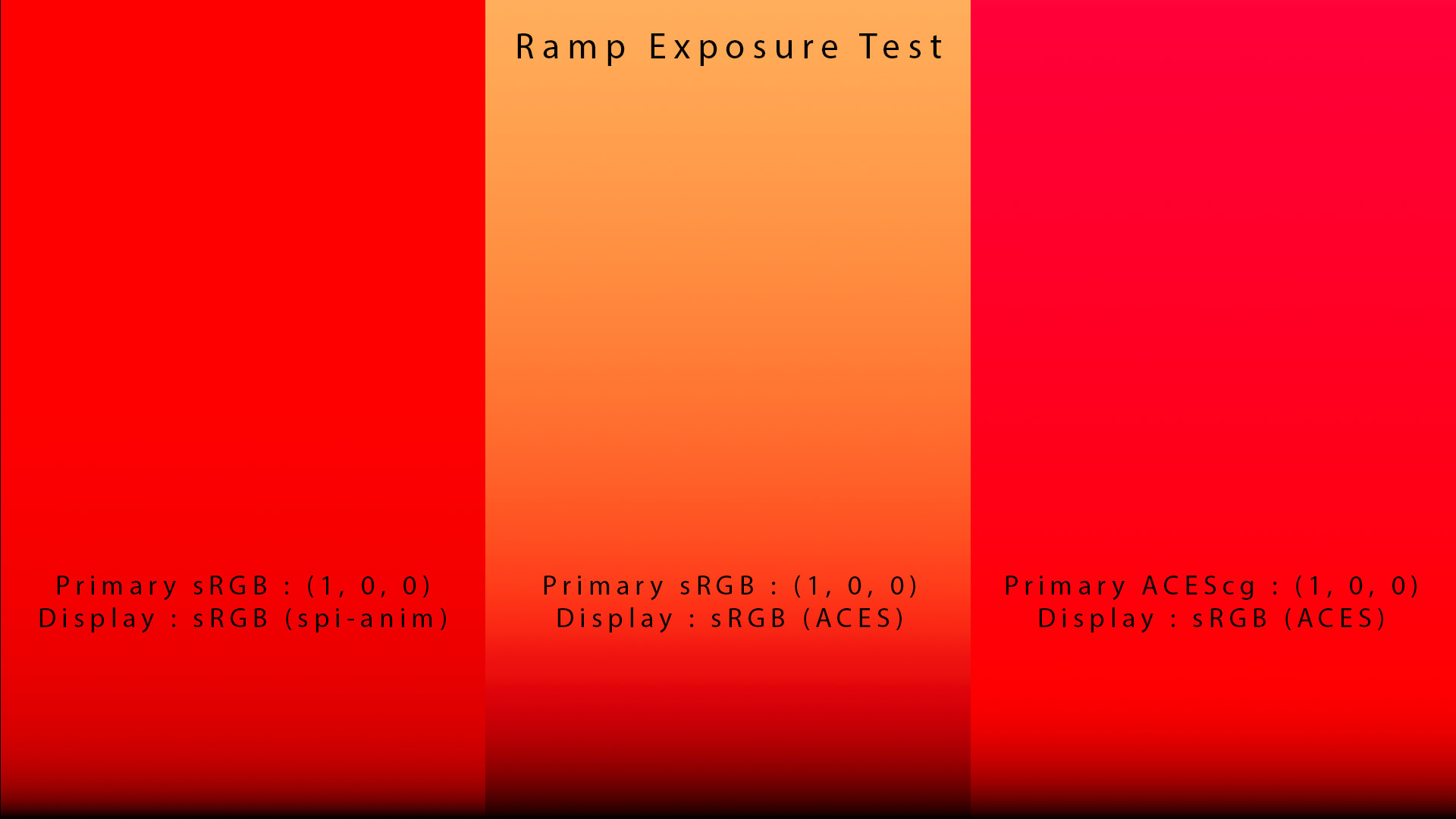
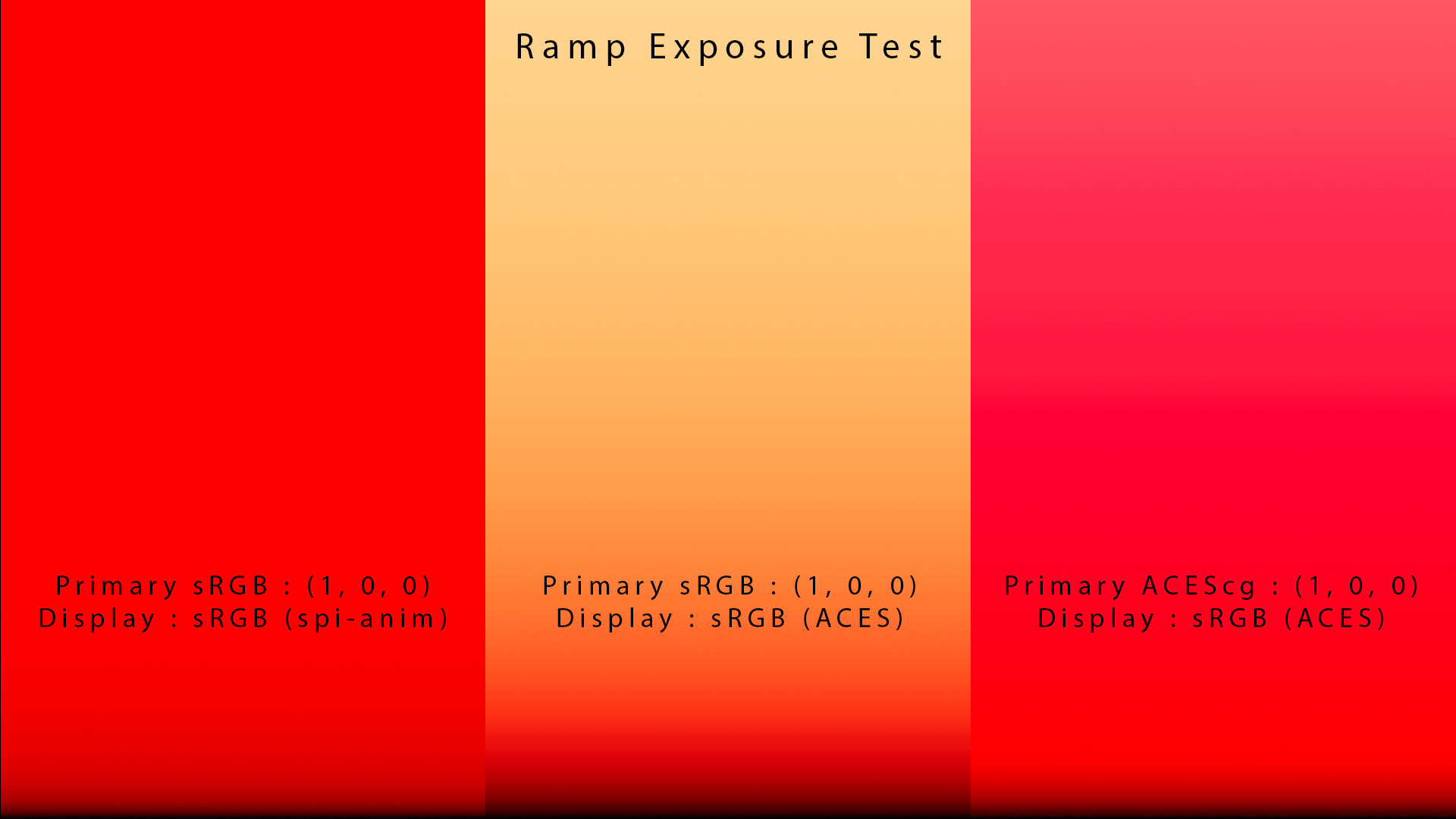
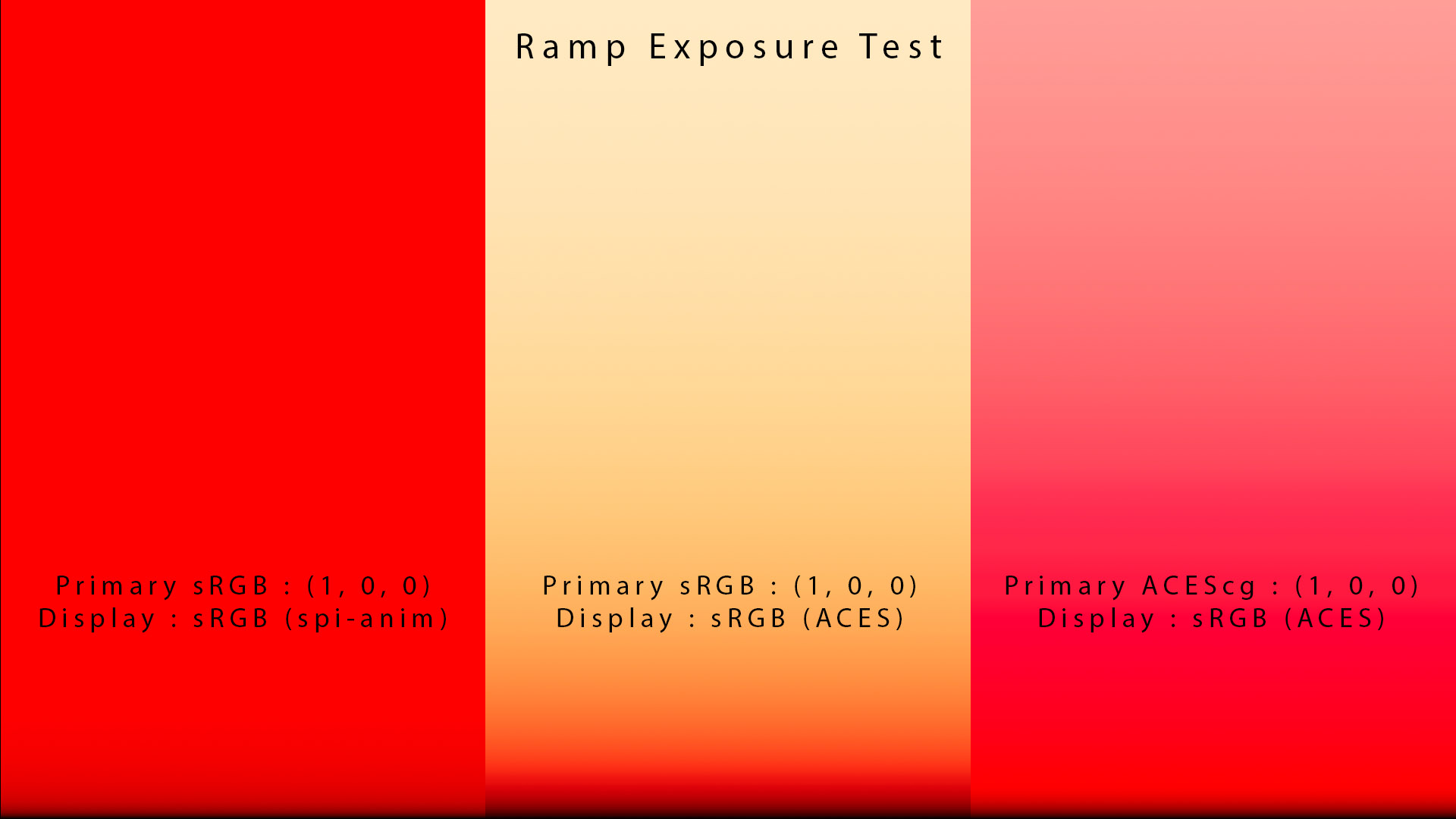
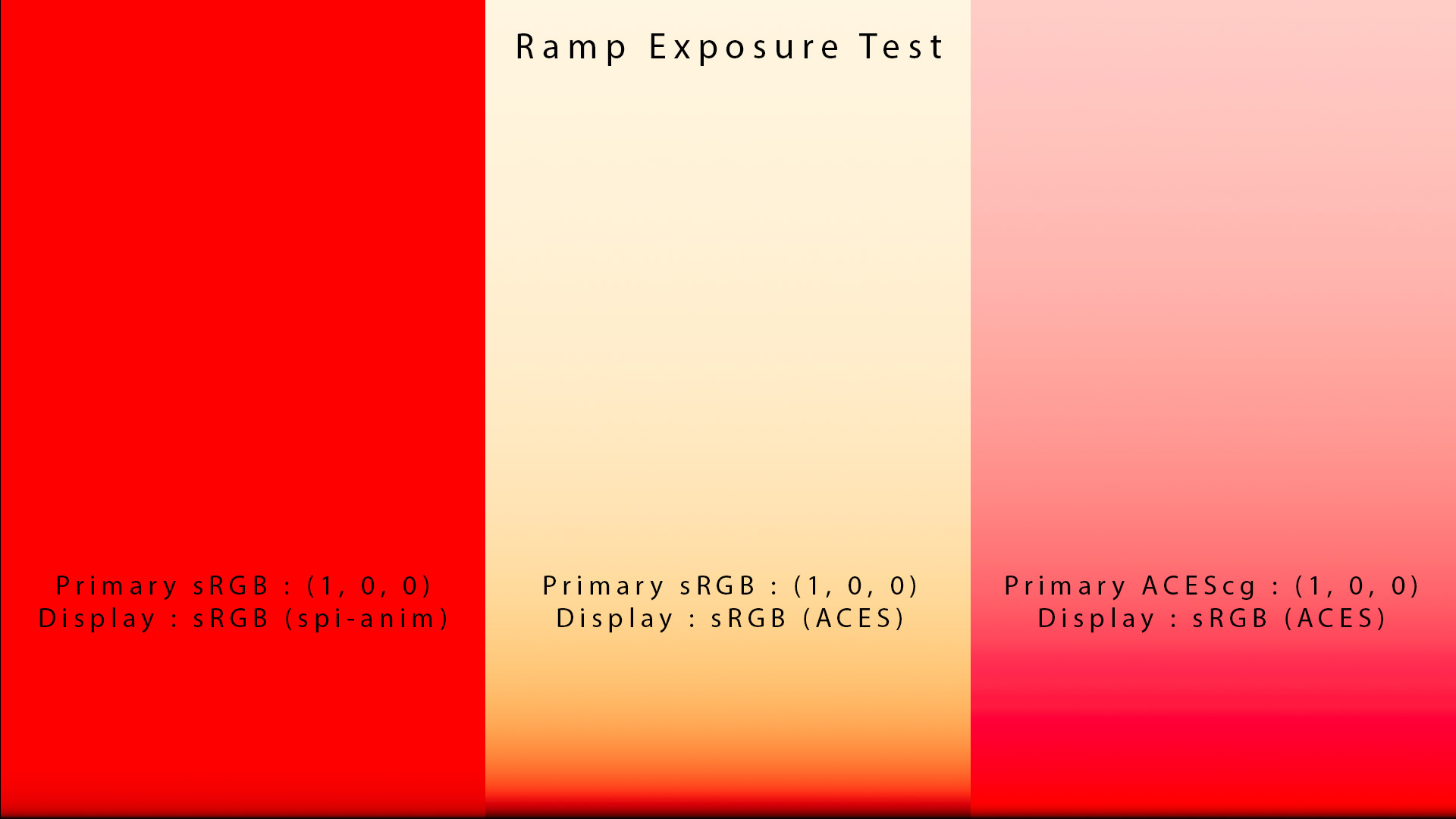
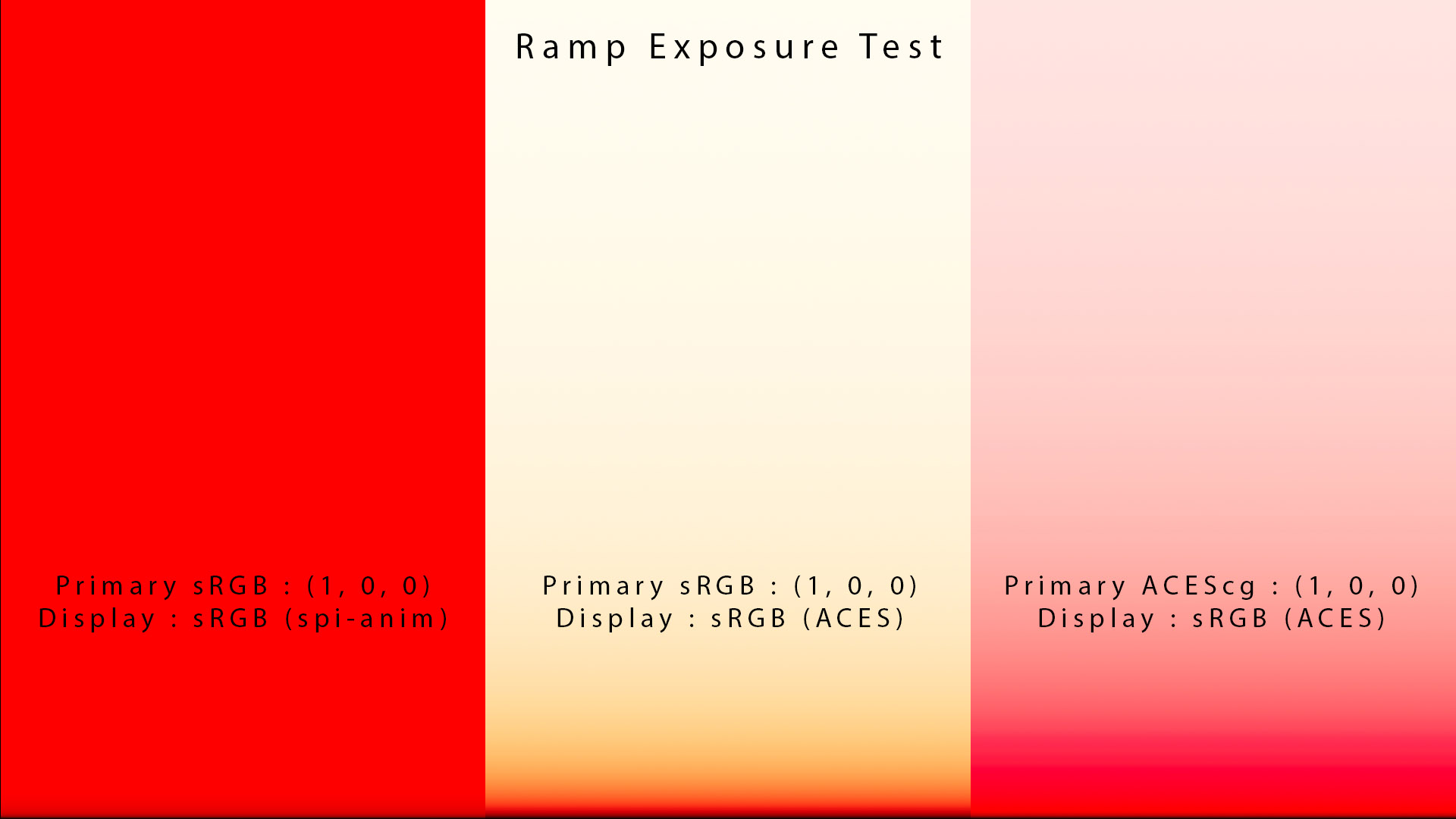
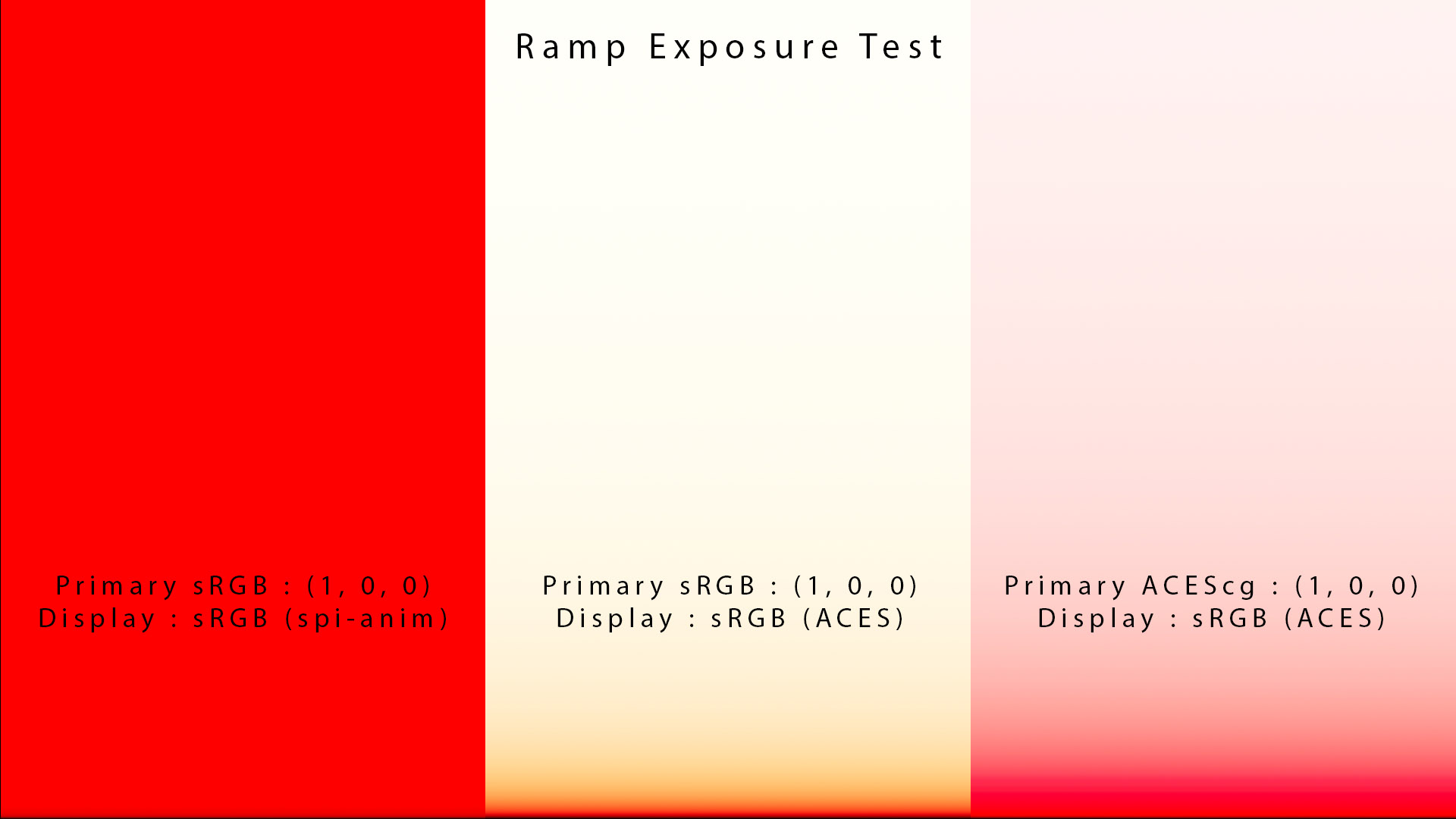
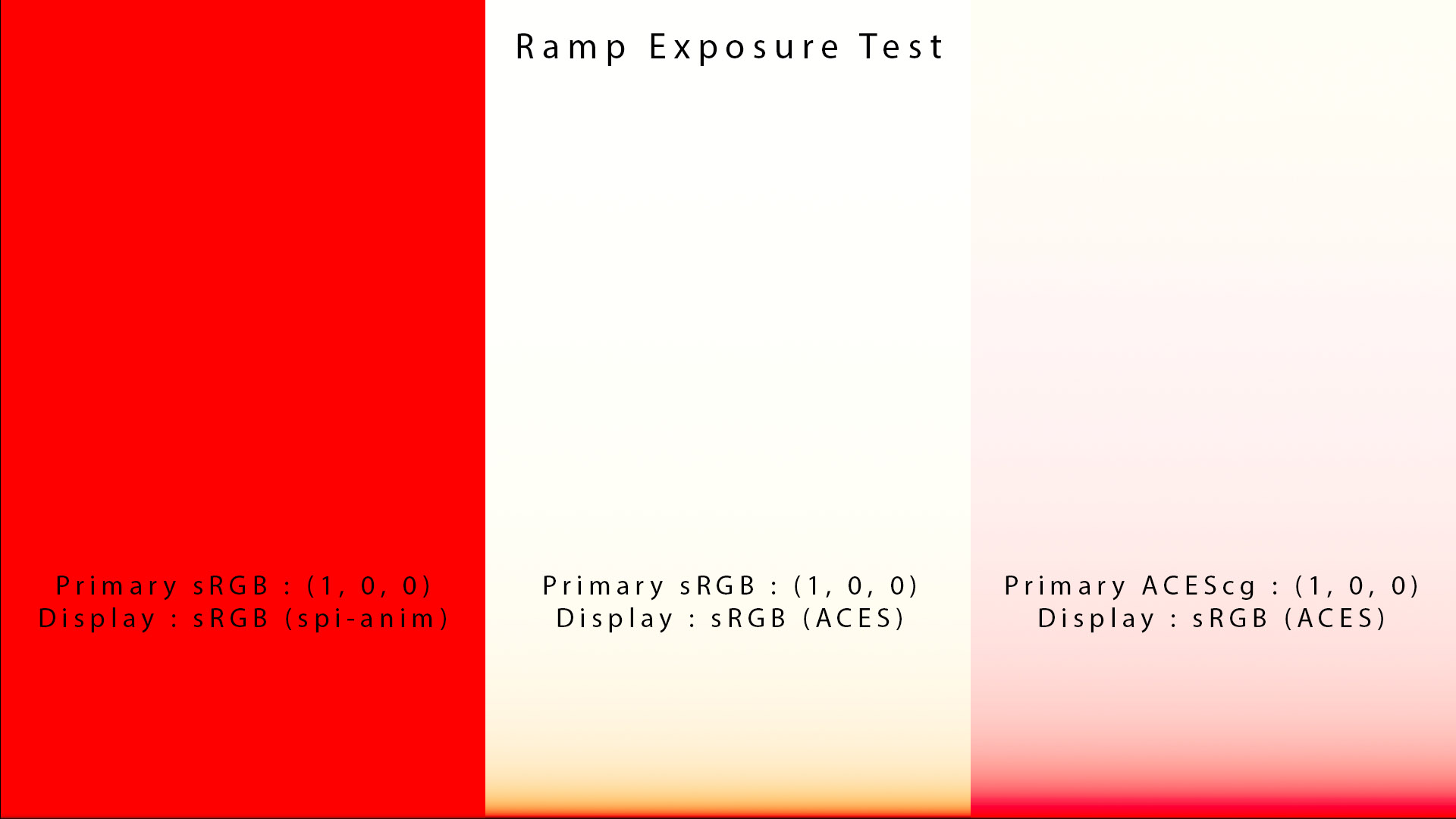
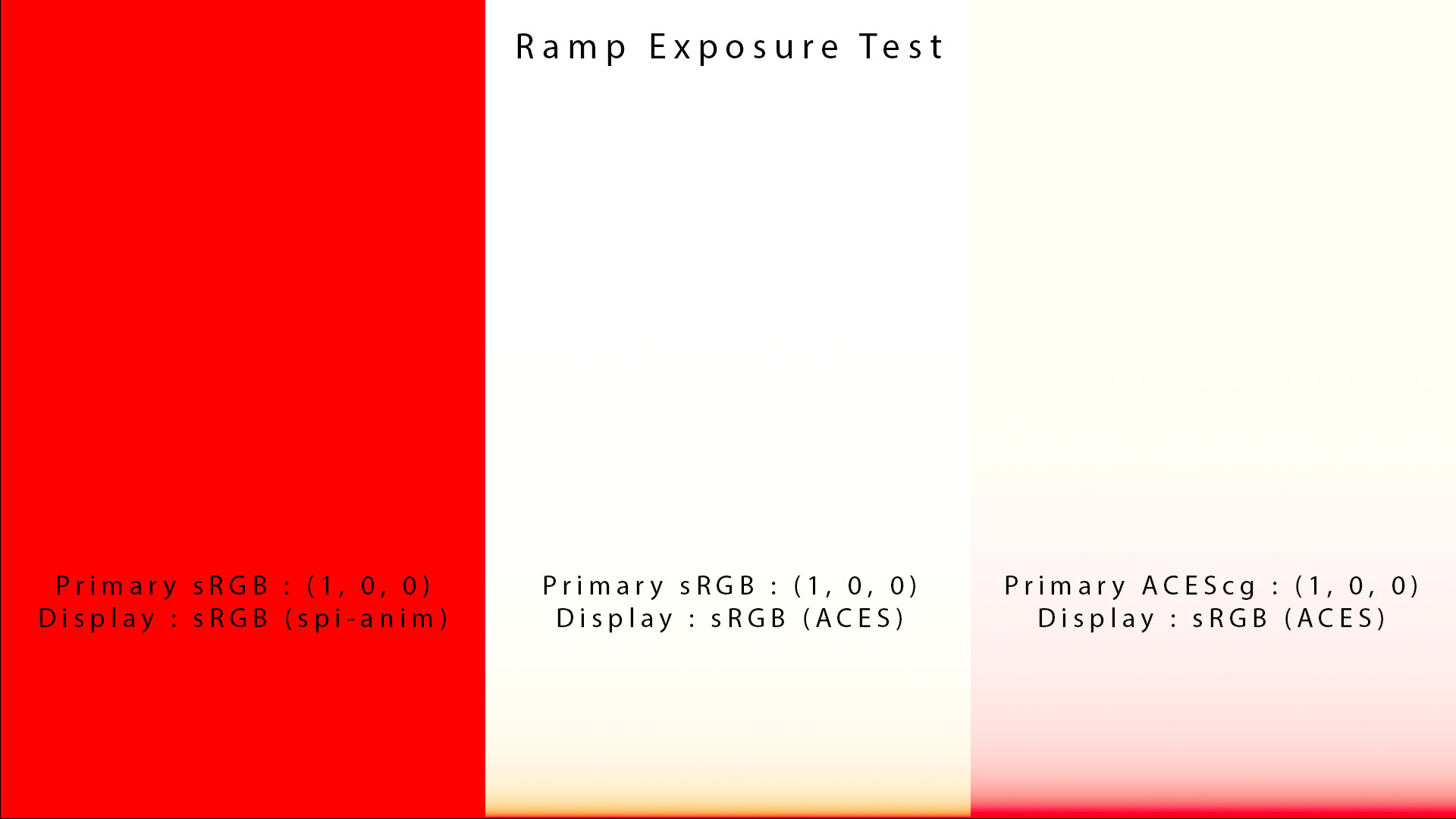
As you can see in the code below, an ODT brings the values back into its gamut through a 3×3 matrix and a clamp which cause some Gamut Clipping. This is one of the issue we are facing with very saturated values :
正如您在下面的代码中看到的,ODT通过 3×3 矩阵和夹具将值带回其色域,这会导致一些色域剪切。这是我们在非常饱和的值时面临的问题之一:
// Handle out-of-gamut values
// Clip values < 0 or > 1 (i.e. projecting outside the display primaries)
linearCV = clamp_f3( linearCV, 0., 1.);
All ODTs clamp to the target gamut so it is impossible to have something outside the gamut. All values are assumed to be between 0 and 1 after this process and this the penultimate step before the transfer function (that will not change this result).
所有 ODT 都限制在目标色域内,因此不可能出现色域外的情况。在此过程之后,所有值都假定在 0 到 1 之间,这是传递函数之前的倒数第二步(这不会改变此结果)。
Let’s now see the difference between 3×3 matrixes and Gamut Mapping. We could say that the Gamut mapping in ACES is very “crude” or completely missing. It depends on how you see things.
现在让我们看看 3×3 矩阵和色域映射之间的区别。我们可以说 ACES 中的色域映射非常“粗糙”或完全缺失。这取决于你如何看待事物。
关于 3×3 矩阵 A word about 3×3 matrixes
Thomas Mansencal shared some knowledge about matrixes and their use in ACES. Matrixes are currently used in more than 50 “places” such as IDTs, the BlueLightArtifactFix LMT, the RRT and ODTs. They are mostly used in definitions for colorspace changes, chromatic adaptation and saturation adjustment.
Thomas Mansencal分享了一些有关矩阵及其在 ACES 中的应用的知识。矩阵目前用于 50 多个“地方”,例如 IDT、BlueLightArtifactFix LMT、RRT 和 ODT。它们主要用于色彩空间变化、色彩适应和饱和度调整的定义。
The advantage is that they are modeling a linear transformation which is very fast to apply, is very stable numerically, invertible (most of the time), easy to implement and does not suffer from exposure variance. This advantage is also their curse because they can only model linear transformations.
其优点在于,它们模拟的是线性变换,这种变换应用起来非常快,数值上非常稳定,可逆(大多数时候),易于实现,并且不受曝光方差的影响。这一优点也是它们的祸害,因为它们只能模拟线性变换。
-- An online app for RGB Colourspace Transformation Matrix.
-- RGB 色彩空间变换矩阵的在线应用程序。
处理立方体 Handling a cube
To understand better how matrix 3×3 works, Thomas used a comparison with a cube. I like simple examples !
为了更好地理解 3×3 矩阵的工作原理,Thomas使用了立方体作为比较。我喜欢简单的例子!
Imagine that you have two cubes with different rotations and scale. A 3×3 matrix could make one cube fit to the other perfectly. Now imagine that you have a cube and a sphere and you want to fit them together ? The 3×3 matrix would get you to the point where the sphere and the cube are sharing the same space but they would not have the same shape. This is where you need a non-linear transformation basically that will do more than rotating and scaling your space. You will need to locally distort it ! 3×3 is basically putting two large handles around your space and kind of distorting it globally, note that a 4×4 matrix would also allow you to translate, a 3×3 by convention commonly only scales and rotates (in 3D spaces).
想象一下,您有两个具有不同旋转和缩放比例的立方体。3×3 矩阵可以使一个立方体完美地贴合另一个立方体。现在想象一下,您有一个立方体和一个球体,并且想要将它们贴合在一起?3×3 矩阵将使球体和立方体共享同一空间,但它们的形状不同。这是您需要非线性变换的地方,它的作用基本上不仅仅是旋转和缩放您的空间。您需要局部扭曲它!3×3 基本上是在您的空间周围放置两个大手柄并对其进行全局扭曲,请注意,4×4 矩阵还允许您平移,而按照惯例 3×3 通常只缩放和旋转(在 3D 空间中)。
-- More information about matrixes can be found here.
-- 关于矩阵的更多信息可以在这里找到。
Matrixes are a good tool for color spaces’ conversions, such as the ones used in the IDT and Utilities but are less than ideal when it comes to Display Transform. A more sophisticated Gamut Mapping process would be appropriate in this case.
矩阵是色彩空间转换的良好工具,例如IDT和实用程序中使用的矩阵,但在显示变换方面则不太理想。在这种情况下,更复杂的色域映射过程会更合适。
色域映射 Gamut mapping
What is gamut mapping ? A proper Output Transform (also called Display Rendering Transform) should be composed of two main elements :
什么是色域映射?正确的输出变换(也称为显示渲染变换)应由两个主要元素组成:
- Tone mapping (or intensity/luminance mapping) to compress an infinite range (HDR) on a limited range (SDR).
- 色调映射(或强度/亮度映射)在有限范围(SDR )上压缩无限范围(HDR ) 。
- Gamut mapping to compress a wide gamut (ACEScg) to a smaller gamut (P3) by maintaining the intention of the scene as best as possible.
- 色域映射通过尽可能保持场景的意图,将宽色域(ACEScg)压缩为较小的色域(P3 )。
Jed Smith actually does a much more complete description of which “modules” we might need for an Output Transform.
Jed Smith 实际上对我们可能需要哪些“模块”进行输出转换做了更完整的描述。
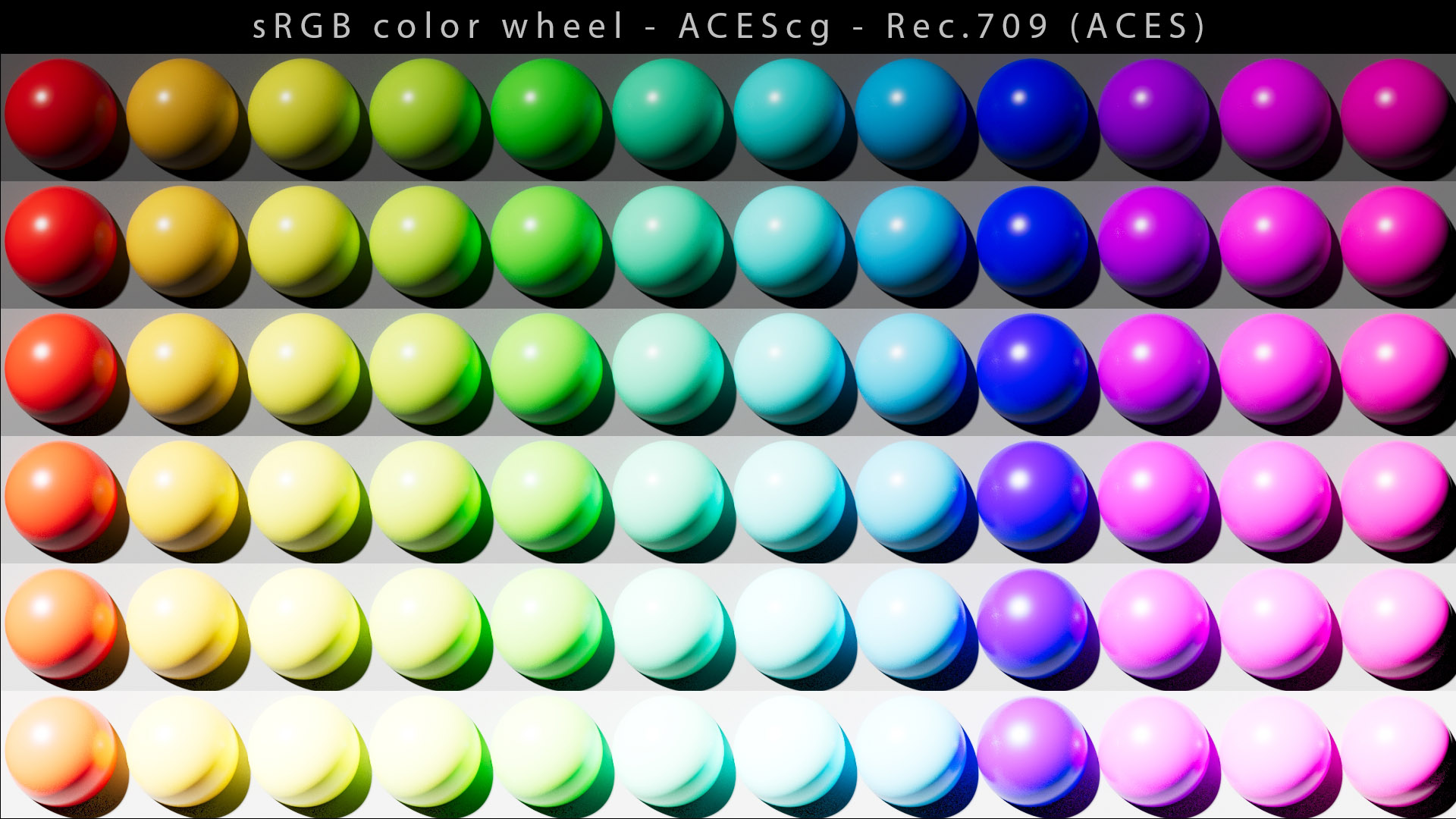
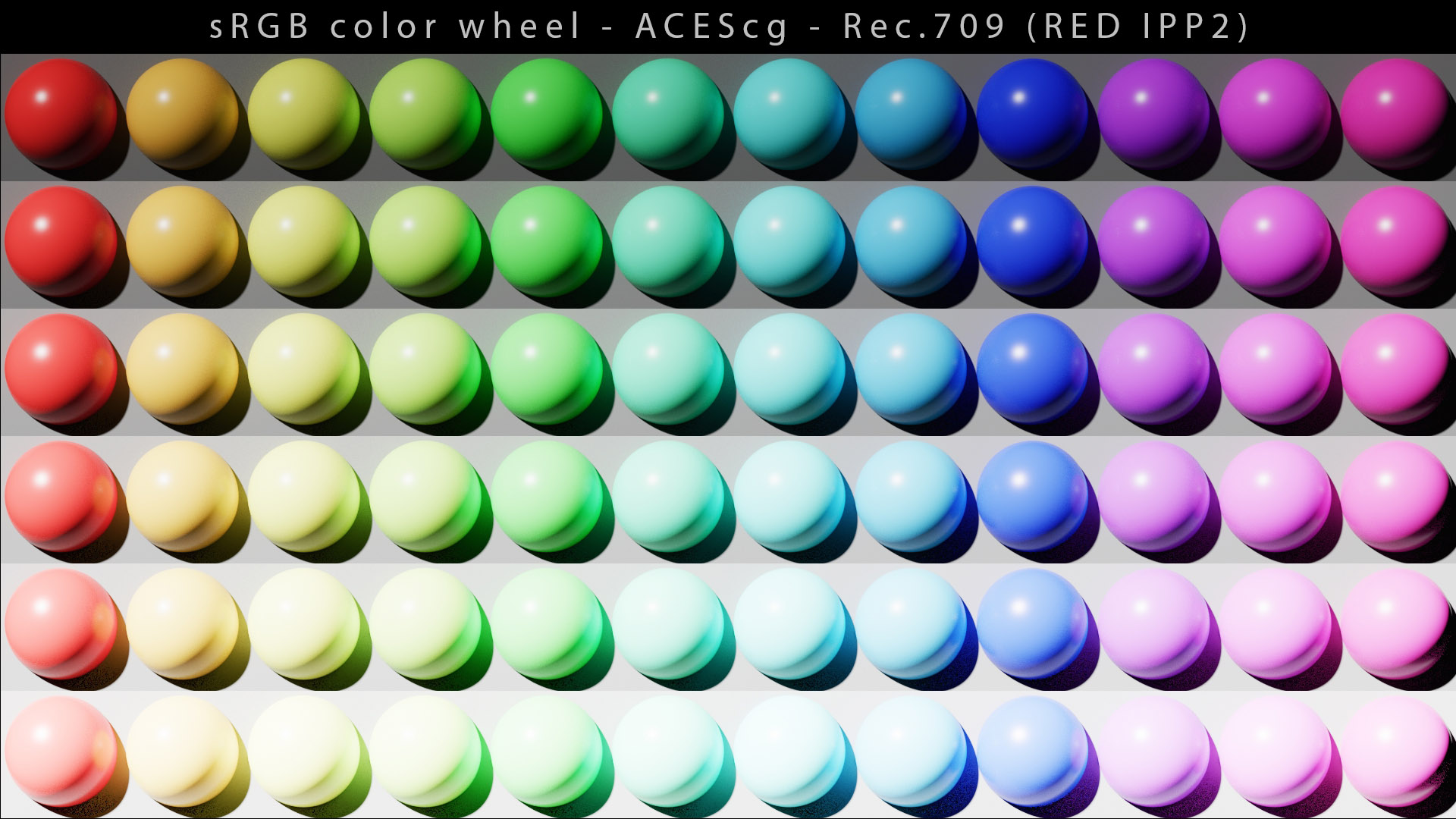
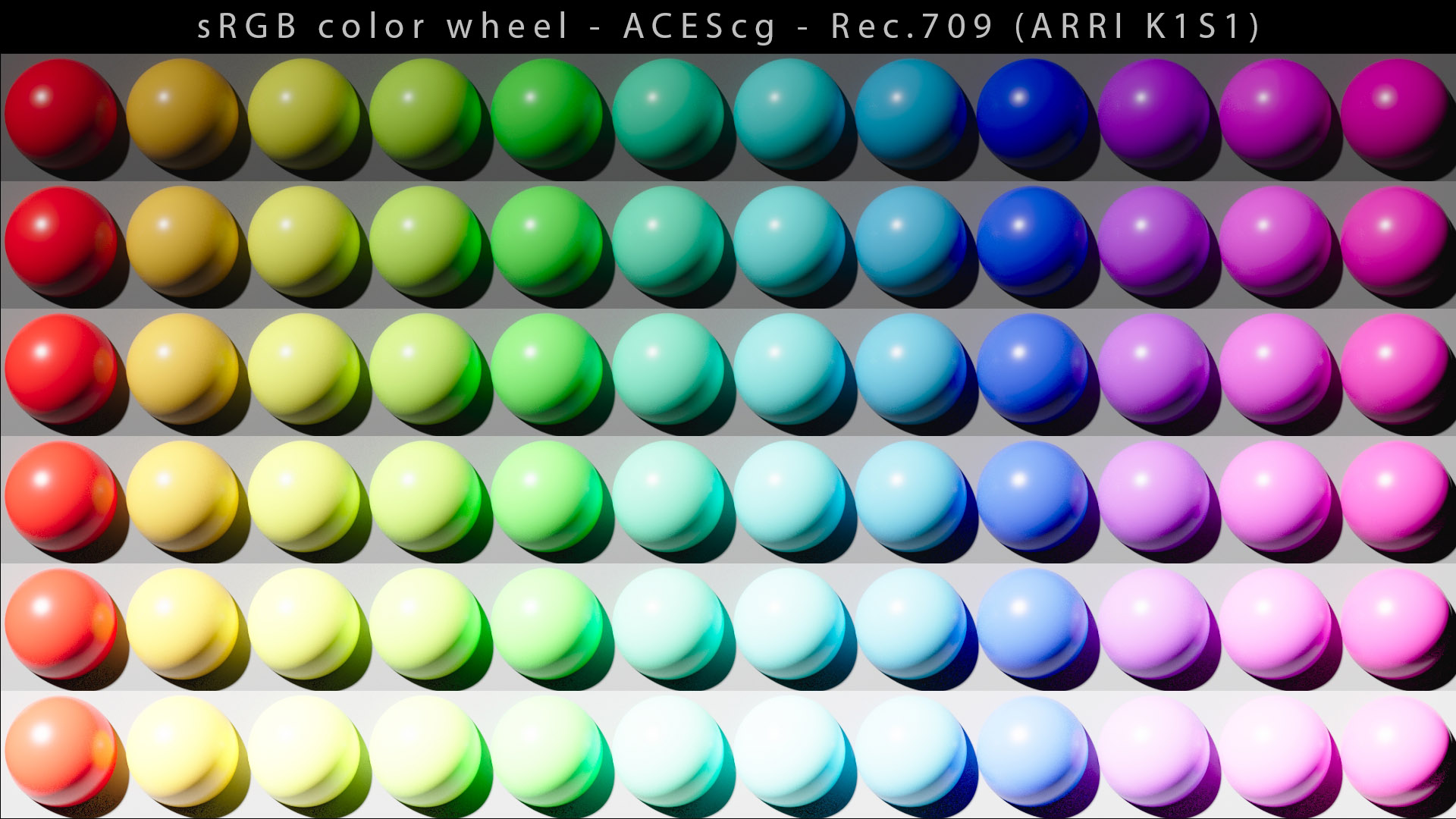
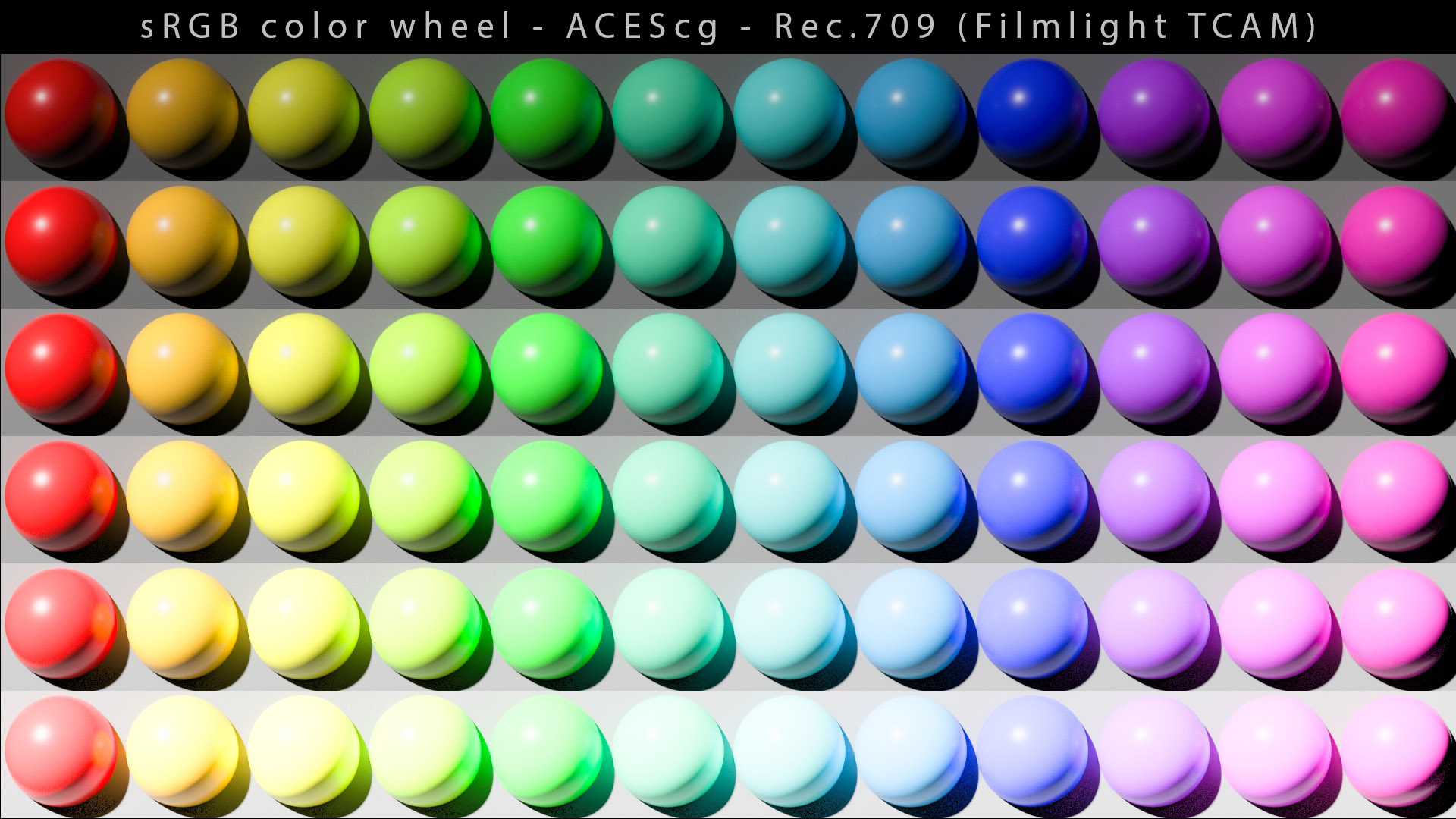
I have used this experimental OCIO config to compare different Output Transforms.
我已经使用这个实验性的 OCIO 配置来比较不同的输出转换。
This process is actually quite complex and there has been many attempts these last few years to solve this riddle : AMD Fidelity FX, AMD Variable Dynamic Range, AMD FreeSync HDR Gamut Mapping, Frostbite… With more or less success.
这个过程实际上相当复杂,过去几年里有过很多尝试来解答这个谜题:AMD Fidelity FX、AMD 可变动态范围、AMD FreeSync HDR 色域映射、Frostbite ……或多或少都取得了成功。
Apart from ICC, there are not really any systems that do [gamut mapping]. It is the responsibility of the colorist to manage this kind of problem by desaturating a bit the red. But it is not necessarily a limitation of ACES, on the contrary. The system allows you to use extreme values so with great power comes great responsibilities. This is where gamut mapping would be useful. The reality is that all the technology changes super super fast and it takes a lot of time to build the tools. The research is not even finished in fact : for example, LED onset lighting is very recent.
除了 ICC,实际上没有任何系统可以进行 [色域映射]。调色师有责任通过稍微降低红色的饱和度来处理此类问题。但这不一定是 ACES 的限制,恰恰相反。该系统允许您使用极端值,因此能力越大,责任越大。 这就是色域映射的用武之地。现实情况是,所有技术的变化都超级快,构建工具需要大量时间。事实上,研究甚至还没有完成: 例如,LED 光源照明是最近才出现的。
Some advice from Thomas Mansencal.
来自 Thomas Mansencal 的一些建议。
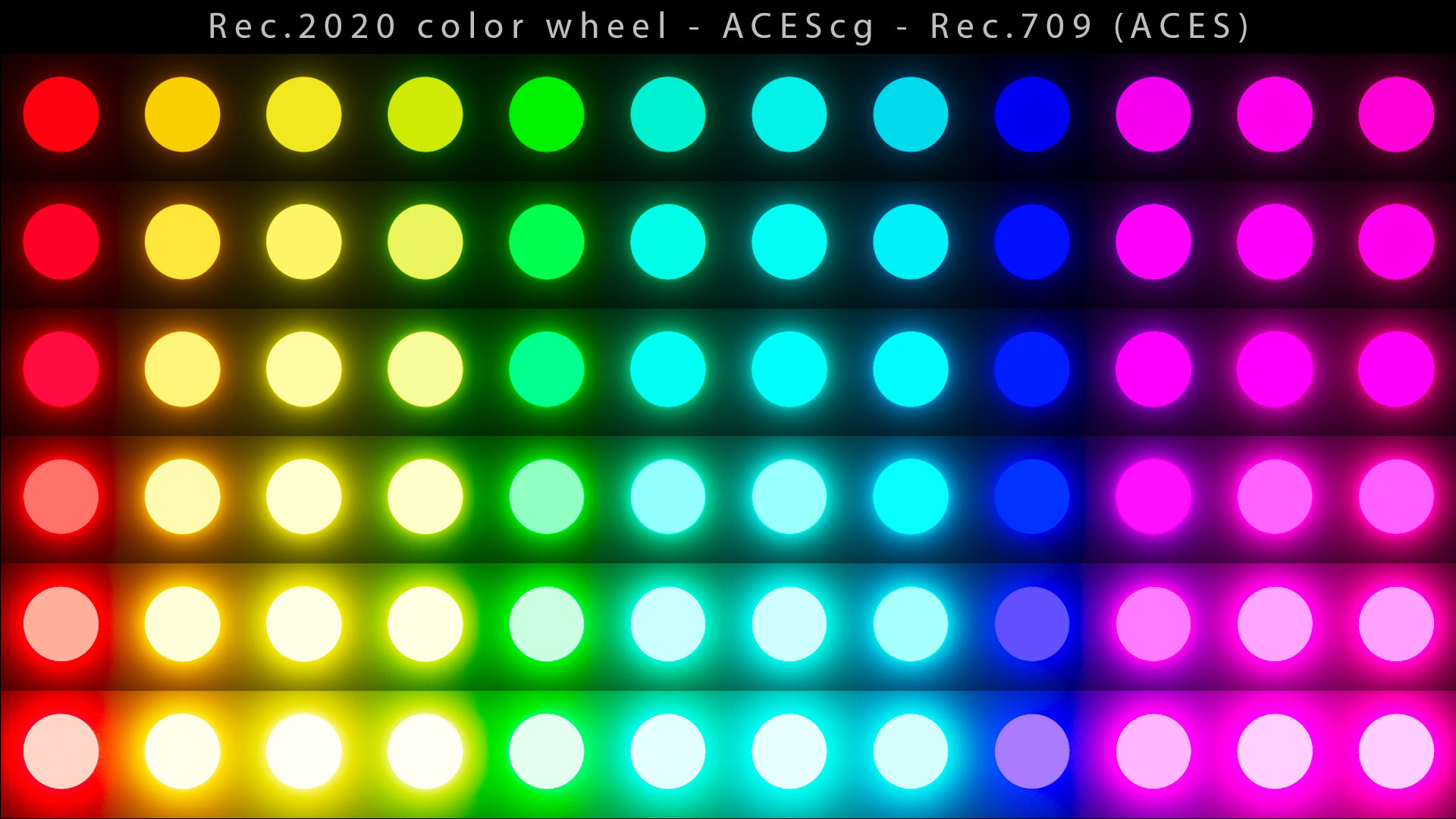
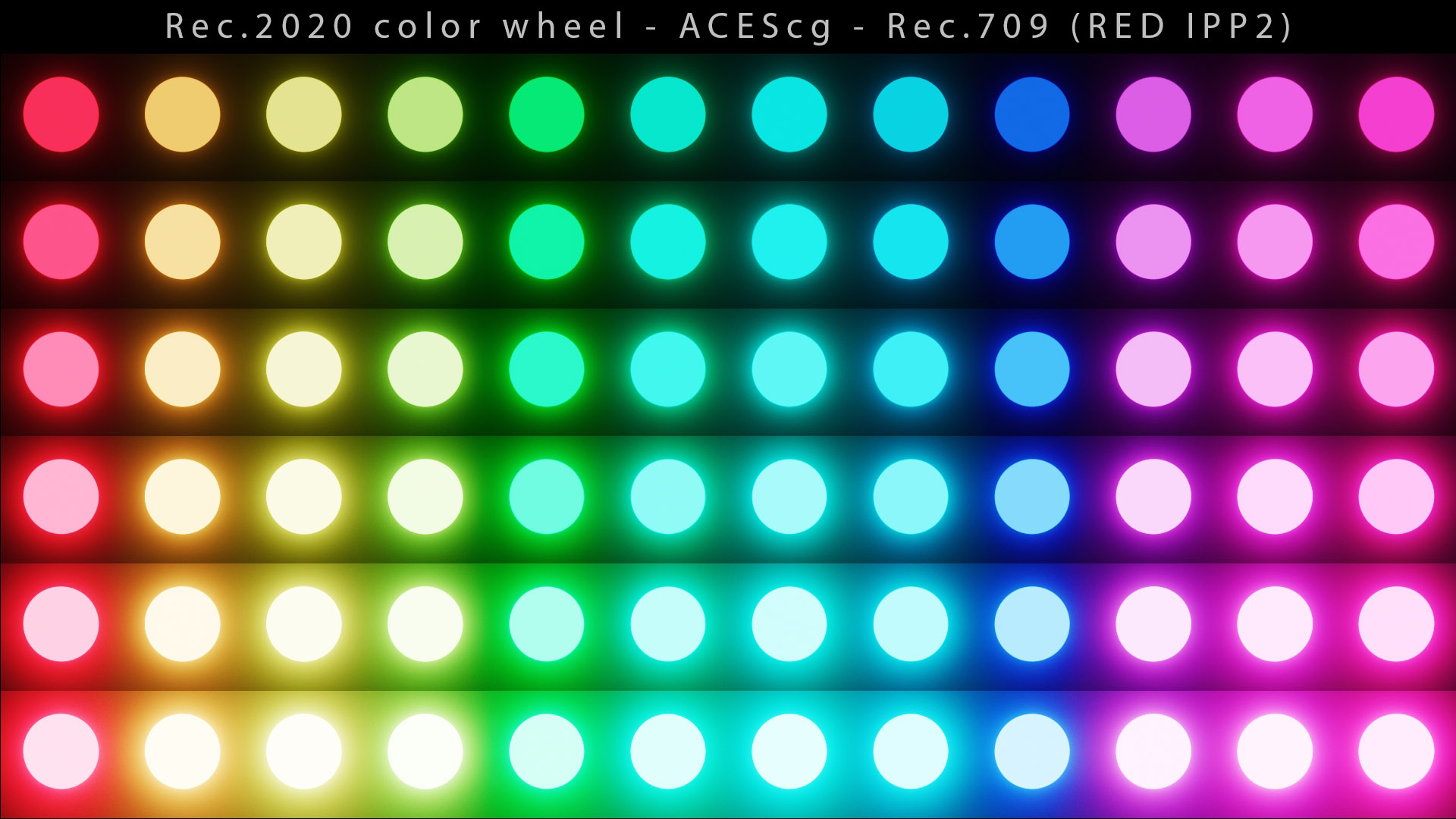
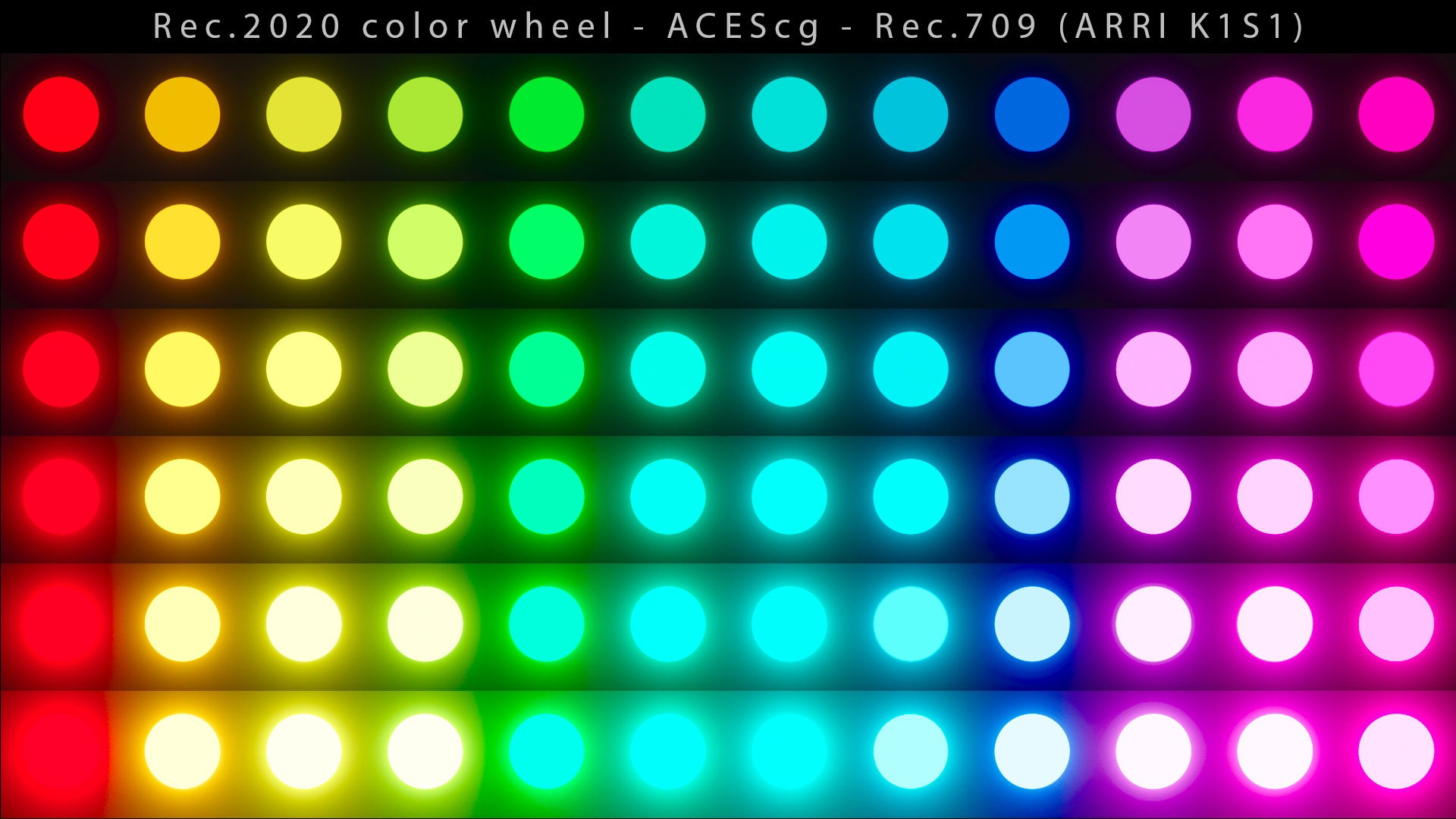
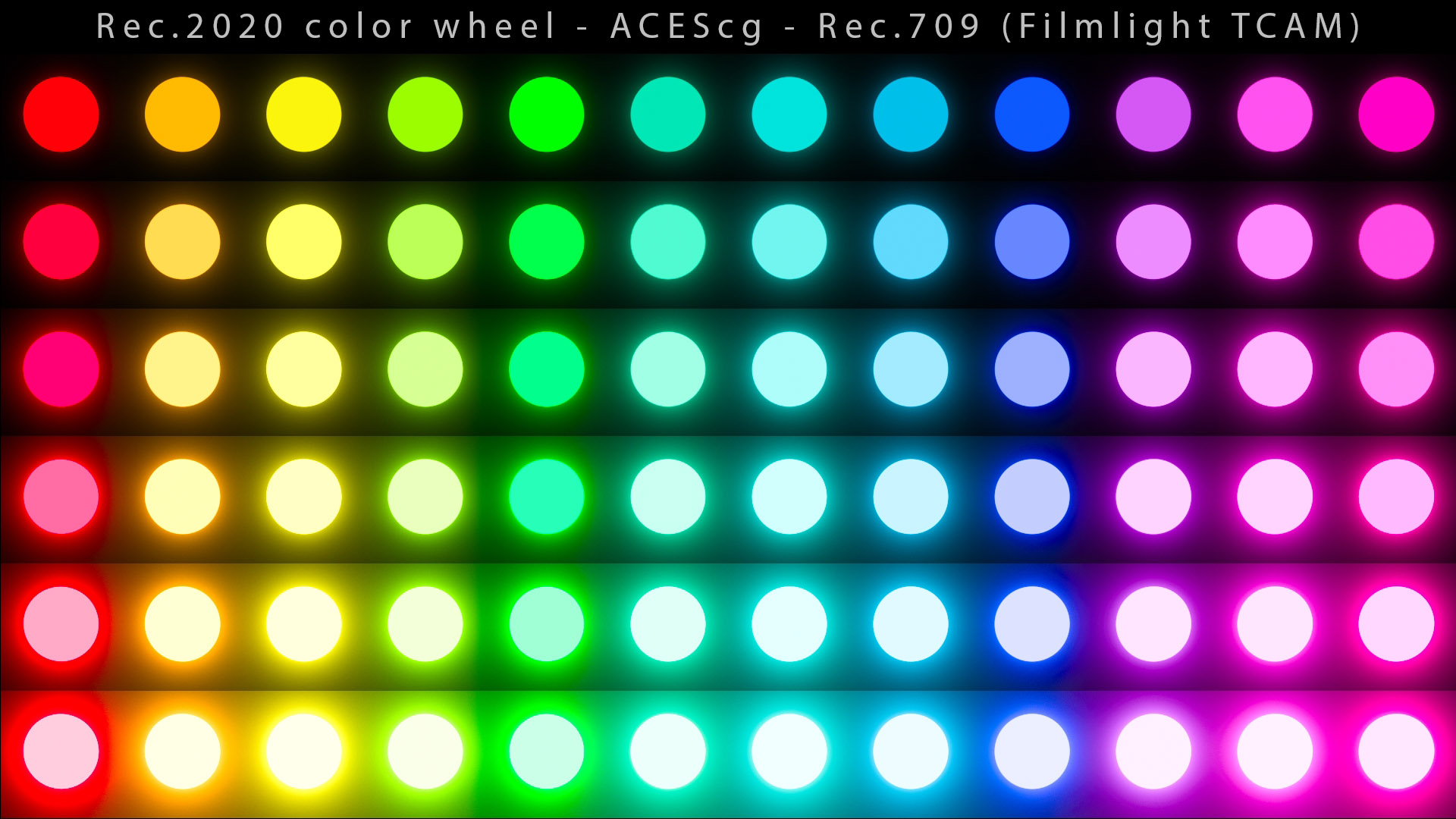
One issue that has often been noticed is what we call the Blue Light Artifact. It is very well described in this post from ACEScentral. A temporary fix has also been provided until a more long-term solution is found, such as the Gamut Compress algorithm by Jed Smith.
一个经常被注意到的问题就是我们所说的蓝光伪影。ACEScentral的这篇文章对此进行了很好的描述。还提供了一个临时修复,直到找到更长期的解决方案,例如Jed Smith 的 Gamut Compress 算法。
结论 Conclusion
ACES provides the following characteristics :
ACES 具有以下特点:
- Compatibility through OCIO with many softwares.
- 通过OCIO与许多软件兼容。
- Free and support from the community on ACEScentral.
- 免费并享受ACEScentral社区的支持。
However, several aspects should be adressed for ACES 2.0 to make it more robust and reliable :
然而,应该解决 ACES 2.0 的几个方面问题,以使其更加健壮和可靠:
- Hue Skews due to per-channel (RGB) lookup.
- 由于每个通道(RGB)查找导致色调倾斜。
- Gamut clipping (or posterization) due to lack of signal compression (aka gamut mapping).
- 由于缺乏信号压缩(又称色域映射)导致色域剪切(或色调分离)。
- The current Output Transforms are not “neutral”/chromaticity-linear/hue-preserving (light mixtures in the working space are not respected).
- 当前的输出变换不是“中性”/色度线性/色调保留(不尊重工作空间中的光混合)。
- The path to white is just an “happy accident” where colours converge to primaries and their complements.
- 通往白色的道路只是一个“幸福的意外”,其中颜色汇聚到原色和它们的补色。
- Lack of predictability between the SDR and HDR Output Transforms.
- SDR 和 HDR 输出转换之间缺乏可预测性。
- ACES deliveries are still ambiguous and should be fixed by the ACES Metadata File (AMF).
- ACES 交付仍然不明确,应该通过 ACES 元数据文件 (AMF) 进行修复。
On paper, the idea of ACES is interesting : a standard for professionals to help them color managing. In practice, it is an over-complex system that is actually not really recommended nor even used by color professionals (except for exchanging files).
从理论上讲,ACES 的理念很有趣:为专业人士提供帮助他们管理色彩的标准。实际上,这是一个过于复杂的系统,色彩专业人士实际上并不推荐甚至不使用该系统(除了交换文件)。
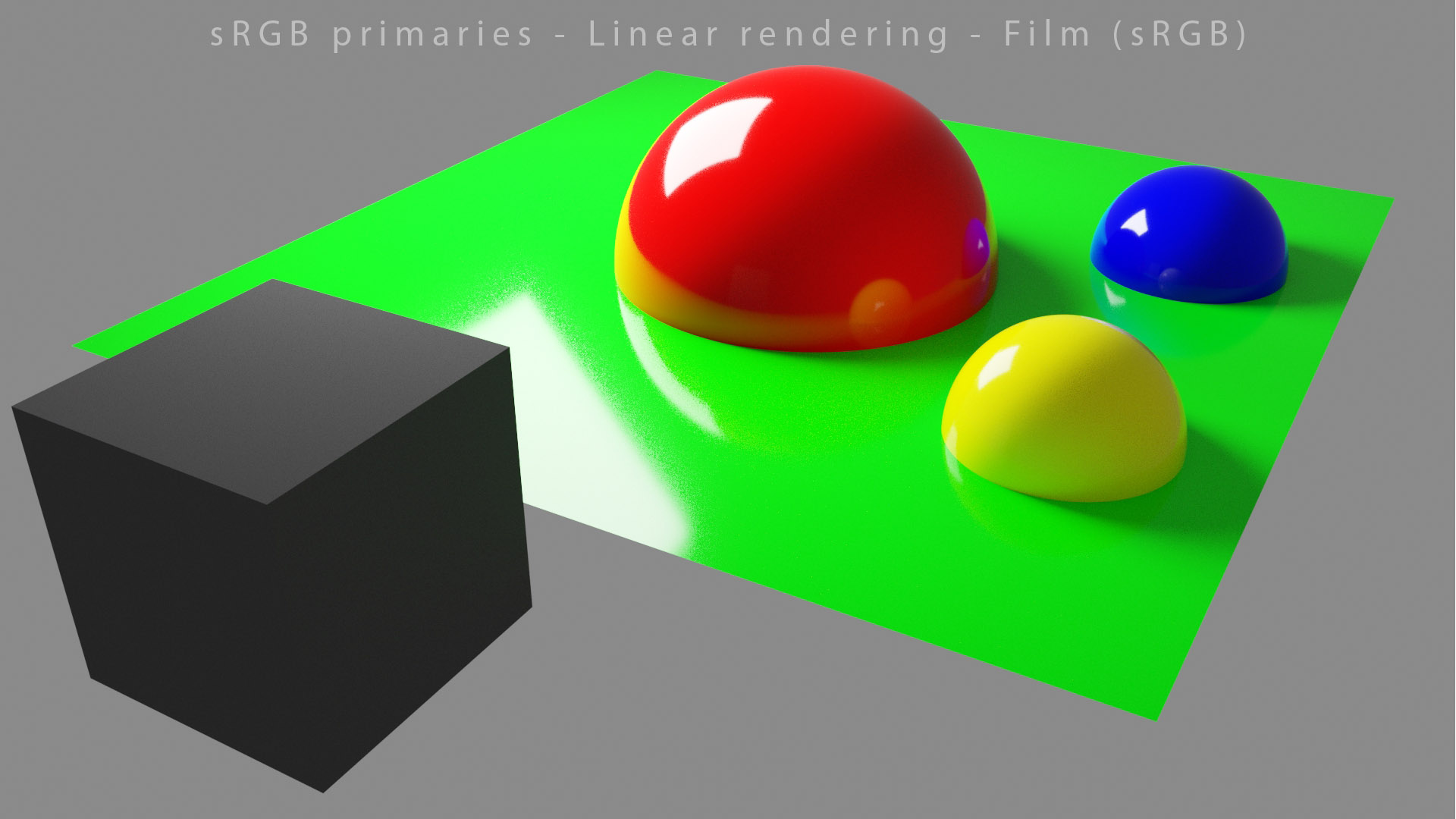
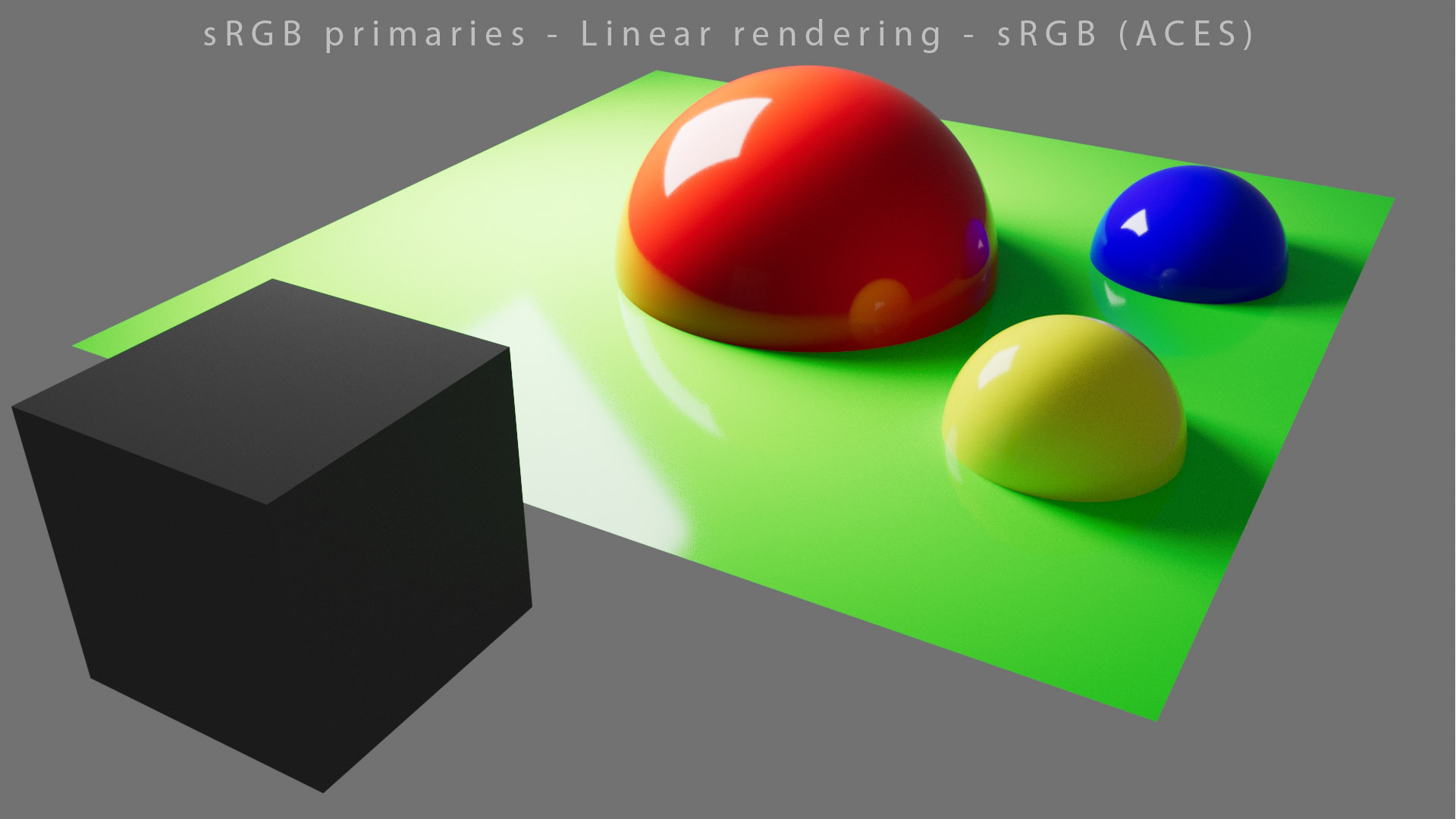
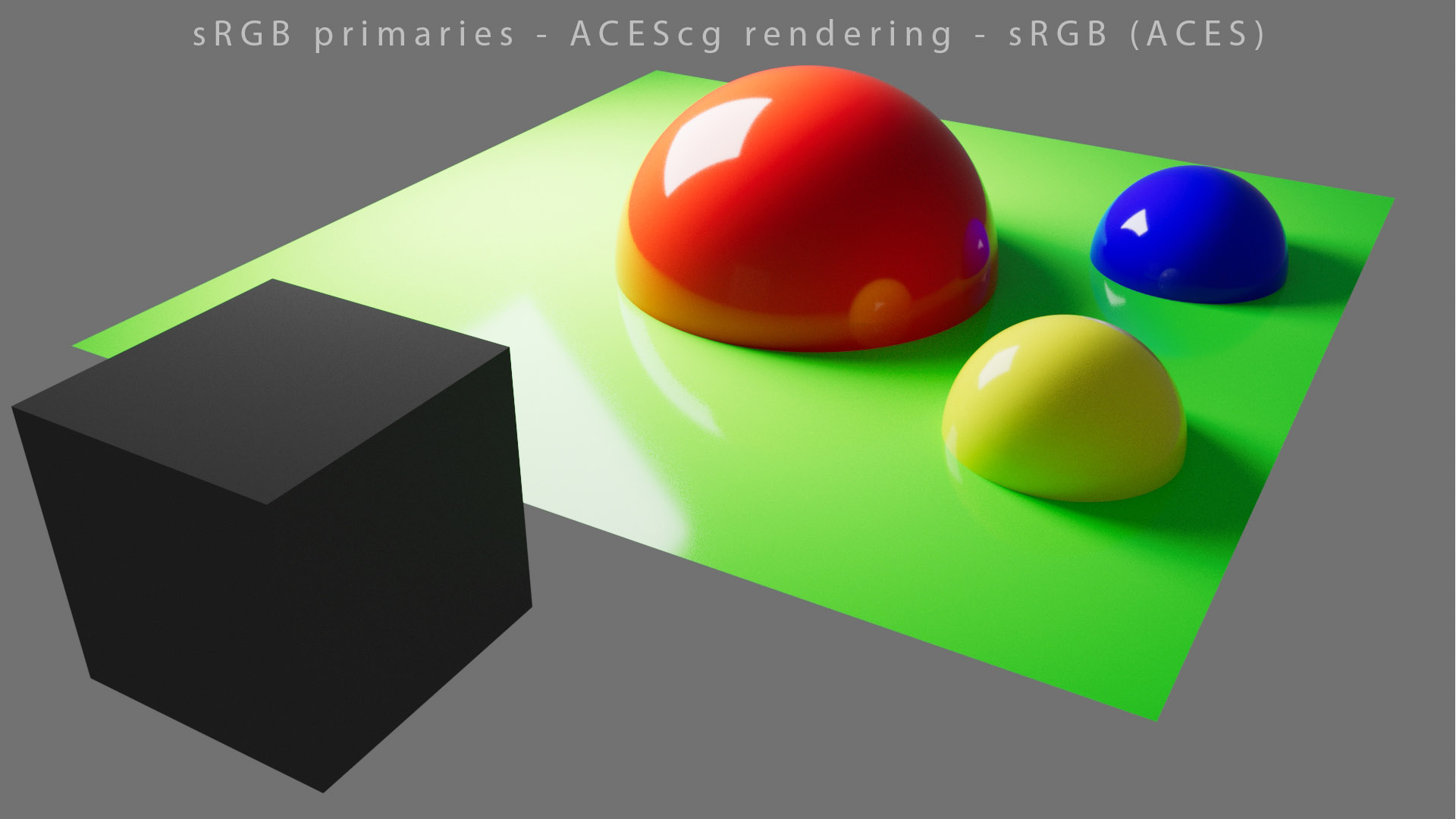
概括 Summary
Here are the key points we have seen in this chapter :
以下是我们在本章中看到的要点:
- ACESis an attempt at setting a standard Color Management Workflow.
- ACES试图设定一个标准的色彩管理工作流程。
- It is designed around three important steps : the Input Transforms (for input/import), ACEScg (working/rendering space) and the Output Transforms (for display).
- 它围绕三个重要步骤设计:输入变换(用于输入/导入)、ACEScg(工作/渲染空间)和输出变换(用于显示)。
- Ideally you should know and color the color spaces used for each step. ACES gives you access through OCIO to the transforms needed to do so.
- 理想情况下,您应该了解并着色每个步骤使用的颜色空间。ACES 让您可以通过 OCIO 访问所需的转换。
- ACES lets you manipulate most (all ?) of color spaces but is composed of four different color spaces itself : ACES2065-1, ACEScc, ACEScct and ACEScg.
- ACES 让您可以操作大多数(全部?)颜色空间,但它本身由四种不同的颜色空间组成:ACES2065-1、ACEScc、ACEScct 和 ACEScg。
- Having access to Wide Gamut Rendering allows for interesting experiments but should be studied with care.
- 利用宽色域渲染可以进行有趣的实验,但应谨慎研究。
- ACES has unfortunately issues, such as Hue Skews and Gamut Clipping, which in my opnion cannot be solved by a colorist : “LMTs for a DRT with wiggles are difficult.” (from meeting#36). It actually prevents you to reach certain colors on display :
- 不幸的是,ACES 存在一些问题,例如色调倾斜和色域剪切,在我看来,这些问题是调色师无法解决的:“带有摆动的 DRT 的 LMT 很难。” (来自会议#36 )。它实际上会阻止您在显示器上达到某些颜色:
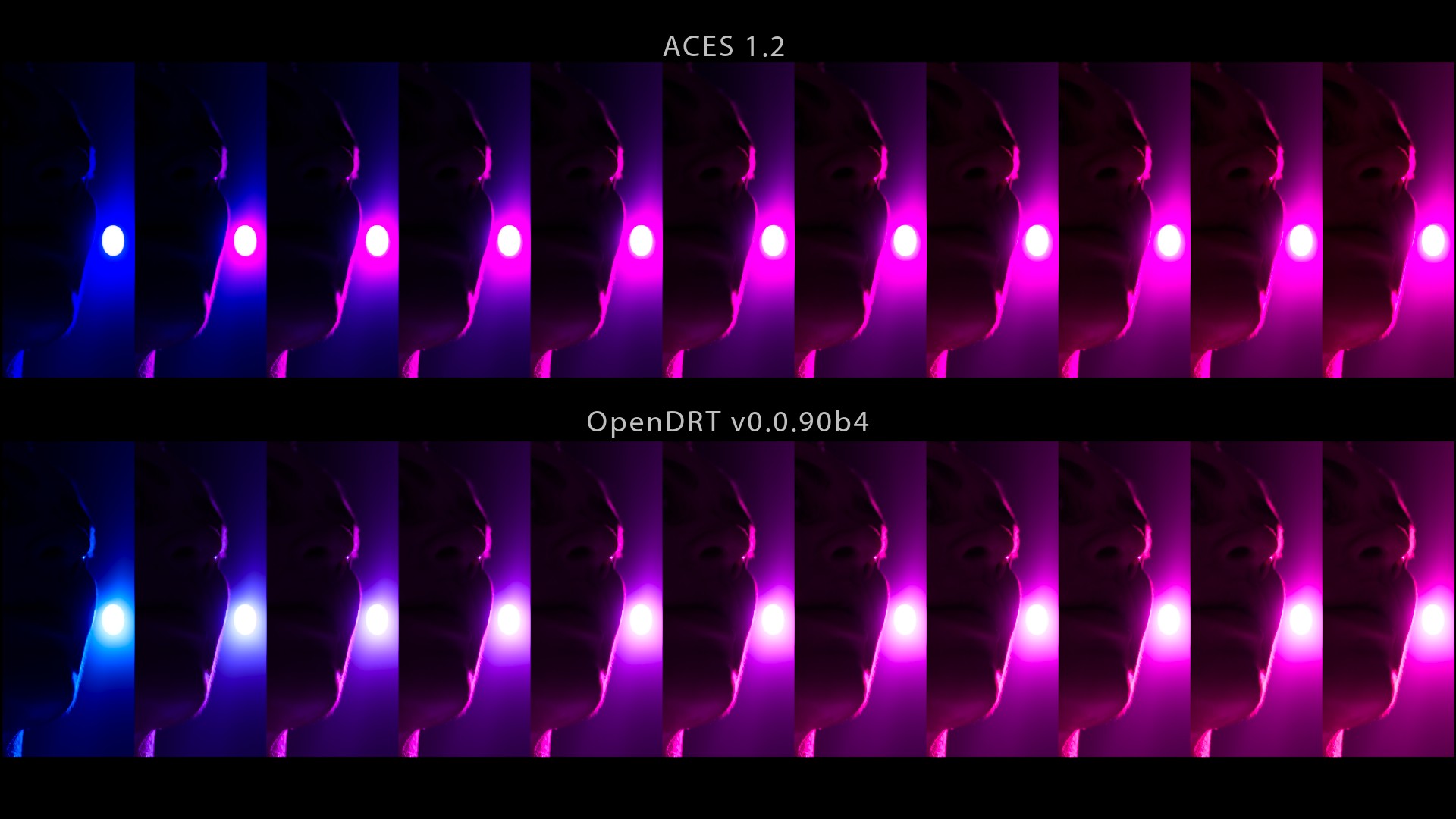
From this post originally. It is virtually impossible to compensate for this behaviour.
原文来自此帖。这种行为几乎不可能得到补偿。
Maybe these limitations come from the ACES’ History itself. I have tried to summarize it below from the information I could gather on ACESCentral and during the VWG meetings.
也许这些限制来自 ACES 的历史本身。我试图根据我在 ACESCentral 和 VWG 会议期间收集的信息总结如下。
ACES 历史 ACES history
ACES has a complex history :
ACES 有着复杂的历史:
- It started as an “Interchange Framework” with a single color space ACES2065-1 (AP0 primaries).
- 它开始是一个具有单一色彩空间 ACES2065-1(AP0 原色)的“交换框架”。
- Then, if I understood correctly, feedback from colorists and VFX studios was not great. So AP1 primaries were created to give birth to ACEScg, ACEScc, ACEScct and ACESproxy. Two of these four color spaces are now deprecated (or almost).
- 然后,如果我理解正确的话,调色师和 VFX 工作室的反馈并不好。因此,AP1 原色被创建,从而诞生了 ACEScg、ACEScc、ACEScct 和 ACESproxy。这四个颜色空间中有两个现在已被弃用(或几乎被弃用)。
- Having non-physically realizable primaries (AP1) for a working space is a controversial choice. They are outside of the Spectral Locus !
- 在工作空间中使用非物理可实现的原色 (AP1) 是一个有争议的选择。它们在光谱轨迹之外!
- Same thing for White Point which is almost ~D60 ! Would have Rec.2020 (with actual physical primaries and a White Point of D65) been a good candidate for the working space ?
- 白点也差不多是 ~D60 !Rec.2020(具有实际物理原色和 D65 白点)是否是工作空间的良好候选者?
- Finally, the Output Transforms were created with “contradictory design requirements” and a core technology (Per-Channel Lookup) that has proven to be inadequate and overly complex (the SSTS is over a thousand lines of code).
- 最后,输出转换是用“矛盾的设计要求”和核心技术(每通道查找)创建的,但事实证明这项技术不够充分而且过于复杂(SSTS 有超过一千行代码)。
I actually try to explain and detail all of these points in my latest article (from September 2021) here. I would recommend to read it if you are done with this chapter. Or you can now move to less technical chapters and focus on cinematography. Your call !
实际上,我尝试在我的最新文章(2021 年 9 月)中详细解释和阐述所有这些要点。如果您读完了本章,我建议您阅读它。或者您现在可以转到技术性较低的章节并专注于电影摄影。您说了算!
来源 Sources
- Alex Fry presentation at Siggraph 2015. There is an article as well.
- Alex Fry 在 Siggraph 2015 上的演讲。还有一篇文章。
- These articles from Autodesk were helpful to me.
- Autodesk 的这些 文章对我很有帮助。
- If you want to read more about ACEScg (here are the slides and the pdf).
- 如果您想了解有关 ACEScg的更多信息(这里有幻灯片和pdf)。
- If you need a reminder about wide gamut rendering, these posts are interesting.
- 如果您需要有关宽色域渲染的提醒,这些 帖子很有趣。
- Steve Agland also did some interesting tests. And Thomas as well.
- 史蒂夫·阿格兰 (Steve Agland) 也做了一些有趣的测试。托马斯 (Thomas)也做了一些有趣的测试。
文章和博客 Articles and blogs
I have removed most of the articles’ links because most of them are only scratching the surface or just making a blind praise of ACES.
我删除了大部分文章的链接,因为其中大部分都只是触及表面或只是对 ACES 进行盲目的赞美。
- Two Blender posts where I explain my point of view : here and here.
- 我在两篇 Blender 帖子中解释了我的观点:这里和这里。
- If you are curious about the ODT, check these two posts from ACEScentral.
- 如果您对 ODT 感到好奇,请查看ACEScentral的这两篇 文章。
- If you want to get technical about ACES, this document is made for you.
- 如果您想了解 ACES 的技术信息,本文档非常适合您。
- Nothing impeaches you to render in spectral like this example in Octane.
- 没有什么可以像Octane 中的这个示例一样阻止您进行光谱渲染。
- Siggraph 2017 has this interesting but quite technical paper about spectral and ACES rendering.
- Siggraph 2017 有一篇关于光谱和 ACES 渲染的有趣但相当技术性的论文。
- The ACES 1.0 OCIO Config.
- ACES 1.0 OCIO 配置。
- Unreal Engine accidentally shows the ACES hue Skews in their documentation.
- 虚幻引擎在其文档中意外显示了 ACES 色调倾斜。
- Birds of a feather Siggraph 2019 about ACES 2.0. ACES 2.0 roadmap.
- Birds of a feather Siggraph 2019关于 ACES 2.0。ACES 2.0 路线图。
- Two videos in French : représentation de la couleur and Academy Color Encoding Specifications.
- 两个法语视频:représentation de la couleur和Academy Color Encoding Specifications。
- ACES & Associated Workflows by Light Illusion.
- 由 Light Illusion 提供的ACES 及相关工作流程。
- You can find a list of IDT here and some explanation about LMT there.
- 您可以在这里找到 IDT 列表,并在那里找到有关 LMT 的一些说明。
- Kevin Wheatley ACES presentation.
- Kevin Wheatley ACES 演示。
-
- 前言 Foreword
- 介绍 Introduction
- ACES 概述 ACES overview
- ACES 限制 ACES limitations
- 结论 Conclusion
- 概括 Summary
- ACES 历史 ACES history
- 来源 Sources
- 文章和博客 Articles and blogs
 粤公网安备44060602002818